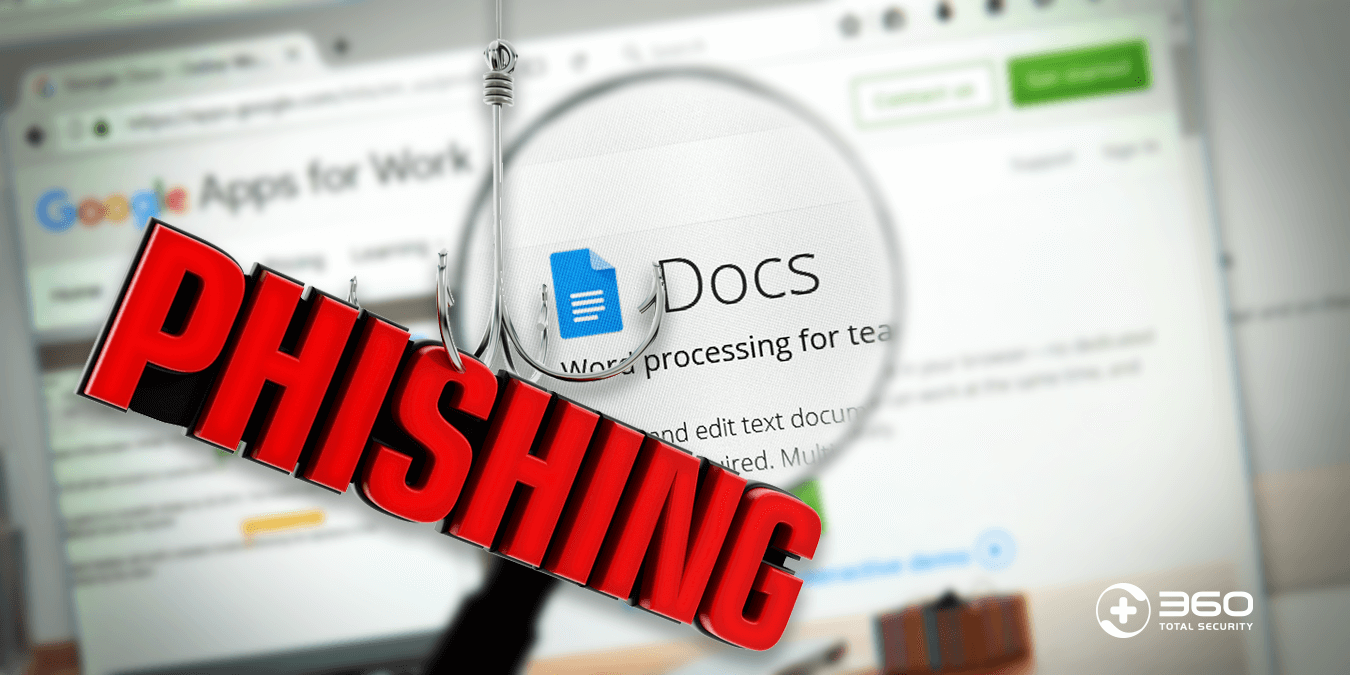
Executive Summary: Choosing the right antivirus software is one of the most consequential decisions you can make for your digital security. With cyber threats evolving at an unprecedented pace—ransomware attacks, zero-day exploits, and sophisticated phishing campaigns now targeting everyday users—relying on outdated or inadequate protection is no longer acceptable. This comprehensive guide cuts through the marketing noise to deliver an evidence-based analysis of what makes antivirus software truly effective, how to match a solution to your specific needs and budget, and how leading products like Bitdefender, Norton, ESET, and the standout free solution 360 Total Security compare in real-world conditions. Whether you are a gamer, a remote worker, a parent, or simply someone who wants peace of mind, this guide provides the actionable intelligence you need to build a robust, layered cybersecurity setup for your Windows or macOS desktop.
What Makes an Antivirus Truly Effective in Today’s Threat Landscape?
The cybersecurity landscape of today bears almost no resemblance to the era when antivirus software simply scanned files against a database of known virus signatures. Modern threats are polymorphic, fileless, and increasingly AI-assisted. An effective antivirus solution must therefore operate across multiple defensive layers simultaneously, intercepting threats at the network level, the file system level, and the behavioral level—all while consuming minimal system resources. Understanding these layers is the first step toward making an informed choice.
The Evolution from Simple Scanners to Multi-Layered Security Suites
Traditional signature-based detection, while still a foundational component, is now considered the bare minimum. According to a 2026 Cybersecurity and Infrastructure Security Agency (CISA) analysis of evolving malware tactics, over 70% of new malware variants are specifically engineered to evade signature-based detection on first encounter. This reality has driven the industry toward behavioral analysis and AI-powered heuristics—technologies that monitor how a program behaves rather than simply what it looks like.
Behavioral analysis engines observe processes in real time, flagging actions that are characteristic of malicious intent: unauthorized encryption of files (a hallmark of ransomware), attempts to modify system registries, or unusual network communication patterns. AI-powered heuristics go further, using machine learning models trained on millions of malware samples to predict whether an unknown file is likely to be malicious, even before it executes. This capability is critical for catching zero-day exploits—vulnerabilities that are unknown to the software vendor and therefore have no available patch.
Beyond the core detection engine, a holistic security suite in 2025 and beyond must include:
- Robust Firewall: Monitors inbound and outbound network traffic to block unauthorized connections.
- Web Protection: Intercepts malicious URLs, phishing pages, and drive-by download attempts before they reach the browser.
- Ransomware Shield: Creates protected folders that unauthorized applications cannot modify, preserving your most critical data.
- Email Scanning: Analyzes attachments and links in incoming emails, the most common vector for malware delivery.
- Sandboxing: Executes suspicious files in an isolated virtual environment to observe their behavior without risk to the host system.
Balancing Protection with System Performance
A security suite that consumes excessive CPU and RAM is not just an inconvenience—it is a practical security liability. Users who experience significant slowdowns are more likely to disable real-time protection, schedule fewer scans, or abandon the software altogether. The performance cost of antivirus software is therefore a critical evaluation criterion, not a secondary consideration.
The impact is most acutely felt during resource-intensive activities: gaming, video editing, software compilation, and system boot sequences. A heavyweight antivirus can add 15–30 seconds to boot times and cause noticeable frame rate drops during gaming by competing for CPU cycles. This is why the presence of a Gaming Mode or Silent Mode has become a near-essential feature. These modes intelligently pause non-critical notifications, defer scheduled scans, and reduce background resource consumption when a full-screen application is detected, ensuring that protection remains active without degrading the user experience.
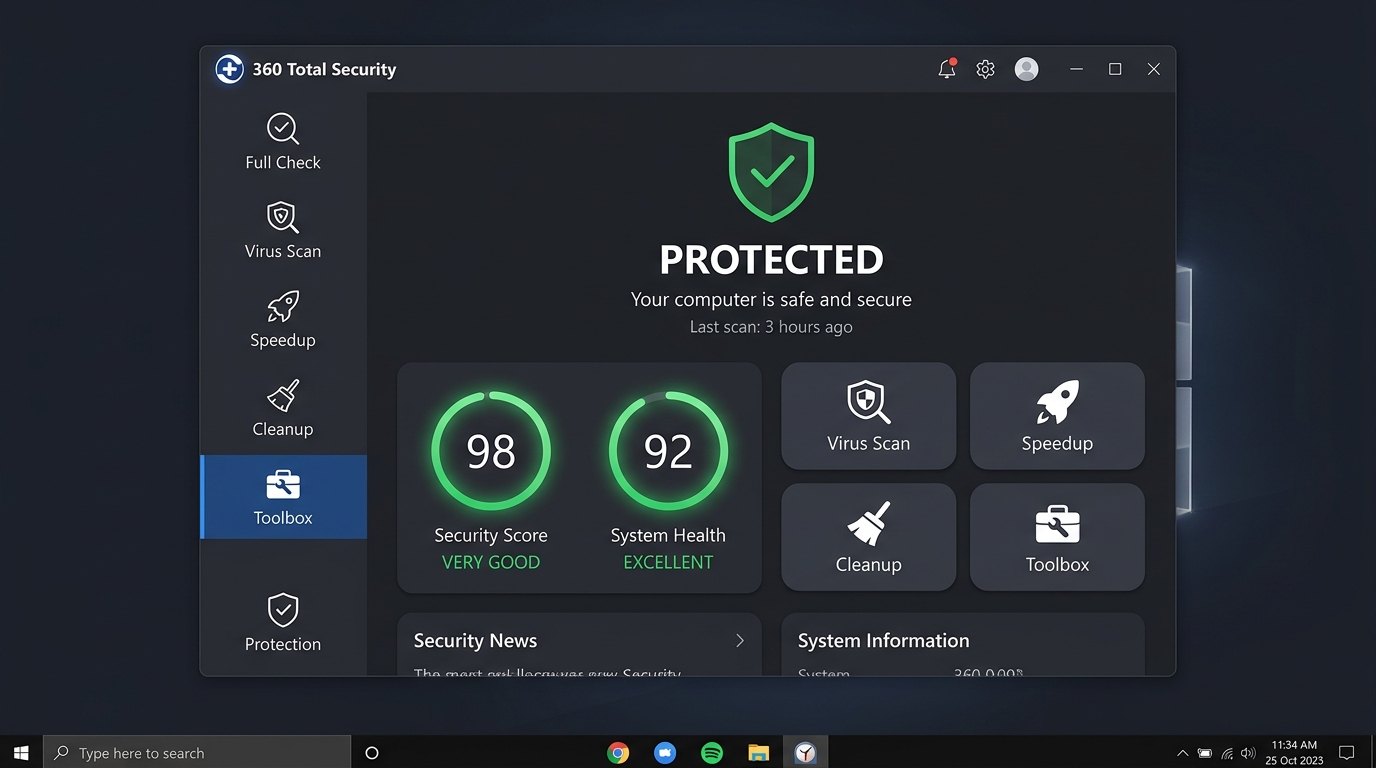
When evaluating performance impact, look for independent benchmark data rather than vendor claims. Tests that measure CPU load during idle, active scanning, and file launch scenarios provide the most reliable picture of real-world performance.
Understanding Real-World Testing and Certifications
Independent laboratory testing is the gold standard for evaluating antivirus efficacy. Two organizations dominate this space: AV-TEST (based in Germany) and AV-Comparatives (based in Austria). Both conduct rigorous, standardized tests across three primary categories: Protection (malware detection rates), Performance (system impact), and Usability (false positive rates).
According to a 2025 quarterly evaluation by AV-TEST, top-tier vendors like Bitdefender and Norton consistently achieve near-perfect protection scores of 99.9–100% against both widespread and zero-day malware, while maintaining usability scores that reflect low false positive rates. These certifications serve as an objective trust signal that cuts through marketing hyperbole. When a product carries an AV-TEST “Top Product” award or an AV-Comparatives “Advanced+” rating, it has demonstrably earned that designation under controlled, reproducible conditions.
Equally important, though often overlooked, is user interface clarity. An antivirus with a confusing or cluttered interface leads to misconfiguration—critical features left disabled, scheduled scans never set up, and alerts dismissed without being understood. The best security software makes its status immediately legible: a clear dashboard showing what is protected, what requires attention, and how to resolve any issues, without requiring technical expertise.
How to Choose the Right Antivirus for Your Specific Needs and Budget
The most technically advanced antivirus suite is worthless if it does not align with your actual usage patterns, hardware capabilities, and financial constraints. Effective antivirus selection is a matching exercise: aligning the product’s strengths with your specific threat profile and operational context. This section provides a structured framework for making that match.
Free vs. Paid Antivirus: Understanding the Trade-Offs
The free versus paid debate is nuanced. Free antivirus solutions have improved dramatically and can provide genuine protection for low-risk users. However, the gap between free and premium offerings is real and meaningful for users with more complex needs.
Free antivirus solutions typically provide core real-time scanning, basic malware detection, and essential web protection. What they generally omit are the value-added features that address the full spectrum of modern digital risk. Paid suites, by contrast, bundle comprehensive protection with tools that address identity theft, privacy, and family safety—risks that are increasingly relevant to the average user.
| Feature | Free Antivirus | Premium Antivirus |
|---|---|---|
| Real-Time Malware Scanning | ✅ Yes | ✅ Yes (Enhanced) |
| Web & Phishing Protection | ⚠️ Basic | ✅ Advanced |
| Ransomware Shield | ⚠️ Limited | ✅ Full |
| Firewall | ❌ Usually Absent | ✅ Included |
| VPN | ❌ No | ✅ Often Included |
| Password Manager | ❌ No | ✅ Often Included |
| Parental Controls | ❌ No | ✅ Yes |
| Identity Theft Protection | ❌ No | ✅ Yes (Select Plans) |
| Multi-Device Coverage | ❌ Single Device | ✅ Multiple Devices |
| Dedicated Tech Support | ❌ Community Only | ✅ 24/7 Support |
| PC Optimization Tools | ⚠️ Rare | ✅ Often Included |
The key insight is that 360 Total Security represents a notable exception to the typical free-tier limitations, offering optimization tools, multi-engine protection, and a game mode within its free version—a combination that significantly narrows the gap with paid competitors for everyday users.
Matching Antivirus Software to Your Device Profile
Hardware capability is a critical but frequently ignored variable in antivirus selection. On a modern desktop or laptop with a current-generation processor and 16GB of RAM, even a resource-intensive security suite will have negligible impact. On an older machine running Windows 10 with 4GB of RAM and a spinning hard drive, the wrong antivirus can render the system nearly unusable.
For older or resource-constrained hardware, the priority is a lightweight engine with a small memory footprint and efficient disk I/O. Products like ESET NOD32 and 360 Total Security are specifically engineered with this constraint in mind, delivering strong protection without the overhead of bloated feature sets.
On the macOS front, a persistent and dangerous myth continues to circulate: that Macs are immune to malware. This is categorically false. According to a 2025 threat intelligence report, Mac-specific malware incidents increased by over 50% year-over-year, driven primarily by adware, spyware, and increasingly sophisticated trojans targeting macOS users. As noted by independent security researcher Patrick Wardle, a leading authority on macOS security: “The Mac threat landscape has matured considerably. Attackers have recognized the high-value demographic of Mac users and are investing in platform-specific malware that Apple’s built-in protections are not always equipped to handle in real time.” Dedicated antivirus protection on macOS is no longer optional for users who handle sensitive data or conduct financial transactions.
Special Considerations for Gamers, Families, and Remote Workers
Different user profiles have distinct security priorities that should directly influence product selection:
Gamers require a solution that is virtually invisible during play. The ideal antivirus for a gamer automatically detects full-screen applications, suppresses all notifications and pop-ups, defers scheduled scans, and reduces background CPU usage—all without requiring manual intervention. Gaming Mode is a non-negotiable feature for this profile. Additionally, fast scan engines that do not cause perceptible stuttering when new game files are downloaded and scanned are essential.
Families benefit most from solutions with robust parental controls that allow parents to filter web content by category, set screen time limits, and monitor online activity across multiple devices. An easy-to-manage central dashboard that does not require technical expertise to configure is equally important, as the primary administrator may not be a tech-savvy user.
Remote workers face a unique threat profile: they operate outside the protective perimeter of a corporate network, often on home Wi-Fi or public networks, and handle sensitive business data. For this profile, a secure VPN is critical for encrypting traffic on untrusted networks. Enhanced protection for online banking and shopping—features like a dedicated secure browser mode that prevents keylogging and screen capture—is also highly valuable. Additionally, robust phishing protection is paramount, as remote workers are frequently targeted by business email compromise (BEC) attacks.
Top Contenders: A Deep Dive into Leading Antivirus Solutions
With a clear framework for evaluation established, we can now examine the leading antivirus products on the market with analytical precision. Each product below is assessed against the criteria that matter most: detection efficacy, system performance, feature breadth, and value proposition.
The Premium Powerhouses: Norton and Bitdefender
Norton 360 is one of the most recognizable names in cybersecurity, and its reputation is largely justified by consistent performance. Norton 360 excels in its breadth of features: it bundles a full-featured VPN (with no data cap on higher tiers), a password manager, dark web monitoring, and—on its Deluxe and higher plans—LifeLock identity theft protection, which provides real-time alerts for suspicious use of your personal information and financial accounts. Norton’s malware detection rates are consistently excellent in AV-TEST evaluations, regularly achieving perfect or near-perfect scores. Its primary weakness is performance impact, which is heavier than some competitors, and its pricing, which is competitive at renewal but can be steep after the introductory period.
Bitdefender is widely regarded by security professionals as the benchmark against which other antivirus engines are measured. Its proprietary malware detection engine is consistently rated among the most accurate in the industry, with an Advanced Threat Defense module that uses behavioral analysis to catch sophisticated, never-before-seen threats. What distinguishes Bitdefender further is its ability to deliver this level of protection with an exceptionally low system footprint—it offloads much of its processing to the cloud, minimizing local resource consumption. Bitdefender’s interface is clean and well-organized, and its premium suites include a VPN, password manager, webcam protection, and anti-tracker browser extension. For users who want the absolute best combination of protection and performance, Bitdefender Premium Security is the gold standard.
The Value Champions: Kaspersky and ESET
Kaspersky has long been a technical leader in malware detection, consistently earning top marks from AV-TEST and AV-Comparatives. Its feature set is comprehensive at a competitive price point, including a secure browser for financial transactions, a privacy cleaner, and a network monitor. The elephant in the room is the geopolitical concern: following advisories from CISA and other government agencies regarding the company’s Russian origins, some users and organizations have chosen to avoid Kaspersky products as a precautionary measure. For individual users in non-sensitive contexts, the technical merits remain strong, but this consideration is a legitimate factor in the decision-making process.
ESET NOD32 occupies a unique and valuable niche: it is arguably the most efficient antivirus engine available in terms of the ratio of protection delivered to system resources consumed. ESET’s detection engine is highly accurate, with particular strength in detecting advanced persistent threats (APTs) and fileless malware. Its memory footprint is remarkably small, making it the preferred choice for users with older hardware, those running resource-intensive workloads, or anyone who simply wants security software that is genuinely imperceptible during normal use. ESET’s interface is more utilitarian than some competitors, which may be less appealing to non-technical users, but for performance-conscious users, it is an excellent choice.
The Specialists: Malwarebytes and Windows Defender
Malwarebytes occupies a distinct and valuable role in the security ecosystem. Rather than positioning itself as a primary, comprehensive security suite, Malwarebytes excels as a secondary, on-demand scanner. Its engine is specifically optimized to detect and remove Potentially Unwanted Programs (PUPs), adware, browser hijackers, and spyware—categories of threats that traditional antivirus engines sometimes underperform on. Running Malwarebytes periodically alongside a primary antivirus provides a meaningful second opinion and catches threats that may have slipped through. Its free version is fully functional for on-demand scanning; the premium version adds real-time protection.
Windows Defender (now marketed as Microsoft Defender Antivirus) has undergone a remarkable transformation. The built-in security solution for Windows 10 and Windows 11 has evolved from a barely adequate tool to a genuinely competent baseline protection solution. According to 2025 AV-TEST evaluations, Microsoft Defender achieves protection scores that are competitive with many third-party products. It integrates seamlessly with the Windows Security Center, has zero additional cost, and imposes no additional performance overhead beyond what Windows already requires. Its limitations are real, however: it lacks the advanced features of dedicated suites (no VPN, no password manager, no identity theft protection), and its detection of PUPs and adware is less aggressive than specialized tools. For low-risk users who practice good digital hygiene, Windows Defender is a legitimate option. For users who handle sensitive data, conduct financial transactions, or operate in higher-risk environments, a dedicated third-party solution provides meaningfully better protection.
Why 360 Total Security Stands Out as a Premier Free Solution
In a market where the most capable security solutions typically carry a significant price tag, 360 Total Security represents a genuinely compelling anomaly. It delivers a feature set that rivals many paid competitors—not by cutting corners on protection, but by combining multiple best-in-class detection engines with a suite of practical PC optimization tools, all within a free package. For users who want strong, multi-layered antivirus protection without a subscription fee, 360 Total Security deserves serious consideration.
Multi-Engine Protection Without the Premium Price Tag
The most technically distinctive aspect of 360 Total Security is its multi-engine architecture. Rather than relying on a single proprietary detection engine, it combines:
- 360 Cloud Scan Engine: Leverages a massive cloud-based threat intelligence database for rapid identification of known threats, with minimal local resource consumption.
- Avira Engine: A highly regarded European antivirus engine with strong detection rates for traditional malware.
- Bitdefender Engine: One of the most accurate malware detection engines in the industry, as discussed above, providing an additional layer of heuristic and behavioral analysis.
This combination of engines creates a layered detection net that is significantly more comprehensive than any single-engine solution. According to 2025 AV-Comparatives real-world protection tests, solutions utilizing the Bitdefender engine as a component consistently achieve detection rates above 99.5% against active malware samples encountered in real browsing and download scenarios.
Beyond detection, 360 Total Security’s free version includes:
- Real-Time Protection: Continuous monitoring of file system activity, process execution, and network connections.
- Sandboxing: The ability to run suspicious files in an isolated environment before allowing them to execute on the host system—a feature typically reserved for premium products.
- Ransomware Protection: Active monitoring for encryption-based attack patterns, with the ability to block and roll back ransomware activity.
- Vulnerability Scanner: Identifies unpatched software and missing Windows security updates that could be exploited by attackers.
Integrated System Optimization: More Than Just Antivirus
One of the most common complaints from PC users is that their system has become slow over time—a problem that is often caused not by malware, but by accumulated junk files, unnecessary startup programs, and outdated drivers. 360 Total Security addresses this holistically by integrating a suite of PC optimization tools directly into the security platform.
Key optimization features include:
- Junk File Cleaner: Identifies and removes temporary files, browser caches, system logs, and other accumulated clutter that consumes disk space and can slow system performance.
- Startup Manager: Provides clear visibility into programs that launch at system startup, allowing users to disable unnecessary entries and improve boot times.
- Software Updater: Scans installed applications for available updates and facilitates their installation, directly addressing one of the most common vulnerability vectors.
- Network Booster: Optimizes network settings for improved connection performance.
- Game Booster / Game Mode: Automatically detects gaming sessions and optimizes system resources for performance while maintaining security protection in the background.
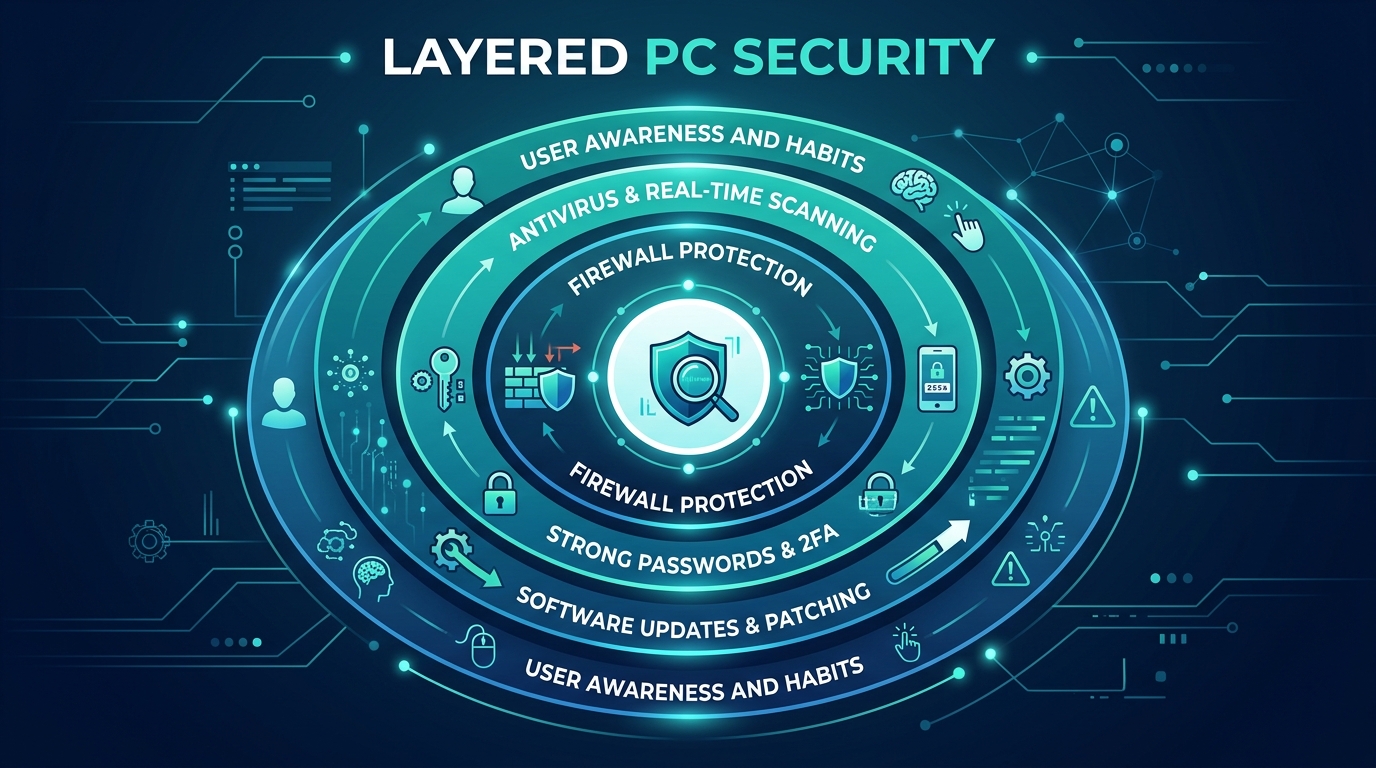
This integration of security and optimization in a single, free platform is a significant practical advantage. Users do not need to install and manage separate tools for antivirus protection and PC maintenance—360 Total Security handles both from a unified, intuitive dashboard.
Transparency, Privacy, and the User Experience
360 Total Security employs a cloud-based detection model, which means that file hashes and behavioral telemetry are sent to cloud servers for analysis. This is standard practice across the industry—virtually all modern antivirus solutions use cloud-based threat intelligence to improve detection speed and accuracy. 360 Total Security is transparent about this model in its privacy policy, explaining what data is collected, how it is used for threat detection, and how users can manage their privacy settings.
From a user experience perspective, the interface is one of 360 Total Security’s strongest assets. The dashboard presents security and optimization status in a clear, visual format that is immediately comprehensible to non-technical users. Key features are prominently accessible without requiring navigation through complex menus. This accessibility is not merely a cosmetic consideration—it directly impacts security outcomes. When users understand their security status and can easily access protective features, they are more likely to maintain proper security hygiene: running scans regularly, addressing vulnerabilities promptly, and keeping the software updated.
For users ready to experience comprehensive, multi-engine protection with integrated PC optimization at no cost, download 360 Total Security from the official website and take control of your PC’s security and performance today.
Final Verdict: Building Your Personal Cybersecurity Setup
After this comprehensive analysis, one conclusion is clear: there is no single “best” antivirus for every user. The optimal choice depends on your specific threat profile, hardware capabilities, budget, and the features that matter most to your digital lifestyle. What is equally clear is that layered protection—combining a reliable primary antivirus with good digital habits and, where appropriate, supplementary tools—provides significantly stronger security than any single product alone.
Our Tailored Recommendations for Different User Profiles
Based on the analysis conducted throughout this guide, here are our evidence-based recommendations:
For Maximum Protection (Willing to Pay): Bitdefender Premium Security or Norton 360 Deluxe are the top recommendations. Bitdefender leads on detection accuracy and performance efficiency; Norton leads on feature breadth and identity theft protection. Either choice represents a premium investment that delivers comprehensive, all-around protection for users who handle sensitive data or operate in higher-risk environments.
For Best Free Protection: 360 Total Security is our top recommendation for users seeking strong, multi-layered antivirus protection without a financial commitment. Its combination of three detection engines, real-time protection, sandboxing, ransomware defense, and integrated PC optimization tools delivers a value proposition that is unmatched in the free tier. It is particularly well-suited for users who want a single, unified platform for both security and system maintenance.
For Tech-Savvy Users on a Budget: The combination of a properly configured Windows Defender as the primary real-time protection layer, supplemented by periodic on-demand scans with Malwarebytes Free, is a powerful and entirely cost-free setup. This approach requires more manual management and a higher level of security awareness, but in the hands of a knowledgeable user who practices good digital hygiene, it provides a genuinely effective defense.
Essential Security Habits Beyond Your Antivirus Software
Even the most sophisticated antivirus suite cannot compensate for poor security habits. The human element remains the most exploited vulnerability in cybersecurity. According to a 2026 Verizon Data Breach Investigations Report, over 80% of successful breaches involve a human element—phishing, credential theft, or social engineering. Building the following habits into your daily digital routine dramatically reduces your attack surface:
- Keep Everything Updated: Software vulnerabilities are the primary entry point for many of the most damaging attacks. Enable automatic updates for your operating system, browsers, and all installed applications. The 2017 WannaCry ransomware attack, which caused billions in damages globally, exploited a Windows vulnerability for which a patch had been available for two months—the victims simply had not applied it.
- Use a Password Manager and Enable 2FA: Weak and reused passwords are responsible for a massive proportion of account compromises. A password manager generates and stores unique, complex passwords for every account. Two-factor authentication (2FA) adds a second verification layer that prevents account access even if a password is stolen. Enable 2FA on every account that supports it, prioritizing email, banking, and social media.
- Practice Skepticism with Links and Attachments: Phishing remains the most common initial attack vector. Before clicking any link in an email or message, verify the sender’s address carefully, hover over the link to inspect the actual URL, and be especially suspicious of any communication that creates urgency or requests sensitive information. When in doubt, navigate directly to the website rather than clicking the provided link.
- Back Up Your Data Regularly: A reliable backup strategy is your ultimate defense against ransomware. Follow the 3-2-1 rule: maintain three copies of important data, on two different media types, with one copy stored off-site or in the cloud.
Making Your Decision: A Quick Comparison Checklist
To consolidate the key findings of this guide, the following decision matrix compares the three most representative options across the critical evaluation dimensions:
| Category | 360 Total Security (Free) | Bitdefender (Paid) | Windows Defender (Built-in) |
|---|---|---|---|
| Cost | Free (Premium tier available) | ~$40–$90/year | Free (included with Windows) |
| Malware Protection | ⭐⭐⭐⭐½ — Multi-engine (360 + Avira + Bitdefender) | ⭐⭐⭐⭐⭐ — Industry-leading detection engine | ⭐⭐⭐½ — Competent baseline protection |
| System Impact | ⭐⭐⭐⭐½ — Lightweight, cloud-assisted scanning | ⭐⭐⭐⭐⭐ — Minimal footprint, cloud offloading | ⭐⭐⭐⭐ — Integrated, low overhead |
| Ransomware Protection | ✅ Yes (Free tier) | ✅ Yes (Advanced) | ⚠️ Basic (Controlled Folder Access) |
| PC Optimization Tools | ✅ Yes — Junk cleaner, startup manager, updater | ⚠️ Limited (OneClick Optimizer in some plans) | ❌ No |
| VPN Included | ❌ No (Premium add-on) | ✅ Yes (Premium Security plan) | ❌ No |
| Gaming Mode | ✅ Yes | ✅ Yes | ⚠️ No dedicated mode |
| Sandboxing | ✅ Yes (Free tier) | ✅ Yes | ⚠️ Limited |
| Ease of Use | ⭐⭐⭐⭐⭐ — Intuitive dashboard for all users | ⭐⭐⭐⭐ — Clean but feature-dense | ⭐⭐⭐⭐⭐ — Seamlessly integrated into Windows |
| Best For | Users wanting strong free protection + PC optimization | Users wanting maximum protection, willing to pay | Low-risk users with strong security habits |
The data speaks clearly: for the vast majority of home users who want strong, multi-layered protection without a subscription cost, 360 Total Security delivers exceptional value. For users who require the absolute highest level of protection and are willing to invest in a premium solution, Bitdefender Premium Security is the benchmark. And for technically proficient users who practice rigorous security hygiene, a well-configured Windows Defender remains a viable, cost-free foundation.
Frequently Asked Questions
Q1: Is free antivirus software actually good enough to protect my PC?
For many everyday users, a high-quality free antivirus solution can provide genuine, meaningful protection. The key is choosing the right free product. Solutions like 360 Total Security offer multi-engine detection, real-time protection, sandboxing, and ransomware defense at no cost—features that rival many paid competitors. However, if you handle highly sensitive data, conduct frequent financial transactions, or need features like a VPN, identity theft protection, or parental controls, a paid suite provides a more comprehensive safety net. Free antivirus combined with strong security habits (regular updates, 2FA, phishing awareness) is a solid foundation for most home users.
Q2: How often should I run a full antivirus scan?
With real-time protection enabled, your antivirus is continuously monitoring your system, which means most threats are intercepted before they can cause harm. A full system scan on a weekly or bi-weekly basis is generally sufficient for most users. However, you should run an immediate full scan if you notice unusual system behavior (unexpected slowdowns, unfamiliar processes, unexplained network activity), after downloading files from unfamiliar sources, or after connecting an external drive or USB device from an unknown origin. Many antivirus solutions allow you to schedule automatic scans during off-hours to minimize any performance impact.
Q3: Do I really need antivirus on a Mac?
Yes. The belief that Macs are immune to malware is a dangerous myth that persists despite substantial evidence to the contrary. macOS includes built-in security features (Gatekeeper, XProtect, and the Malware Removal Tool), but these are reactive systems that are updated periodically—not in real time. Mac-specific threats, including adware, spyware, trojans, and increasingly sophisticated ransomware variants, have grown significantly in prevalence. A dedicated antivirus solution for macOS provides real-time behavioral monitoring and web protection that Apple’s built-in tools do not fully replicate. For Mac users who handle sensitive personal or professional data, dedicated antivirus protection is strongly recommended.
Q4: Can I run two antivirus programs at the same time for better protection?
Running two full real-time antivirus solutions simultaneously is generally not recommended and can cause significant problems. The two programs may conflict with each other, each flagging the other’s processes as suspicious, leading to system instability, crashes, and degraded performance. The exception is using a primary real-time antivirus (such as 360 Total Security or Bitdefender) alongside an on-demand scanner like Malwarebytes Free, which does not run a real-time protection layer by default. This combination provides a useful second opinion without the conflicts associated with running two real-time engines concurrently.
Q5: What is the single most important thing I can do to improve my PC’s security?
If forced to choose one action, keeping your operating system and software updated is arguably the most impactful security measure you can take. The majority of successful malware attacks exploit known vulnerabilities in outdated software—vulnerabilities for which patches already exist. Enabling automatic updates for Windows (or macOS), your browser, and your most-used applications closes these attack vectors before they can be exploited. Combining automatic updates with a reliable antivirus solution like 360 Total Security—which includes a built-in vulnerability scanner and software updater—creates a powerful, proactive defense against the most common attack vectors.
About the Author: This article was researched and written by a Senior Cybersecurity Content Analyst with over a decade of experience covering endpoint security, threat intelligence, and consumer technology. Specializing in translating complex security concepts into actionable guidance for everyday users, the author has contributed to leading technology publications and regularly monitors independent lab reports from AV-TEST and AV-Comparatives to ensure all recommendations reflect current, real-world performance data.
Learn more about 360 Total Security