Executive Summary
Modern businesses face an unprecedented convergence of sophisticated cyber threats—from targeted ransomware and supply chain compromises to insider risks and fileless malware—that render legacy antivirus solutions dangerously inadequate. This comprehensive guide equips IT decision-makers, business owners, and security professionals with a strategic framework for evaluating, selecting, and deploying the right business antivirus and endpoint protection solutions. We analyze the threat landscape, break down must-have enterprise security features, compare leading platforms including CrowdStrike, SentinelOne, Microsoft Defender, and Bitdefender GravityZone, and present a practical, tiered decision model aligned to business size and risk profile. Whether you are a startup seeking cost-effective protection or an enterprise architect designing a full XDR stack, this guide delivers the actionable intelligence you need to build a resilient, layered cybersecurity posture.
What Are the Critical Security Threats Facing Modern Businesses?
Today’s business environment faces sophisticated, multi-vector cyber threats that require far more than basic malware detection. Ransomware, supply chain attacks, and insider threats now pose the greatest financial and operational risks to organizations of every size. Understanding the precise nature of these threats is the essential first step toward building an effective defense.
The Evolution from Simple Malware to Targeted Ransomware
Ransomware has undergone a dramatic and dangerous transformation. What once consisted of opportunistic, spray-and-pray campaigns targeting random individuals has evolved into highly orchestrated, targeted operations designed to cripple entire business networks and maximize financial damage. Modern ransomware operators conduct weeks of reconnaissance before deploying their payload, identifying the most critical systems, backup infrastructure, and data repositories to ensure maximum leverage over their victims.
According to a 2025 IBM Cost of a Data Breach Report, the average cost of a ransomware attack on a business reached $5.13 million—and that figure does not include reputational damage, regulatory fines, or long-term customer attrition. This staggering number reflects not just ransom payments but the compounded costs of operational downtime, incident response, legal fees, and system remediation.
The rise of “double extortion” tactics has made the threat even more severe. In these attacks, threat actors first exfiltrate sensitive business data—customer records, intellectual property, financial documents—before encrypting the victim’s systems. This means that even organizations with robust backup strategies face a second layer of coercion: pay the ransom, or have your stolen data published on a dark web leak site. Groups such as LockBit, BlackCat (ALPHV), and Cl0p have industrialized this model, operating as full Ransomware-as-a-Service (RaaS) businesses with affiliate programs, customer support portals, and negotiation teams.
The business cybersecurity threats posed by these groups are not theoretical. High-profile data breaches affecting healthcare providers, law firms, and critical infrastructure operators demonstrate that no sector is immune. The operational reality is stark: a single successful ransomware intrusion can result in days or weeks of complete operational paralysis.
Beyond External Threats: The Insider Risk Factor
While external attackers dominate headlines, the insider threat remains one of the most persistent and underestimated vulnerabilities in the business security landscape. Critically, the majority of insider incidents are not malicious—they are accidental. Employees clicking on sophisticated phishing emails, mishandling credentials, misconfiguring cloud storage buckets, or inadvertently forwarding sensitive data to personal email accounts represent a constant, low-level security drain that accumulates into significant risk exposure.
According to a 2025 Verizon Data Breach Investigations Report (DBIR), the human element is implicated in over 74% of all data breaches, underscoring that technology alone cannot solve the insider risk problem. The Ponemon Institute’s 2025 Cost of Insider Risks Global Report similarly found that the average annual cost of insider-related incidents exceeded $16 million for organizations with over 75,000 employees, with detection and containment representing the largest cost components.
The challenge has been dramatically amplified by the normalization of hybrid and remote work. When employees access corporate resources from personal devices, home networks, and public Wi-Fi hotspots, the traditional network perimeter dissolves. IT administrators lose visibility into endpoint behavior, and the attack surface expands exponentially. A personal laptop running outdated software, connecting to a corporate VPN, represents a direct conduit for phishing attacks and credential theft that bypasses perimeter defenses entirely.
Why Legacy Antivirus Solutions Fall Short
Traditional, signature-based antivirus solutions were engineered for a threat landscape that no longer exists. Their fundamental mechanism—comparing files against a database of known malware signatures—is structurally incapable of detecting threats it has never seen before. Zero-day exploits, by definition, have no existing signature. Polymorphic malware mutates its code with each infection to evade signature matching. And fileless malware—one of the fastest-growing threat categories—never writes a file to disk at all, instead executing entirely in memory using legitimate system tools like PowerShell and WMI, leaving nothing for a signature scanner to find.
Beyond detection failures, legacy antivirus solutions create a critical management gap for IT administrators overseeing dozens or hundreds of endpoints. Without a centralized console, administrators must manually check each device for update status, infection alerts, and policy compliance. There is no unified threat timeline, no automated response capability, and no forensic data to understand how a threat entered the network or what it touched. In an era where mean time to detect (MTTD) a breach averages over 200 days, this lack of visibility is operationally catastrophic.
How to Evaluate and Choose a Business-Grade Antivirus Solution
Selecting the right business antivirus requires a strategic evaluation framework that balances robust protection, manageability, and total cost of ownership. Moving beyond consumer-grade feature checklists, IT leaders must assess solutions against the specific operational realities of their organization—its size, IT maturity, regulatory environment, and risk tolerance.
Non-Negotiable Core Protection Technologies
Any solution under consideration for business deployment must demonstrate competency across three foundational protection layers:
- Next-Generation Antivirus (NGAV): NGAV replaces signature matching with behavior-based detection, AI/ML models trained on billions of threat indicators, and exploit prevention techniques. Rather than asking “does this file match a known bad signature?”, NGAV asks “does this process behave like malware?” This behavioral approach is effective against zero-days, polymorphic threats, and novel attack techniques. Look for solutions that can demonstrate independent test results from AV-TEST or AV-Comparatives validating their detection rates against real-world threat samples.
- Endpoint Detection and Response (EDR): EDR capabilities transform the endpoint from a passive detection point into an active intelligence source. EDR platforms continuously record endpoint activity—process creation, network connections, file modifications, registry changes—and correlate this telemetry to detect advanced threats that bypass preventive controls. Critically, EDR enables threat hunting (proactively searching for indicators of compromise), forensic analysis (reconstructing the full attack chain), and automated response (isolating a compromised endpoint from the network with a single click). For businesses handling sensitive data or operating in regulated industries, EDR is not optional.
- Firewall and Network Protection: An application-aware firewall that can identify and control traffic by application—not just port and protocol—provides a critical layer of network-level defense. Intrusion Prevention System (IPS) capabilities that can detect and block exploit attempts and command-and-control (C2) communication round out this layer.
The Management and Deployment Imperative for IT Admins
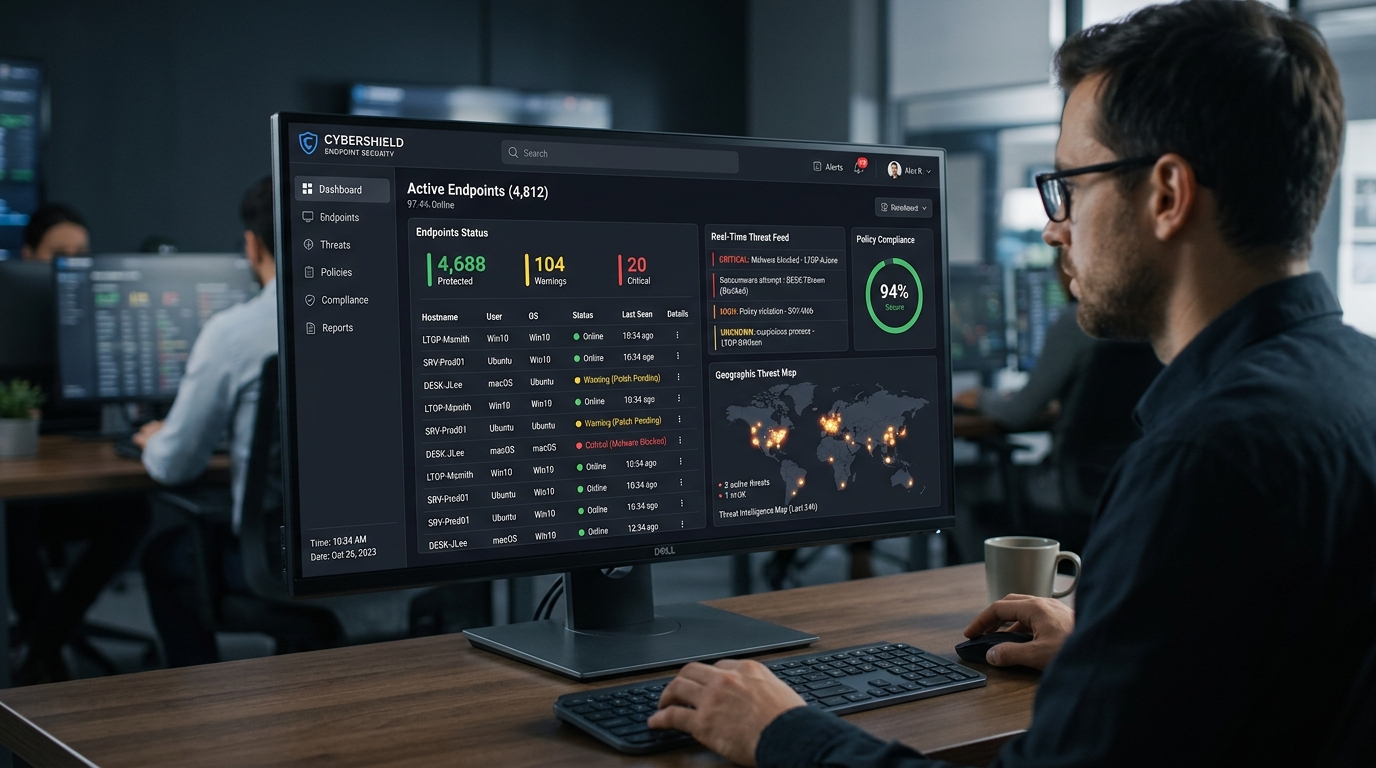
For IT administrators, the security console is as important as the protection engine. A solution that delivers excellent detection but requires hours of manual management per week is not a viable enterprise tool. The management platform must provide:
- Centralized Cloud-Based Console: A single-pane-of-glass view for deploying security policies, monitoring real-time threat alerts, reviewing endpoint health status, and generating compliance reports across all managed devices—regardless of location. This is non-negotiable for any organization with remote or hybrid workers.
- Role-Based Access Control (RBAC): The ability to define granular administrative roles ensures that junior IT staff can perform routine tasks without having access to sensitive forensic data or global policy changes. Integration with SIEM (Security Information and Event Management) and IT service management (ITSM) tools like ServiceNow or Jira streamlines incident response workflows.
- Silent Deployment and Remote Troubleshooting: Agents must be deployable silently via Group Policy, SCCM, or a cloud-based deployment package without requiring user interaction. Remote isolation, remediation, and diagnostic capabilities allow IT teams to respond to incidents on devices they cannot physically access.
Understanding Total Cost and Licensing Models
The sticker price of a business antivirus solution rarely reflects its true total cost of ownership (TCO). A rigorous financial evaluation must account for licensing model implications, add-on costs, and the hidden cost of administrative overhead.
| Licensing Model | Best For | Key Consideration | Typical Deployment Scale | Support Level |
|---|---|---|---|---|
| Per-Device (Node) | Organizations with fixed, predictable device counts | Cost-efficient for device-heavy, low-user environments (e.g., shared workstations) | SMB to Mid-Market | Standard / Business |
| Per-User | Hybrid workforces with multiple devices per employee | Allows each licensed user to protect multiple endpoints; ideal for BYOD policies | SMB to Enterprise | Business / Premium |
| All-Inclusive Suite | Organizations wanting predictable costs and broad coverage | Bundles email security, patch management, EDR; higher upfront cost but lower TCO | Mid-Market to Enterprise | Premium / 24/7 SLA |
| Modular / À la Carte | Mature IT teams with specific, targeted needs | Flexibility to add EDR, threat intel, or mobile management as needed; costs escalate quickly | Enterprise | Varies by Module |
| Free / Freemium | Micro-businesses, startups, BYOD supplemental protection | No licensing cost; limited centralized management and enterprise support | 1–10 Users | Community / Self-Service |
When evaluating per-user versus per-device licensing, consider your hybrid work reality. A 50-person company where each employee uses a corporate laptop, a home desktop, and occasionally accesses resources from a personal tablet may find per-user licensing significantly more cost-effective. Conversely, a manufacturing facility with 200 shared production terminals operated by 50 shift workers is better served by per-device licensing.
Always scrutinize what is excluded from the base license. Email security gateways, mobile device management (MDM), advanced threat intelligence feeds, and dedicated incident response support are frequently sold as costly add-ons. An all-inclusive suite from a vendor like Bitdefender may carry a higher per-seat cost but deliver substantially lower TCO when these components are factored in.
Top Contenders: Analyzing Leading Business Antivirus Suites
The enterprise endpoint security market is dominated by a handful of established leaders and innovative challengers, each with distinct architectural philosophies and strengths tailored to different business sizes and IT maturity levels. Understanding these distinctions is essential for making an informed selection.
The Cloud-Native Leaders: CrowdStrike and SentinelOne
CrowdStrike Falcon has established itself as the benchmark for enterprise endpoint protection platforms. Its architecture is built on a single, lightweight agent that streams rich telemetry to CrowdStrike’s cloud-based Threat Graph—a massive, AI-driven correlation engine processing trillions of events weekly. Falcon’s market-leading EDR capabilities, combined with its proprietary threat intelligence (derived from tracking over 200 named adversary groups), make it the preferred choice for organizations facing sophisticated, nation-state-level threats. Gartner has consistently positioned CrowdStrike as a Leader in its Magic Quadrant for Endpoint Protection Platforms, citing its completeness of vision and execution in threat detection and response as primary differentiators.
SentinelOne differentiates itself through its emphasis on autonomous response. Its Singularity platform uses a patented Storyline technology that automatically correlates all related events on an endpoint into a single, contextualized attack narrative—dramatically reducing the analyst time required to understand and respond to an incident. SentinelOne’s unified platform extends beyond endpoints to cover cloud workloads and identity, providing a coherent security fabric across an increasingly distributed enterprise environment.
The primary consideration for both platforms is cost and operational complexity. CrowdStrike and SentinelOne are premium solutions priced accordingly, and their full value is realized only by organizations with dedicated security staff capable of operationalizing their advanced capabilities. For a five-person startup, the investment is difficult to justify; for a 500-person financial services firm, it is arguably essential.
The Integrated Ecosystem Play: Microsoft Defender for Business
Microsoft Defender has undergone a remarkable evolution from a rudimentary, often-mocked bundled scanner to a genuinely capable XDR (Extended Detection and Response) platform. For organizations already deeply invested in the Microsoft 365 ecosystem, Defender for Business and Defender for Endpoint represent a compelling value proposition rooted in native integration.
The depth of integration with Azure Active Directory (now Entra ID), Microsoft Intune for device management, Microsoft Purview for data governance, and Microsoft Sentinel as a cloud-native SIEM creates a unified security architecture that is difficult for point solutions to replicate. Conditional access policies, attack surface reduction (ASR) rules, and automated investigation and remediation (AIR) capabilities are all manageable from a single Microsoft 365 Defender portal.
Microsoft has also made significant investments in attack surface reduction rules—a set of configurable policies that block behaviors commonly exploited by malware, such as Office applications spawning child processes, credential theft from the Windows Local Security Authority (LSAA), and untrusted or unsigned executable files running from USB drives. These preventive controls, combined with Defender’s cloud-delivered protection and behavioral monitoring, make it a serious contender for mid-market organizations.
The Comprehensive Security Stack: Bitdefender and Kaspersky
Bitdefender GravityZone is consistently recognized for its exceptional detection rates and the breadth of its security layer portfolio. Independent testing by AV-Comparatives and AV-TEST routinely places Bitdefender among the top performers for both malware detection and false positive rates. GravityZone’s architecture supports flexible deployment—on-premises, cloud-hosted, or hybrid—making it adaptable to organizations with strict data residency requirements. Its feature set is extensive, encompassing patch management, full-disk encryption, device control, application control, and network attack defense, often within a single licensing tier.
Kaspersky Endpoint Security offers a strong protection engine with granular policy controls and has historically performed excellently in independent benchmarks. However, organizations operating in the United States, European Union, or other jurisdictions with geopolitical sensitivities toward Russian-origin software must conduct a thorough vendor risk assessment before deployment. The U.S. Cybersecurity and Infrastructure Security Agency (CISA) issued an advisory in 2022 regarding Kaspersky products, and the FCC added Kaspersky to its Covered List. These concerns do not necessarily reflect product quality but represent a real compliance and reputational risk factor for certain industries and government-adjacent organizations.
Both Bitdefender and Kaspersky excel at providing a wide array of security tools within a single management pane, reducing the complexity and cost of managing multiple point solutions. For IT teams that want comprehensive coverage without the operational overhead of a full XDR deployment, these suites represent a pragmatic middle ground.
The Strategic Case for 360 Total Security in a Business Context
For cost-conscious small to medium businesses, startups, and tech-savvy users, 360 Total Security presents a unique, high-value proposition by combining robust, multi-engine protection with essential system optimization tools—all from a centralized, user-friendly desktop platform. Understanding where 360 Total Security fits within the broader security ecosystem requires an honest assessment of both its genuine strengths and its architectural boundaries.
Enterprise-Grade Protection Meets SMB Reality
The cornerstone of 360 Total Security’s protection architecture is its multi-engine defense strategy. Rather than relying on a single detection engine, the platform combines 360’s proprietary Cloud AI engine—trained on an extensive global threat intelligence network—with integrated virus databases from Bitdefender and Avira, two of the most respected names in independent antivirus testing. This layered approach means that a threat missed by one engine has multiple additional detection opportunities before it can execute. Independent evaluations by AV-Comparatives have validated the effectiveness of this multi-engine approach, with 360 Total Security demonstrating strong real-world protection rates against prevalent malware families and phishing-delivered payloads.
A particularly valuable feature for businesses is 360’s Proactive Sandbox Technology. When the platform encounters a suspicious file that cannot be definitively classified by its signature and behavioral engines, it automatically executes the file within a secure, isolated virtual environment—a sandbox. By observing the file’s behavior in this controlled space (network connection attempts, registry modifications, process injection, file system changes), the sandbox can identify malicious intent without exposing the live system to risk. This capability is especially effective against novel malware variants and targeted attack tools that have not yet been catalogued by threat intelligence databases.
For the core security needs of a small business—real-time file protection, web browsing security, network firewall, and ransomware protection—360 Total Security addresses each requirement directly. Its ransomware protection module monitors for the behavioral patterns characteristic of encryption attacks (mass file modification, shadow copy deletion, rapid entropy changes) and can halt and roll back an attack before significant damage occurs.
Beyond Antivirus: The Productivity and Management Advantage
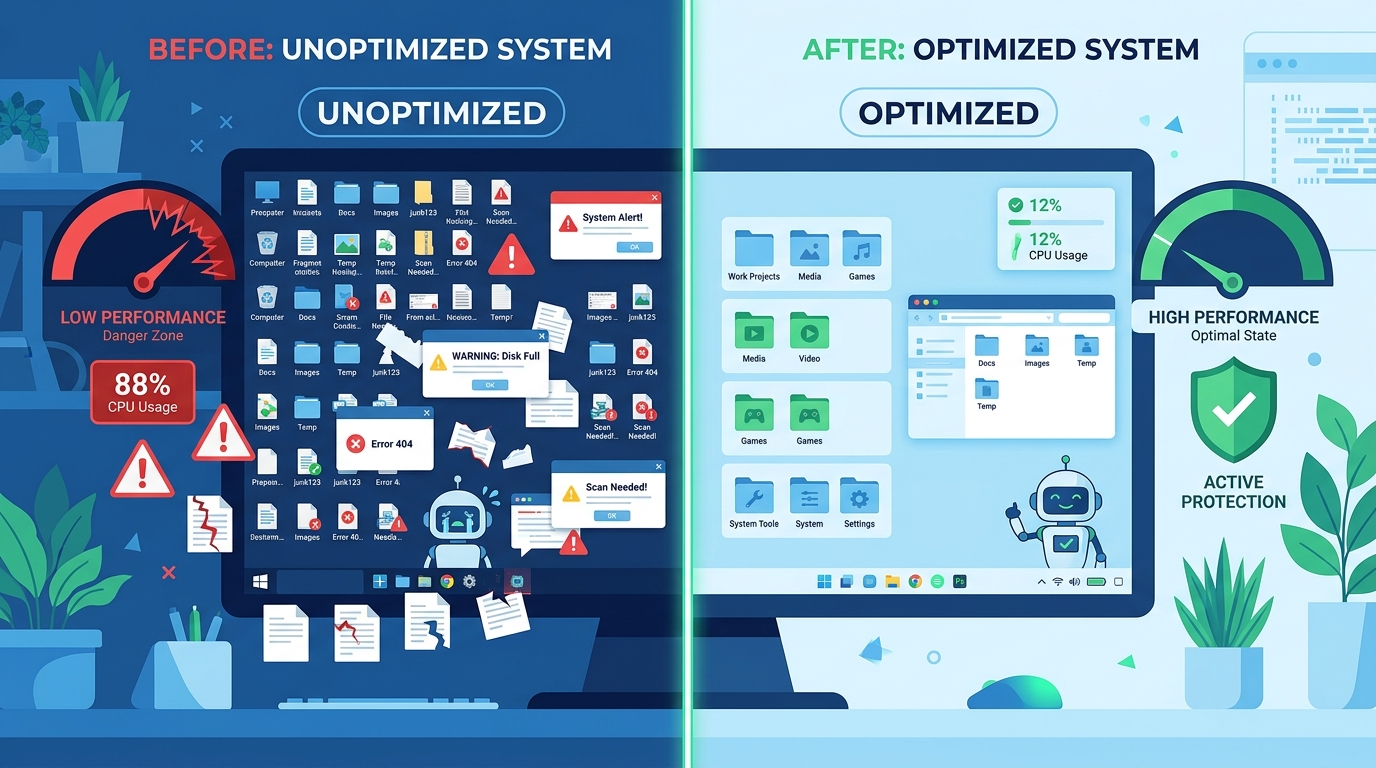
One of 360 Total Security’s most distinctive differentiators in the SMB context is its integration of system optimization tools alongside its security capabilities. For small businesses without dedicated IT staff, endpoint health is a persistent operational challenge. Slow computers, cluttered startup sequences, fragmented drives, and accumulated junk files reduce employee productivity and often prompt users to disable security software in a misguided attempt to recover performance.
360 Total Security addresses this directly with integrated tools for cleaning junk files, managing startup programs, optimizing system performance, and monitoring hardware health. This means IT administrators or business owners can use a single platform to both protect and maintain their endpoints, reducing the tool sprawl and administrative overhead that plagues small IT environments.
The platform’s clean, intuitive interface also lowers the barrier to effective security management for non-technical users. In environments where employees are expected to manage their own devices—common in micro-businesses and BYOD scenarios—a security tool that is understandable and non-intrusive is far more likely to be kept active and updated than a complex enterprise agent with a steep learning curve.
Practical Deployment Scenarios and Considerations
Intellectual honesty demands a clear-eyed assessment of where 360 Total Security is the right tool and where its limitations become consequential:
- Ideal For: Micro-businesses and startups with 1–10 employees, freelancers and independent contractors managing their own Windows or macOS devices, organizations implementing a BYOD policy who need a lightweight, non-intrusive security layer on employee-owned personal computers, and businesses in cost-constrained environments where premium per-seat licensing is not financially viable.
- Limitations to Acknowledge: 360 Total Security does not offer a formal centralized enterprise management console with the policy deployment, compliance reporting, and role-based access control expected by mid-market IT teams. It does not provide advanced EDR capabilities such as threat hunting, forensic timeline reconstruction, or automated endpoint isolation. Dedicated business-grade support with SLA guarantees is not a feature of the free tier. These are real limitations that organizations above a certain size and risk threshold must take seriously.
- Strategic Use in Defense-in-Depth: Even within larger organizations, 360 Total Security can play a legitimate role as part of a defense-in-depth strategy. Deploying it on non-critical endpoints—contractor workstations, guest access machines, or devices used for low-sensitivity tasks—provides a meaningful security baseline at zero additional licensing cost, freeing budget for premium EDR licenses on high-value targets such as executive devices, finance workstations, and development environments.
For businesses ready to take the next step in endpoint protection, visit the official 360 Total Security website to explore the full range of desktop protection features available for Windows and macOS.
Building Your Final Security Stack: A Decision Framework
The optimal business security strategy is rarely a single product but a layered stack. The final choice depends on rigorously aligning your specific business size, risk profile, IT resources, and budget with the capabilities of available solutions. This section provides a practical, actionable decision framework to guide that alignment.
Matching Solutions to Business Size and Complexity
Security investment should be proportional to both risk exposure and organizational capacity to operationalize that investment. A sophisticated EDR platform deployed without the staff to monitor its alerts creates a false sense of security and wastes capital. Conversely, a free antivirus solution protecting a healthcare organization’s patient record systems is a liability, not a cost saving.
- Startups and Micro-Businesses (1–10 users): Prioritize cost-effectiveness, ease of deployment, and ease of use. A robust, multi-engine solution like 360 Total Security for desktop endpoint protection, combined with strong password policies enforced through a password manager, multi-factor authentication (MFA) on all business accounts, and automated cloud backups, can form a genuinely solid security foundation. The goal is maximum coverage with minimal administrative overhead.
- Growing SMBs (10–250 users): At this scale, manageability and scalability become essential. The inability to centrally manage 50 endpoints, push policy updates, or generate a unified threat report is operationally untenable. Commercial suites with proper management consoles—such as Bitdefender GravityZone Business Security or Microsoft Defender for Business (included with Microsoft 365 Business Premium)—become necessary investments. The cost per seat at this scale is typically modest and easily justified by the operational efficiency gains.
- Enterprises (250+ users): At enterprise scale, the threat profile expands, compliance requirements intensify, and the cost of a breach becomes existential. Advanced threat hunting, compliance reporting for frameworks like SOC 2, ISO 27001, or HIPAA, and integration with a SIEM for correlated analysis across the entire environment are requirements, not luxuries. Full XDR platforms like CrowdStrike Falcon or SentinelOne Singularity are typically justified at this scale, particularly for organizations in high-risk verticals such as finance, healthcare, and critical infrastructure.
The Essential Complementary Security Layers
No endpoint security solution, regardless of its sophistication, can compensate for the absence of complementary security layers. A complete business security stack must address the full attack chain:
- Email and Web Gateway Security: The majority of initial intrusions begin with a phishing email or a malicious web link. Email security gateways that perform URL rewriting, attachment sandboxing, and sender authentication verification (SPF, DKIM, DMARC) stop threats before they reach the endpoint, dramatically reducing the burden on endpoint protection. Solutions like Microsoft Defender for Office 365, Proofpoint, or Mimecast address this layer.
- Backup and Disaster Recovery: Non-negotiable for ransomware resilience. The industry-standard 3-2-1 rule—three copies of data, on two different media types, with one copy stored offsite (or in the cloud)—ensures that even a successful ransomware encryption attack does not result in permanent data loss. Critically, backups must be tested regularly; an untested backup is not a backup.
- Security Awareness Training: Given that the human element is implicated in the vast majority of breaches, investing in regular, engaging security awareness training is one of the highest-ROI security expenditures available to any organization. Simulated phishing campaigns, short-form video training, and role-specific security education directly reduce the likelihood of successful social engineering attacks.
| Business Size / Type | Risk Profile | Core Security Layers | Sample Tool Categories |
|---|---|---|---|
| Micro-Business (1–10 users) | Low–Medium | Endpoint AV, MFA, Cloud Backup, Password Manager | 360 Total Security (Desktop), Bitwarden, Backblaze |
| Growing SMB (10–250 users) | Medium–High | Managed EPP, Email Gateway, Web Filtering, Backup & DR, Awareness Training | Bitdefender GravityZone, Microsoft Defender for Business, KnowBe4 |
| Enterprise (250+ users) | High–Critical | XDR Platform, SIEM, Identity Security, Email Gateway, Vulnerability Management, IR Retainer | CrowdStrike Falcon, SentinelOne, Microsoft Sentinel, Tenable |
| Regulated Industry (Any Size) | High–Critical | All above layers + Compliance Reporting, DLP, Encryption, Audit Logging | Varonis, Netwrix, Forcepoint DLP |
Actionable Steps for Implementation and Review
Selecting a security solution is the beginning of the process, not the end. Effective implementation requires discipline and a structured approach:
- Conduct a Risk Assessment: Before evaluating any product, identify your organization’s most critical data assets and the systems that process or store them. Understand your regulatory obligations. Map your most likely threat vectors based on your industry and size. This exercise ensures that your security investment is directed at your actual risk, not a generic threat model. The NIST Cybersecurity Framework (CSF) 2.0 and the CIS Controls v8 provide excellent, freely available frameworks for conducting this assessment, with CIS Controls specifically offering a tiered implementation guide (Implementation Groups 1, 2, and 3) mapped to organizational size and resource availability.
- Pilot Before You Deploy: Shortlist two or three solutions and deploy them on a representative pilot group of devices—ideally spanning different hardware configurations, operating system versions, and user roles. Evaluate detection efficacy, system performance impact, management console usability, and support responsiveness over a 30-to-60-day period before committing to a full deployment.
- Establish a Security Review Cadence: Cybersecurity is not a set-and-forget discipline. Establish a formal schedule for reviewing security policies (quarterly), auditing user access rights (semi-annually), reviewing software update and patch status (monthly), and conducting tabletop incident response exercises (annually). Regularly review threat reports generated by your security platform to identify trends, recurring alert types, and potential gaps in your defensive posture.
For organizations seeking a starting point for desktop endpoint protection that combines strong multi-engine detection with system health management, 360 Total Security provides an accessible, capable foundation—particularly for Windows and macOS desktop environments where cost efficiency and ease of use are primary requirements.
Frequently Asked Questions
Q1: Is free antivirus software safe enough for a small business?
For micro-businesses with 1–10 employees, a high-quality free antivirus solution with multi-engine detection—such as 360 Total Security for desktop endpoints—can provide a meaningful security baseline when combined with complementary controls like multi-factor authentication, strong password policies, and regular cloud backups. However, free solutions typically lack centralized management consoles, advanced EDR capabilities, and business-grade support SLAs. As a business grows beyond 10 users or begins handling sensitive customer data, transitioning to a commercial endpoint protection platform with proper management infrastructure becomes a risk management imperative, not merely a preference.
Q2: What is the difference between antivirus, EPP, and EDR?
Antivirus (AV) is the foundational layer, focused on detecting and removing known malware using signatures, heuristics, and increasingly, behavioral analysis. Endpoint Protection Platform (EPP) is a broader category that encompasses antivirus along with additional preventive controls such as firewall management, web filtering, device control, and application whitelisting—all managed from a centralized console. Endpoint Detection and Response (EDR) adds a continuous monitoring and forensic investigation capability, recording detailed endpoint telemetry and providing tools for threat hunting, incident investigation, and automated response. Modern enterprise deployments typically require all three layers, often delivered by a single integrated platform.
Q3: How do I protect my business against ransomware specifically?
Effective ransomware protection requires a layered approach. At the endpoint level, deploy a security solution with behavioral ransomware detection that can identify and halt encryption activity in real time. Implement email security gateways to block phishing emails—the most common ransomware delivery vector. Enforce the principle of least privilege so that user accounts have access only to the data they need; this limits the blast radius of a successful infection. Maintain tested, offline or immutable backups following the 3-2-1 rule. Conduct regular security awareness training to reduce the likelihood of employees clicking malicious links. Finally, ensure all operating systems and software are kept fully patched to eliminate known vulnerabilities that ransomware operators routinely exploit.
Q4: How often should a business update or review its cybersecurity tools?
Security software itself should update automatically and continuously—threat intelligence databases, behavioral models, and detection engines require real-time or near-real-time updates to remain effective. At the strategic level, security policies and tool configurations should be reviewed quarterly. A full security posture review—assessing whether your current tool stack still aligns with your risk profile, threat landscape, and business changes—should occur annually or following any significant organizational change such as a merger, acquisition, or major infrastructure migration. The NIST Cybersecurity Framework’s “Identify, Protect, Detect, Respond, Recover” model provides a useful structure for conducting these reviews systematically.
Q5: Can 360 Total Security be used on Mac computers for business purposes?
Yes. 360 Total Security provides desktop protection for both Windows and macOS environments, making it applicable to businesses operating in mixed-OS environments or those where employees use Mac computers. Its core protection features—real-time malware detection, web protection, and system optimization—are available on macOS. For businesses with a significant Mac deployment, 360 Total Security offers a cost-effective way to extend a consistent security baseline across both operating systems without managing separate licensing agreements for different platforms.
About the Author: This article was authored by a Senior Cybersecurity Technical Writer with over a decade of experience covering enterprise security architecture, endpoint protection platforms, and threat intelligence for technology publications and enterprise IT audiences. Specializing in translating complex security concepts into actionable guidance for IT professionals and business decision-makers, the author has evaluated dozens of endpoint security solutions and contributed to security framework documentation aligned with NIST, CIS Controls, and ISO 27001 standards.
Learn more about 360 Total Security