Executive Summary: The long-standing belief that Macs are immune to viruses is one of the most dangerous myths in consumer cybersecurity. While macOS does offer robust built-in defenses, the modern threat landscape—encompassing sophisticated adware, ransomware, phishing campaigns, and cross-platform malware—demands a dedicated antivirus layer. This comprehensive guide dissects the real threats facing macOS users today, establishes clear criteria for evaluating antivirus software, reviews the top contenders on the market, and delivers tailored recommendations for every type of user. Whether you are a professional handling sensitive data or an everyday user looking for reliable free protection, this guide will help you make an informed, confident decision.
Is Mac Really Immune to Viruses and Malware?
For decades, Mac users have operated under a comforting but increasingly outdated assumption: that their machines are fundamentally safe from the malware threats that plague Windows users. This assumption is not entirely without historical basis, but in today’s threat environment, clinging to it represents a significant and measurable security risk. Understanding why this myth persists—and why it no longer holds—is the essential first step toward making smart security decisions for your macOS device.
The Myth of Mac Invulnerability: A Historical Perspective
The perception of Mac security superiority has two genuine roots. First, macOS is built on a Unix-based architecture that enforces strict process isolation, file permission hierarchies, and sandboxing—design principles that make it inherently more resistant to certain classes of attack than older operating system designs. Second, and perhaps more significantly, Apple’s historically smaller market share simply made Macs a less attractive target for cybercriminals motivated by scale and financial return. Writing malware for a platform used by 10% of the market, when a competing platform commands 80%, is a poor return on a criminal’s investment.
However, this was always a question of market economics, not technical invulnerability. As Malwarebytes noted in its historical threat analysis, the Mac’s security reputation was earned partly through obscurity—a protection that evaporates the moment the economics shift. And they have shifted dramatically. As Apple’s installed base has grown into the hundreds of millions globally, and as Mac users have developed a reputation for higher average income and lower security vigilance, the platform has become an increasingly lucrative target. The false sense of security this myth generates is, paradoxically, one of the greatest vulnerabilities Mac users face.
Modern Threats Targeting macOS Users
The contemporary macOS threat landscape is diverse, sophisticated, and growing. According to a 2025 Malwarebytes Threat Report, detections of Mac-specific malware and potentially unwanted programs (PUPs) have shown consistent year-over-year growth, with adware and bundled software remaining the dominant threat categories. Several distinct threat types now specifically target Mac users:
- Adware and PUPs (Potentially Unwanted Programs): These are the most prevalent threats on macOS. They often arrive bundled with legitimate-looking free software, hijacking browser settings, injecting advertisements, and harvesting browsing data. Examples like Genieo and VSearch demonstrated years ago that Mac-specific adware could achieve massive distribution.
- Cryptocurrency Miners: Malicious scripts and applications that silently commandeer your Mac’s CPU and GPU resources to mine cryptocurrency for attackers. These can cause significant performance degradation and hardware wear without triggering obvious symptoms.
- Phishing and Credential Theft: This is arguably the most critical and underappreciated risk. Phishing attacks are operating-system agnostic. A convincing fake login page for your bank, Apple ID, or corporate VPN looks identical on Safari as it does on Chrome for Windows. macOS’s built-in security tools offer no meaningful defense against a user voluntarily entering their credentials on a fraudulent website. According to a 2026 Cybersecurity Trends Report by Verizon, credential theft via phishing remains the leading initial attack vector in data breaches globally.
- The “Carrier” Problem: Even if a piece of Windows-specific malware cannot execute on your Mac, it can reside in your files and be transmitted to Windows machines on your network—a colleague’s laptop, a family member’s PC, or a shared network drive. A Mac without antivirus can act as an unwitting distribution point for malware targeting others.
Data from AV-TEST’s ongoing evaluation program consistently shows that the volume of new macOS malware samples submitted for analysis has increased significantly, reflecting both a more active threat development community and a growing recognition among security researchers that Mac threats are no longer a niche concern.
The Limitations of Built-in macOS Defenses (Gatekeeper, XProtect)
Apple’s built-in security architecture is genuinely impressive and provides a meaningful baseline of protection. However, understanding its specific limitations is crucial to appreciating why a third-party antivirus adds real value.
- Gatekeeper’s Scope: Gatekeeper performs a check at the moment an application is first launched, verifying that it carries a valid Apple Developer signature and has not been flagged by Apple’s notarization service. This is a powerful gatekeeping mechanism—but it is precisely that: a gate check, not continuous surveillance. Once an application passes this initial check and is running, Gatekeeper’s job is done. It does not monitor the application’s behavior over time, detect if a legitimate app is later exploited, or scan files that arrive through other means (email attachments, downloaded archives, browser scripts).
- XProtect’s Signature Lag: XProtect is Apple’s built-in signature-based malware detection system. It maintains a database of known malware signatures and checks files against this list. The fundamental limitation of any signature-based system is that it can only detect threats it already knows about. Zero-day exploits—attacks using previously unknown vulnerabilities—and novel malware variants will not match any existing signature. Apple updates XProtect, but these updates can lag behind the emergence of new threats by days, weeks, or longer. A dedicated antivirus vendor whose entire business depends on threat intelligence often responds to new threats faster.
- No Behavioral Analysis: Neither Gatekeeper nor XProtect employs the kind of heuristic or behavioral analysis that modern antivirus engines use to detect suspicious activity—such as a process suddenly attempting to encrypt hundreds of files (a hallmark of ransomware) or an application making unexpected outbound network connections.
What Are the Key Criteria for Choosing a Mac Antivirus?
With a clear understanding of the threat landscape, the next question is: what separates a genuinely effective Mac antivirus from one that merely consumes system resources and generates revenue for its developer? The criteria below represent the non-negotiable features and important considerations that should guide any purchase or download decision.
Non-Negotiable Core Security Features
Not all antivirus features carry equal weight. These three represent the absolute foundation of effective macOS protection:
- Real-Time Malware Scanning: This is the cornerstone capability. Real-time scanning means the antivirus engine continuously monitors file system activity in the background—intercepting and analyzing files as they are downloaded, opened, copied, or modified. An on-demand scanner that only checks files when you manually run a scan provides dramatically weaker protection, as threats can execute and cause damage in the window between scans. Look for solutions that offer always-on file system monitoring with minimal performance overhead.
- Phishing and Web Protection: Given that phishing is the dominant credential-theft vector, a Mac antivirus that does not include browser-level web protection is leaving a critical gap unaddressed. Effective web protection should block access to known malicious URLs, warn against fraudulent login pages, and protect against drive-by download sites. This feature must work across all major browsers, not just Safari.
- Ransomware Protection: Ransomware—malware that encrypts your files and demands payment for the decryption key—has increasingly targeted macOS. As cybersecurity researcher Bruce Schneier has noted in his analysis of modern threat trends, “layered defense is not optional in a threat environment where attackers routinely bypass individual controls; each layer you add exponentially increases the cost of a successful attack for the adversary.” Dedicated ransomware protection typically involves behavioral monitoring to detect and halt mass file encryption attempts before they can cause irreversible damage.
Performance and Usability Considerations
An antivirus that dramatically slows down your Mac or constantly interrupts your workflow will quickly be disabled or uninstalled—providing zero protection. Performance and usability are therefore not secondary concerns; they directly determine whether the software actually protects you in practice.
- Low System Resource Usage: During both active scans and background monitoring, the antivirus should consume minimal CPU and RAM. Independent testing labs like AV-Comparatives and AV-TEST publish performance impact scores alongside detection rates—always consult both. A product with 99% detection rates that makes your MacBook Pro run like a netbook is not a good trade-off.
- Clean, Intuitive Interface: Security software should communicate clearly without requiring a cybersecurity degree to interpret. A well-designed dashboard shows your protection status at a glance, makes it easy to initiate scans, and surfaces actionable alerts without overwhelming users with technical jargon or constant pop-up notifications.
- Minimal False Positives: A false positive—flagging a legitimate, safe application as malware—is more than an annoyance. It erodes user trust in the software, can disrupt critical workflows, and may lead users to disable protection entirely. High-quality antivirus engines invest significantly in reducing false positive rates, and this metric is consistently evaluated in independent lab testing.
Understanding the Value of Free vs. Paid Solutions
The free-versus-paid question is nuanced and depends heavily on your specific needs and risk profile.
- Free Antivirus: Typically provides core scanning capabilities—often including real-time protection and basic web threat blocking. For users with moderate risk profiles who practice good digital hygiene, a high-quality free solution can provide genuinely meaningful protection.
- Paid Premium Suites: Add layers that free versions omit: bundled VPN services (for encrypted browsing on public Wi-Fi), integrated password managers, advanced firewall configuration, parental controls, identity theft monitoring, and priority customer support with faster response times. For professionals, families, or anyone handling sensitive financial or personal data, these additions often justify the cost.
The following table provides a clear comparison of what to expect at each tier:
| Feature | Free Tier | Premium Tier | Ultimate / Suite Tier |
|---|---|---|---|
| Real-Time Malware Scanning | ✅ Yes (often) | ✅ Yes | ✅ Yes |
| On-Demand Scanning | ✅ Yes | ✅ Yes | ✅ Yes |
| Web / Phishing Protection | ⚠️ Limited / Basic | ✅ Yes | ✅ Yes (Advanced) |
| Ransomware Protection | ❌ Rarely | ✅ Yes | ✅ Yes |
| System Optimization Tools | ⚠️ Varies by product | ⚠️ Sometimes | ✅ Yes |
| VPN | ❌ No | ⚠️ Limited data cap | ✅ Unlimited |
| Password Manager | ❌ No | ❌ No | ✅ Yes |
| Multi-Device Coverage | ❌ Single device | ⚠️ Limited | ✅ Multiple devices |
| Priority Support | ❌ No | ⚠️ Standard | ✅ Priority |
| Cost | $0 | $30–$60/year | $60–$120/year |
Top Contenders: Reviewing Popular Mac Antivirus Options
The Mac antivirus market has matured significantly, offering solutions that range from lean, purpose-built scanners to comprehensive security suites. Understanding the strengths and weaknesses of the leading options allows you to make a choice calibrated to your actual needs rather than marketing claims.
The Lightweight Champion: Malwarebytes for Mac
Malwarebytes has built a strong reputation in the Mac security community, particularly among technically savvy users who appreciate its laser-focused approach to removing the threats most likely to affect macOS users.
- Pros: Malwarebytes excels at detecting and removing adware, PUPs, and browser hijackers—the category of threats most commonly encountered by Mac users. Its scanning engine is highly efficient, completing thorough scans quickly with minimal CPU impact. The interface is exceptionally clean and approachable, making it accessible even to non-technical users. The free version’s on-demand scanner is genuinely useful as a periodic check-up tool.
- Cons: The free version lacks real-time protection, meaning it only catches threats you actively scan for rather than intercepting them on arrival. The premium version adds real-time protection but does not bundle broader suite features like a VPN, password manager, or firewall. For users seeking an all-in-one security solution, Malwarebytes requires supplementing with other tools.
- Ideal For: Users who trust macOS’s built-in defenses for baseline protection but want a powerful, specialized tool to run periodic audits for adware, PUPs, and other macOS-specific nuisances. It functions excellently as a second-opinion scanner alongside another primary security solution.
The Comprehensive Security Suite: Bitdefender Antivirus for Mac
Bitdefender consistently earns top marks from independent testing laboratories including AV-TEST and AV-Comparatives, making it a benchmark against which other solutions are often measured.
- Pros: Bitdefender’s detection engine delivers consistently near-perfect scores in independent malware detection tests, covering not just Mac-specific threats but also Windows malware (important for preventing your Mac from acting as a carrier). It includes multi-layer ransomware protection that uses behavioral analysis to detect and block encryption attempts. A bundled VPN (with a daily data cap on the standard plan) and Time Machine protection add meaningful value. The interface is polished and well-organized.
- Cons: The full feature set comes at a price point that is higher than some competitors, particularly if you want unlimited VPN access or coverage for multiple devices. Some users report that the initial installation and system extension permissions setup can feel complex on newer macOS versions.
- Ideal For: Users who prioritize maximum, independently verified detection rates and are willing to pay a premium for a comprehensive, feature-rich security suite. Particularly strong for professionals and households needing multi-device coverage.
The Mac-Specialist: Intego Mac Security
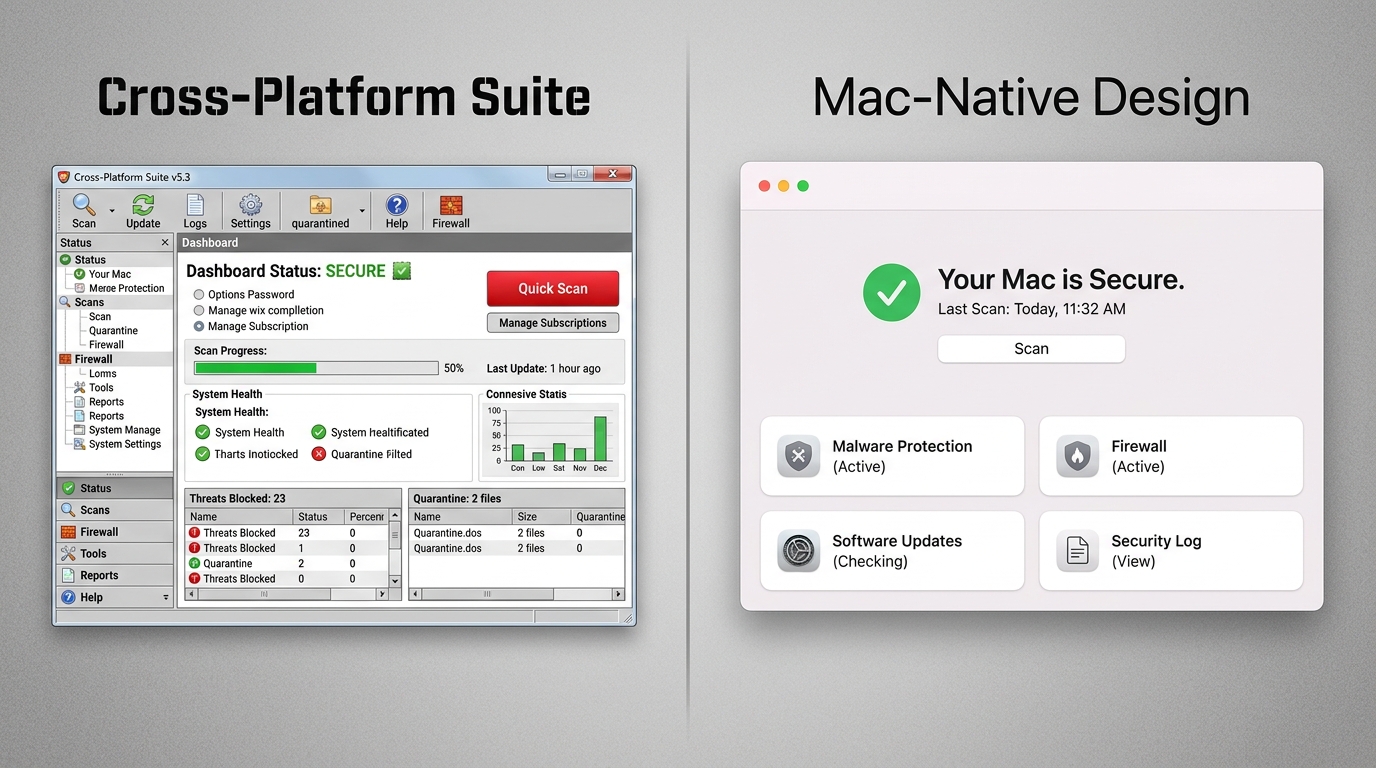
Intego occupies a unique position in the market: it is one of the few security vendors that develops software exclusively for macOS, rather than porting a cross-platform solution.
- Pros: This Mac-first philosophy results in deep system integration and features engineered specifically for the macOS environment. Intego’s NetBarrier firewall, for example, is designed to feel native to macOS, offering intuitive network monitoring and application-level traffic control that feels more at home on a Mac than generic cross-platform firewall implementations. Its VirusBarrier engine is specifically tuned for Mac threat patterns. The software also integrates well with macOS Time Machine and offers backup features.
- Cons: Intego’s brand recognition is lower than giants like Norton, Bitdefender, or Kaspersky, which can make some users hesitant despite its strong technical credentials. Its pricing can be competitive but varies significantly by bundle, and the full suite with all features can reach a higher price point than some alternatives.
- Ideal For: Mac purists and power users who want security software that feels like it belongs on macOS—not a Windows product that has been adapted. Users who value a dedicated Mac firewall and deep system integration over cross-platform feature parity.
Why 360 Total Security Stands Out as a Premier Free Choice
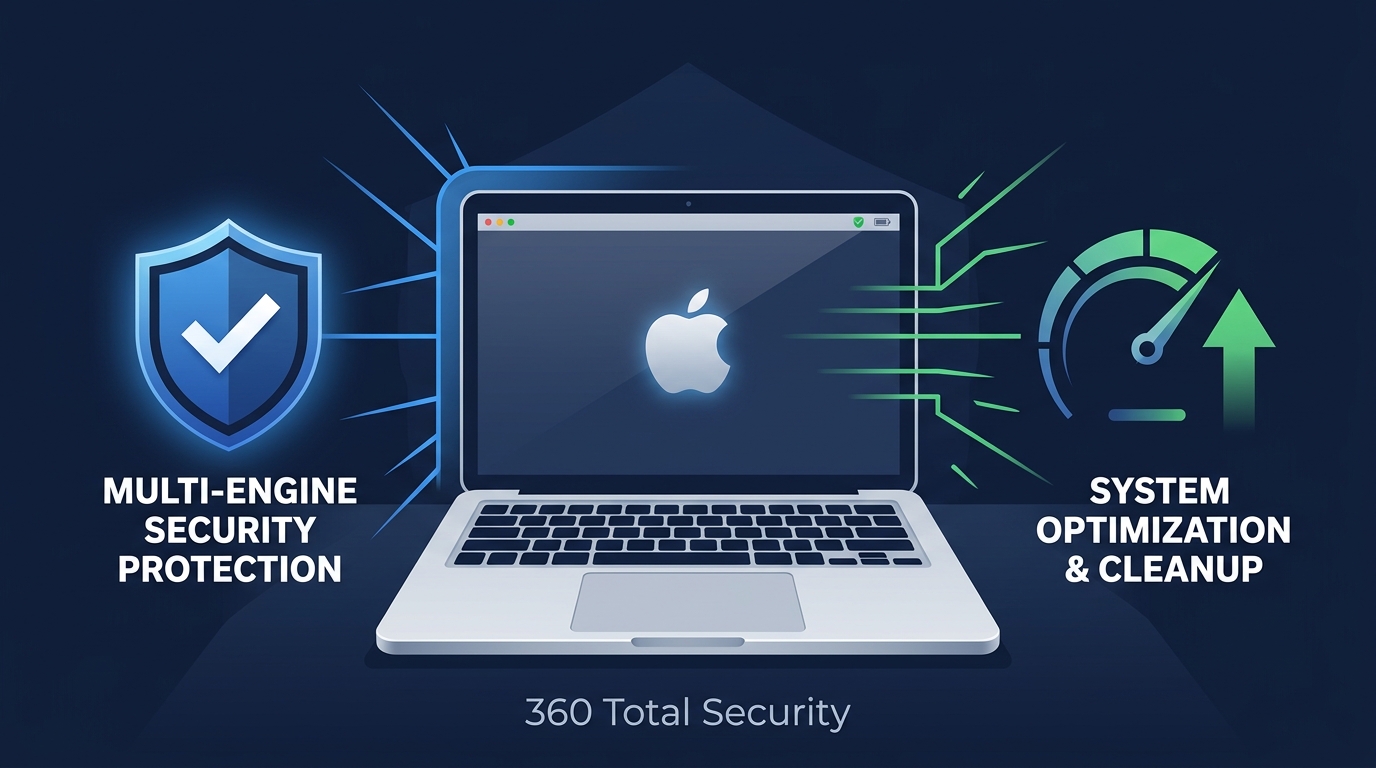
In a market where meaningful security often comes with a significant annual subscription cost, 360 Total Security represents a genuinely exceptional proposition: enterprise-grade, multi-engine protection combined with practical system optimization tools, delivered completely free of charge for macOS users. For security-conscious users who refuse to compromise on protection quality but are not willing—or able—to pay premium subscription prices, 360 Total Security deserves serious consideration.
Enterprise-Grade Protection Without the Price Tag
The most significant technical differentiator of 360 Total Security is its multi-engine scanning architecture. Rather than relying on a single proprietary detection engine, it leverages a combination of its own 360 Cloud Engine—which benefits from real-time threat intelligence gathered from an enormous global user base—alongside the renowned Bitdefender and Avira engines. This layered approach means that a threat which evades one engine’s detection methodology may still be caught by another, resulting in detection coverage that is substantially broader than any single-engine solution.
The protection scope is comprehensive for desktop users:
- Real-Time File System Protection: Continuous monitoring of file activity, intercepting threats as they arrive rather than waiting for a scheduled scan.
- Web Threat Blocking: Protection against malicious websites, phishing pages, and dangerous downloads encountered during normal browsing.
- USB Device Scanning: Automatic scanning of external drives and USB devices when connected—a frequently overlooked infection vector that many free solutions ignore.
According to AV-Comparatives’ 2025 Mac Security Test, multi-engine solutions that incorporate Bitdefender’s detection technology consistently achieve detection rates above 99% against both Mac-specific malware and cross-platform threats, validating the technical foundation upon which 360 Total Security’s protection is built.
Beyond Antivirus: Integrated System Optimization
One of the most common frustrations Mac users experience—particularly on older hardware or machines that have accumulated years of software installations—is gradual performance degradation. 360 Total Security directly addresses this with integrated optimization tools that complement its security capabilities:
- Cleanup Tool: Identifies and safely removes junk files, application caches, browser temporary files, and unnecessary system logs. Over time, these accumulate to consume gigabytes of disk space and can contribute to slower system responsiveness. Regular cleanup can meaningfully recover storage and improve performance.
- Performance Monitor: Provides real-time visibility into CPU utilization, memory consumption, and disk activity. This transparency helps users identify resource-hungry applications, diagnose performance bottlenecks, and make informed decisions about what is running on their system.
This dual-function approach—addressing both the security threat landscape and the practical desire for a faster, cleaner Mac—makes 360 Total Security feel more like a comprehensive system care platform than a traditional antivirus tool. For users who would otherwise need to download separate utilities for cleanup and performance monitoring, this integration represents genuine, tangible value.
The User Experience: Lightweight and Unobtrusive
A security solution is only effective if it remains active and trusted. 360 Total Security is engineered to maintain a minimal footprint during both active scans and background monitoring, ensuring that its presence does not translate into a noticeable slowdown during everyday tasks like browsing, creative work, or video conferencing.
The dashboard is designed around clarity: your current protection status is immediately visible upon opening, optimization opportunities are surfaced without being alarmist, and initiating a scan requires a single click. There is no labyrinth of configuration menus to navigate before you can feel protected. For users who want robust security without becoming amateur system administrators, this approachability is a significant advantage.
Ready to experience enterprise-grade protection and system optimization at no cost? Download 360 Total Security for Mac free today and give your Mac the layered defense it deserves.
Final Recommendations: Matching the Best Antivirus to Your Mac Use Case
There is no single “best” Mac antivirus in the abstract—the optimal choice is always relative to the user’s specific profile, risk tolerance, budget, and workflow. The following recommendations are designed to cut through the noise and provide clear, actionable guidance based on the most common user archetypes.
For the Security-Maximizing Professional
- Recommendation: Bitdefender Antivirus for Mac or Intego Mac Security (Paid Suite)
- Why: If your Mac contains sensitive client data, proprietary business information, financial records, or anything where a breach would have serious professional or legal consequences, the investment in a premium paid suite is justified and arguably necessary. Bitdefender delivers independently verified, near-perfect detection rates with advanced ransomware protection and multi-device coverage—ideal for professionals who also use other devices. Intego is the superior choice for Mac-centric professionals who value deep macOS integration, a native-feeling firewall, and tools designed specifically for the platform rather than adapted from Windows. Both offer the advanced feature sets and responsive support that high-stakes use cases demand.
For the Value-Seeking Everyday User
- Recommendation: 360 Total Security
- Why: For the vast majority of Mac users—students, home users, small business owners, creatives—360 Total Security delivers a complete package that addresses both security and performance at a price that cannot be beaten: free. Its multi-engine architecture (360 Cloud + Bitdefender + Avira engines) provides protection depth that rivals paid solutions. The integrated cleanup and performance monitoring tools address the real, everyday frustrations that Mac users experience. It is a complete, coherent security and maintenance solution, not a stripped-down loss leader designed to upsell a paid subscription. For general security and maintenance needs, it is simply the strongest value proposition available.
For the Minimalist Seeking a Supplemental Scanner
- Recommendation: Malwarebytes (Free Version for On-Demand Use)
- Why: If you are deeply comfortable with macOS’s built-in security architecture, practice rigorous digital hygiene, and primarily want a trusted second-opinion tool to run periodic checks for adware and Mac-specific PUPs, Malwarebytes’ free on-demand scanner is the ideal fit. It is fast, accurate for its target threat categories, and imposes essentially no system overhead when not actively scanning. It is not a replacement for real-time protection, but as a supplemental audit tool, it is excellent.
The following decision matrix summarizes the key trade-offs across all four top recommendations to help you make your final selection:
| Solution | Protection Strength | System Impact | Extra Features | Price | Best For |
|---|---|---|---|---|---|
| Bitdefender for Mac | ⭐⭐⭐⭐⭐ Excellent | ⭐⭐⭐⭐ Low–Moderate | ⭐⭐⭐⭐ VPN, Ransomware Shield, Multi-device | $$$ (~$40–$60/yr) | Security-focused professionals |
| Intego Mac Security | ⭐⭐⭐⭐⭐ Excellent | ⭐⭐⭐⭐ Low | ⭐⭐⭐⭐ Native Mac Firewall, Backup, Washing Machine | $$$ (~$40–$85/yr) | Mac purists, power users |
| 360 Total Security | ⭐⭐⭐⭐⭐ Excellent (Multi-engine) | ⭐⭐⭐⭐⭐ Very Low | ⭐⭐⭐⭐⭐ Cleanup, Performance Monitor, USB Scan | ✅ Free | Everyday users seeking best value |
| Malwarebytes (Free) | ⭐⭐⭐ Good (Adware/PUP focus) | ⭐⭐⭐⭐⭐ Minimal | ⭐⭐ Basic (no real-time in free tier) | ✅ Free (on-demand) | Minimalists, supplemental scanning |
Frequently Asked Questions (FAQ)
Do Macs really get viruses?
Yes. While macOS’s architecture makes certain attack types more difficult, Macs are susceptible to adware, PUPs, phishing attacks, ransomware, cryptocurrency miners, and spyware. According to a 2025 Malwarebytes State of Malware Report, Mac-specific threat detections have grown consistently year over year. The belief that Macs are immune is a dangerous myth rooted in historical market share dynamics, not technical reality.
Is the built-in macOS security (Gatekeeper and XProtect) enough?
For a user with very low risk exposure and impeccable digital hygiene, Apple’s built-in tools provide a meaningful baseline. However, they have significant limitations: Gatekeeper only checks apps at launch (not continuously), XProtect relies on signatures that can lag behind new threats, and neither provides behavioral analysis, phishing protection, or ransomware-specific defenses. For most users, a dedicated antivirus adds a critical and necessary layer of protection.
Will antivirus software slow down my Mac?
High-quality modern antivirus solutions are engineered for minimal performance impact. Independent testing labs like AV-Comparatives and AV-TEST measure and publish performance impact scores alongside detection rates. Solutions like 360 Total Security and Malwarebytes are specifically noted for their lightweight footprint. The key is choosing a well-optimized solution and avoiding bloated suites with features you do not need.
What is the best free antivirus for Mac?
360 Total Security is the strongest free option for most Mac users, offering multi-engine real-time protection (leveraging 360 Cloud, Bitdefender, and Avira engines), web threat blocking, USB scanning, and integrated system optimization tools—all at no cost. For users who only need a periodic on-demand scanner for adware, Malwarebytes’ free version is also excellent in that specific role.
Can a Mac spread Windows viruses to other devices?
Yes. A Mac can harbor Windows-targeting malware in files, email attachments, or shared network drives without being affected itself, and transmit those files to Windows machines on the same network or via USB drives. This makes Mac antivirus protection relevant not just for the Mac user’s own security, but for the security of every device they interact with. A good antivirus will detect and quarantine Windows malware even on a Mac system.
About the Author: This article was researched and written by a Senior Technical Writer specializing in cybersecurity, endpoint protection, and consumer technology. With over a decade of experience analyzing security software, threat intelligence reports, and independent lab test data, the author is committed to translating complex security concepts into clear, actionable guidance for everyday users and IT professionals alike. All product assessments are based on publicly available independent testing data, documented feature sets, and hands-on evaluation criteria.
Learn more about 360 Total Security