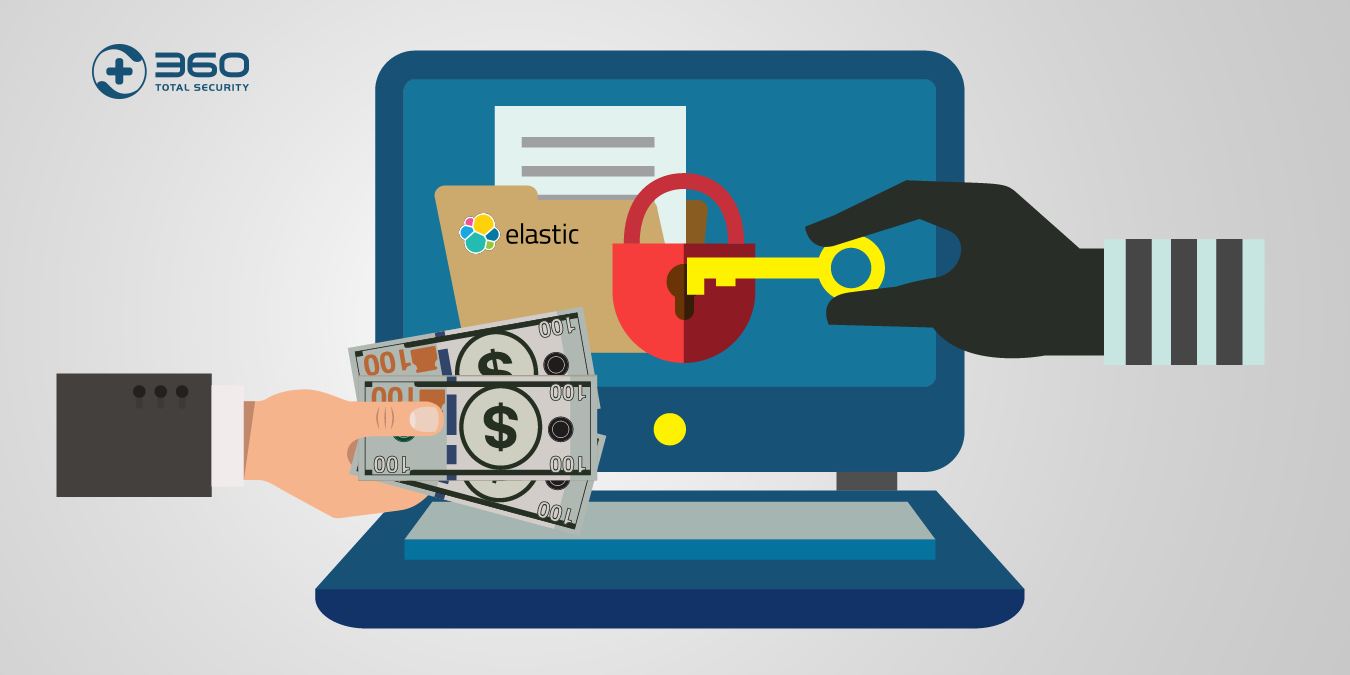
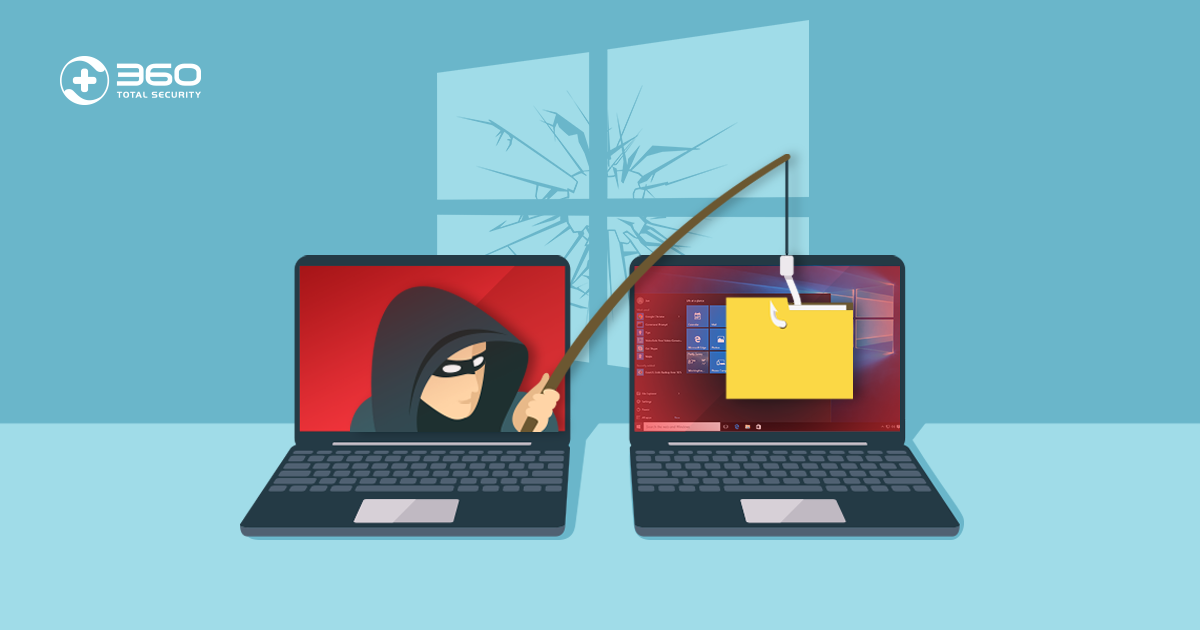
Executive Summary: A Trojan virus remains one of the most dangerous and deceptive forms of malware threatening Windows and macOS users today. Unlike self-replicating viruses or network-spreading worms, a Trojan disguises itself as legitimate software to manipulate users into granting it access—then silently opens backdoors, steals financial data, or installs additional malware. This comprehensive guide breaks down exactly what a Trojan virus is, how it differs from other malware types, the most notorious real-world examples, and—most critically—how to protect your computer and remove a Trojan infection if one has already taken hold.
What Exactly Is a Trojan Virus and How Does It Work?
The Core Deception: Masquerading as Legitimate Software
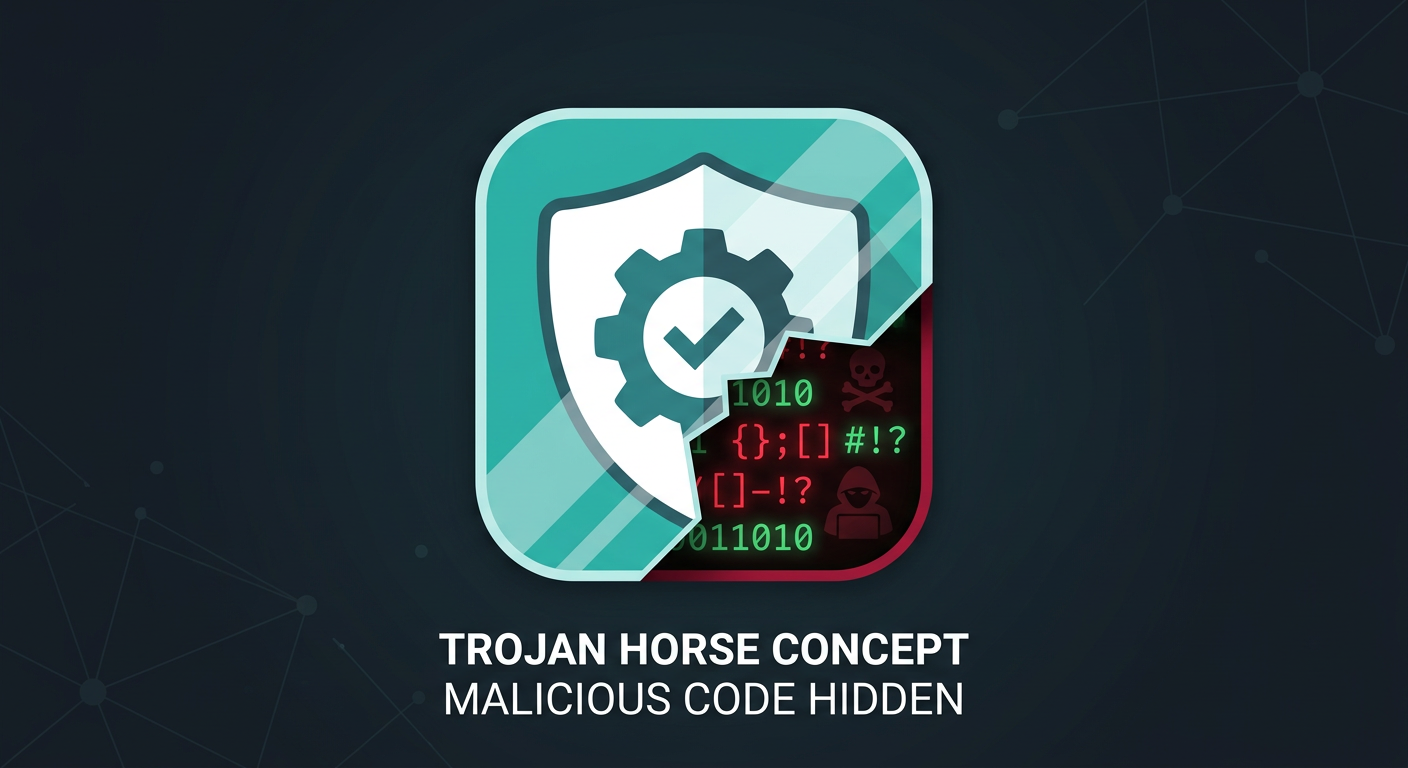
The term “Trojan” is drawn directly from one of history’s most famous stratagems: the Trojan Horse of ancient Greek legend. According to Homer’s Odyssey, Greek warriors concealed themselves inside a massive wooden horse gifted to the city of Troy. The Trojans, believing it a harmless offering, wheeled it inside their walls—only to have enemy soldiers emerge under cover of darkness to destroy the city from within. The analogy to modern malware is almost perfect. A Trojan virus presents itself as something desirable or harmless, and the moment a user accepts it, the threat is already inside the perimeter.
Modern Trojans exploit this psychological vulnerability through a variety of convincing disguises:
- Fake software updates: Pop-up alerts claiming your Flash Player, Java, or browser needs an urgent update, linking to a malicious installer.
- Pirated games and cracked software: Free downloads of paid applications that bundle a hidden payload alongside the promised program.
- Bundled freeware: Legitimate-looking free utilities (PDF converters, media players, system optimizers) that quietly install a Trojan during setup.
- Email attachments: Documents, invoices, or shipping notifications with embedded malicious macros or executable payloads, even when they appear to originate from a trusted contact.
The Mechanism: How It Gains Access and What It Does
One of the most important distinctions in understanding Trojan viruses is recognizing what they do not do: unlike traditional viruses, Trojans do not self-replicate. They cannot attach themselves to other files and spread independently. Their entire model depends on one thing—convincing a human being to execute them. This makes social engineering, not technical exploitation, the Trojan’s primary weapon.
Once a user runs the malicious file, the infection sequence typically unfolds in stages:
- Installation: The Trojan installs itself, often to a hidden directory, and may register itself in the Windows startup registry to persist across reboots.
- Backdoor creation: It opens a covert communication channel—a “backdoor”—between the infected machine and a remote Command and Control (C2) server operated by the attacker.
- Payload execution: Depending on its type, it may steal credentials, log keystrokes, take screenshots, download additional malware, or enlist the machine into a botnet for use in larger attacks.
The entire process is designed to be invisible. A well-crafted Trojan can operate on a system for weeks or months without triggering any obvious symptoms, all while silently exfiltrating data or awaiting instructions from its operator.
How Do Trojan Viruses Differ from Other Types of Malware?
Trojan vs. Virus: The Key Difference in Propagation
The terms “Trojan” and “virus” are frequently used interchangeably in casual conversation, but from a cybersecurity standpoint, they describe fundamentally different threat categories. The distinction matters because it directly affects how each threat spreads and what defenses are most effective against it.
A computer virus is defined by its ability to attach a copy of itself to a clean, legitimate file. When that infected file is opened or executed, the virus replicates further, spreading to other files on the same system or across shared networks and storage media. Viruses are inherently parasitic and self-propagating. They often corrupt or delete files as a side effect of their replication process.
A Trojan, by contrast, is a standalone program. It does not attach itself to other files and does not self-replicate. Its spread depends entirely on users being deceived into downloading and executing it. Once active, its focus is not on spreading but on establishing stealthy, persistent access to the compromised system. According to the MITRE ATT&CK framework, this category of threat—establishing unauthorized remote access through deception—represents one of the most foundational tactics in modern adversarial playbooks.
Trojan vs. Worm: The Difference in Network Spread
Worms share some surface-level similarities with Trojans—both can create backdoors and both can be used to deliver payloads—but their propagation mechanisms are dramatically different. A worm is designed to spread automatically across networks, exploiting software vulnerabilities to copy itself from machine to machine without any user interaction whatsoever. The infamous WannaCry ransomware, for example, used a worm component (exploiting the EternalBlue vulnerability) to propagate across thousands of unpatched Windows systems within hours.
A Trojan, as established, requires a user to actively execute it. This makes worms potentially more explosive in their spread but also means that patching known vulnerabilities is a highly effective defense against them. Trojans, relying on human deception, are harder to stop through technical patches alone—they require user education and behavioral vigilance as well.
Trojan vs. Ransomware and Spyware: Different End Goals
Understanding the goal of each malware type clarifies the threat landscape considerably:
- Ransomware has a singular, blunt objective: encrypt the victim’s files and demand payment for the decryption key. Its goal is financial extortion through destruction of data access.
- Spyware operates with maximum stealth, silently collecting sensitive data—browsing habits, credentials, personal communications—and transmitting it to a third party, often for advertising or espionage purposes.
- Trojans are primarily focused on establishing and maintaining persistent, remote access to a compromised system. Critically, Trojans are frequently the delivery mechanism for both ransomware and spyware—acting as the initial foothold that enables subsequent, more destructive payloads.
The table below provides a structured comparison of these key malware categories:
| Malware Type | Defining Characteristic | Propagation Method | Primary Goal | Self-Replicating? |
|---|---|---|---|---|
| Trojan | Disguises itself as legitimate software | User deception (social engineering) | Establish remote access / backdoor | No |
| Virus | Attaches to and infects clean files | Infected file sharing / execution | File corruption / self-replication | Yes |
| Worm | Exploits network/OS vulnerabilities | Automatic network propagation | Rapid spread / payload delivery | Yes |
| Ransomware | Encrypts victim files for ransom | Phishing, exploit kits, Trojans | Financial extortion | Sometimes (worm-based variants) |
| Spyware | Silently monitors and collects data | Bundled software, drive-by downloads | Data theft / surveillance | No |
What Are the Most Common Types and Real-World Examples of Trojan Viruses?
Backdoor Trojans: The Remote Access Threat
The backdoor Trojan is perhaps the most strategically dangerous variant. Its primary function is to create a hidden, persistent communication channel between the infected machine and a remote attacker. Once this channel is established, the attacker gains the ability to execute commands, access files, activate the webcam or microphone, install additional software, or use the machine as a launching point for attacks on other systems—all without the user’s knowledge.
Infected machines are frequently recruited into botnets—vast networks of compromised computers that can be directed to perform coordinated tasks such as Distributed Denial of Service (DDoS) attacks, spam campaigns, or cryptocurrency mining.
One of the most consequential examples is Emotet. Initially identified as a banking Trojan in 2014, Emotet evolved into a sophisticated, modular malware platform and one of the most prolific malware-as-a-service operations ever documented. According to Europol, before its coordinated law enforcement takedown in January 2021, Emotet was considered the world’s most dangerous malware, having infected hundreds of thousands of computers across dozens of countries and causing hundreds of millions of dollars in damages. Its infrastructure was used to deliver other devastating payloads, including the Ryuk ransomware.
Banking Trojans: The Financial Data Stealers
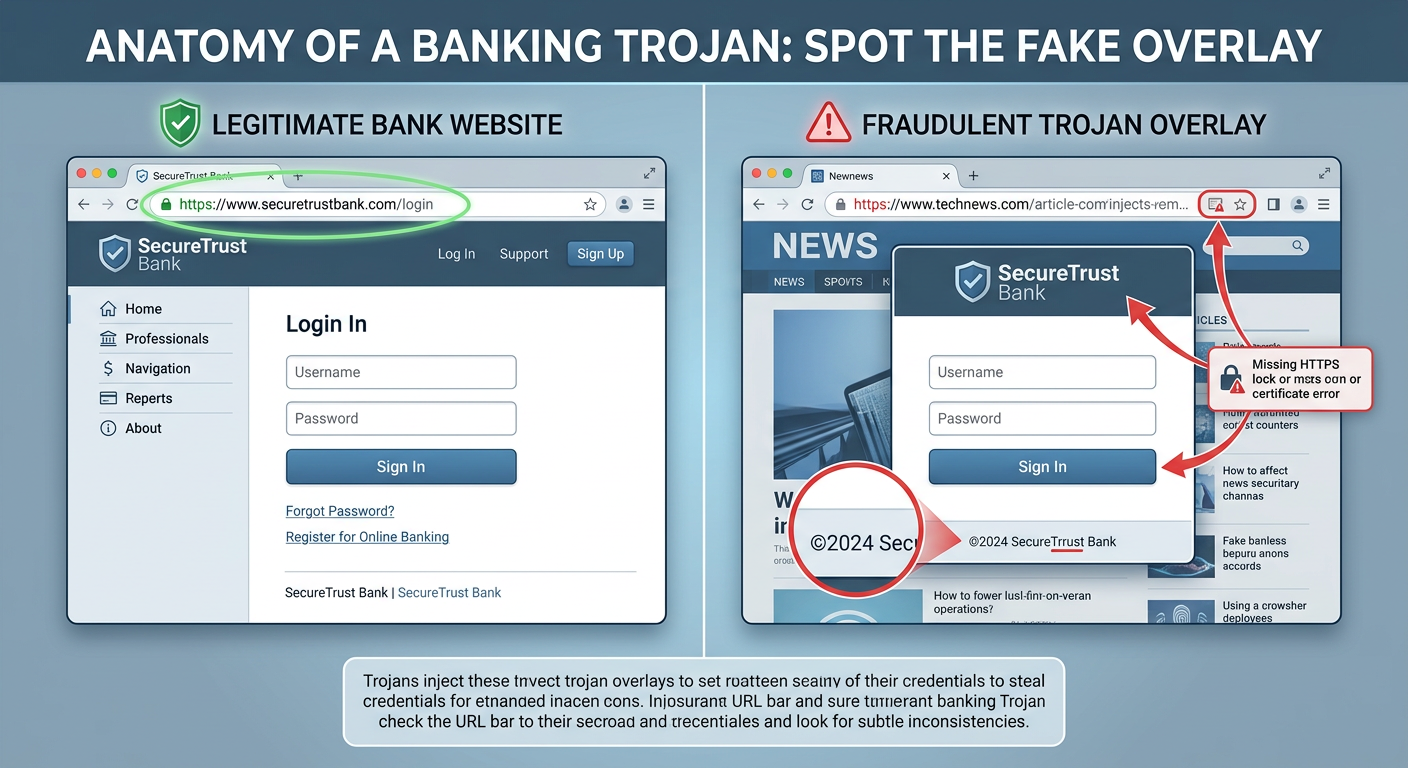
Banking Trojans are purpose-built for financial theft. They are engineered to intercept online banking sessions and harvest credentials, credit card numbers, and other sensitive financial data. Their most sophisticated technique is web injection: the Trojan monitors the victim’s browser and, when a banking website is detected, dynamically injects a fake overlay—a fraudulent login form that is visually indistinguishable from the legitimate page—to capture credentials in real time.
The most historically significant example is the Zeus (Zbot) Trojan, first identified around 2007. Zeus was primarily spread through phishing campaigns and drive-by downloads, and it targeted financial institutions on a global scale. At its peak, it had compromised an estimated 3.6 million computers in the United States alone and was responsible for the theft of hundreds of millions of dollars. The Zeus source code was leaked in 2011, spawning numerous dangerous variants—including SpyEye, Citadel, and GameOver Zeus—that continued to plague users for years afterward.
Downloader and Dropper Trojans: The Malware Installers
Downloader and Dropper Trojans occupy a critical role in multi-stage attack chains. Rather than performing malicious actions themselves, their sole purpose is to establish a foothold on the target system and then retrieve or unpack additional malicious payloads.
- A Downloader Trojan connects to a remote server after installation and downloads secondary malware—ransomware, a banking Trojan, a rootkit, or spyware—directly onto the compromised machine.
- A Dropper Trojan carries the secondary payload within itself, embedded in its own code, and “drops” it onto the system upon execution without requiring a network connection for the delivery phase.
This two-stage architecture is increasingly common in sophisticated attacks because it allows threat actors to keep the initial delivery mechanism small and difficult to detect, while the more complex and detectable payload is only deployed after the initial infection is confirmed. Emotet itself frequently functioned as a dropper in its later iterations, delivering the TrickBot banking Trojan, which in turn facilitated Ryuk ransomware deployments.
How Can You Protect Your Computer from Trojan Viruses?
User Vigilance: The First and Most Critical Layer
Because Trojans depend fundamentally on deceiving users, informed human behavior is the single most powerful defense. No technical solution can fully compensate for a user who habitually downloads software from untrusted sources or clicks on every email attachment they receive. The following behavioral practices are non-negotiable:
- Download software exclusively from official sources: Always obtain software from the developer’s official website, reputable app stores, or well-known platform distributors. Avoid pirated software, cracked games, and third-party download aggregators, which are primary Trojan distribution vectors.
- Exercise extreme caution with email attachments and links: Phishing remains a dominant Trojan delivery method. Verify the sender’s identity independently before opening any attachment, even if the email appears to come from someone you know. Be particularly wary of unexpected invoices, shipping notifications, or documents requiring you to enable macros.
- Keep all software patched and updated: While Trojans primarily rely on social engineering, many are delivered via exploit kits that target known vulnerabilities in outdated browsers, plugins, and operating systems. Enabling automatic updates for your OS, browser, and all installed applications closes these entry points.
- Verify digital signatures: Before running any installer, check that it carries a valid digital signature from the expected publisher. On Windows, right-clicking an executable and checking its Properties > Digital Signatures tab can reveal whether the file is genuinely from the claimed source.
Technical Defenses: Employing Robust Security Software
Behavioral vigilance must be backed by robust technical defenses. A modern, reputable antivirus solution operating with real-time protection provides a critical safety net for the inevitable moments when a deceptive Trojan slips past human judgment.
Effective antivirus protection against Trojans must combine two detection methodologies:
- Signature-based detection: Identifies known Trojans by matching file characteristics against a continuously updated database of malware signatures.
- Behavioral/heuristic analysis: Monitors the actions of running processes in real time, flagging and blocking suspicious behaviors—such as a program attempting to modify startup registry keys, establish outbound connections to unknown servers, or disable system security tools—even if the specific Trojan has never been seen before.
360 Total Security exemplifies this multi-engine approach for Windows and macOS desktop users. It combines multiple antivirus engines with proactive behavioral analysis to identify and block suspicious Trojan-like activities before they can execute. Its real-time protection layer monitors system behavior continuously, meaning that even a zero-day Trojan that hasn’t yet been catalogued in signature databases can be flagged based on what it does rather than what it is. The free version provides this core real-time protection, making enterprise-grade Trojan defense accessible to all desktop users.
Additionally, ensure your system’s built-in firewall is active and properly configured. A firewall monitors inbound and outbound network traffic and can block a Trojan’s attempts to establish communication with its Command and Control server—effectively cutting off the backdoor even if the Trojan manages to install itself.
Proactive Habits: Regular Scanning and System Hygiene
Real-time protection is essential, but it should be complemented by scheduled, proactive security maintenance:
- Schedule regular full system scans: Configure your antivirus software to perform deep, comprehensive scans of all files and directories on a regular schedule—weekly at minimum. A full scan examines areas of the system that real-time monitoring might not scrutinize continuously, such as archived files or rarely accessed directories where Trojans sometimes hide dormant payloads.
- Remove Potentially Unwanted Programs (PUPs): PUPs—bundled adware, browser toolbars, and dubious system utilities—are among the most common Trojan carriers. 360 Total Security‘s system cleanup tools help identify and remove these programs, reducing the attack surface available to Trojan distributors.
- Patch vulnerabilities proactively: 360 Total Security’s integrated vulnerability scanner identifies unpatched security holes in your Windows system and installed software, prompting you to apply fixes before attackers can exploit them as Trojan entry points.
- Practice the principle of least privilege: Use a standard user account for daily computing rather than an administrator account. Many Trojans require elevated privileges to install system-level backdoors; running as a standard user limits the damage they can do even if executed.
What Should You Do If You Suspect a Trojan Infection?
Recognizing the Signs of a Possible Trojan Infection
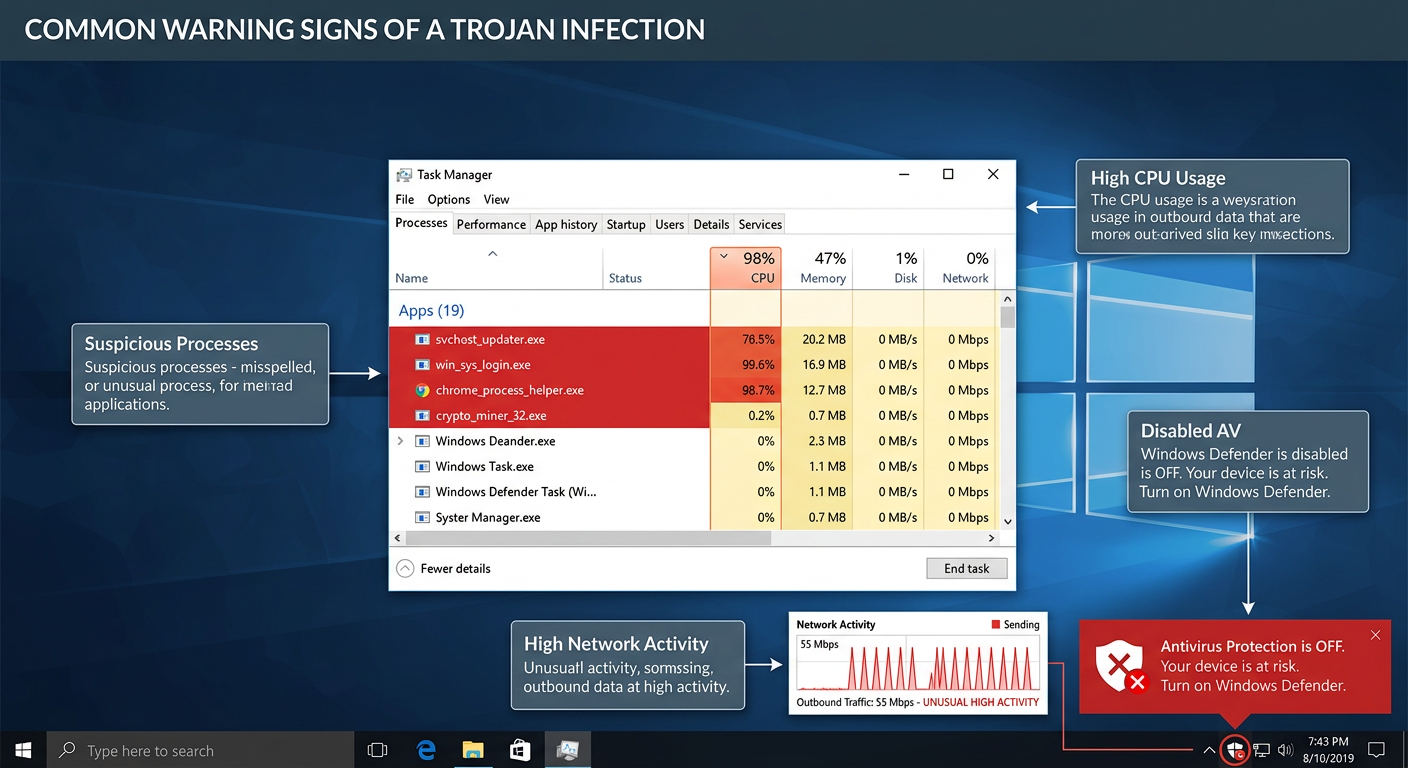
Trojans are engineered for stealth, but sustained infection often produces observable symptoms. Be alert to the following warning signs on your Windows or macOS desktop:
- Unexplained system slowdowns or crashes: A Trojan consuming system resources for cryptomining, data exfiltration, or botnet activity can cause noticeable performance degradation, frequent application crashes, or unexpected system freezes.
- Unusual network activity: High network utilization when you are not actively browsing or downloading—visible in Task Manager (Windows) or Activity Monitor (macOS)—can indicate a Trojan communicating with a remote server.
- Unknown programs or processes: Unfamiliar applications appearing in your installed programs list, unknown processes running in Task Manager, or new icons appearing on your desktop that you did not place there are significant red flags.
- Settings changed without your input: Your browser homepage or default search engine has changed, your firewall has been disabled, or your antivirus software has been deactivated or is generating unexpected alerts—all can indicate that malicious software has modified system settings.
- Antivirus alerts: Your security software generating repeated warnings about a specific file or process, especially one that keeps returning after apparent removal, is a strong indicator of an active Trojan infection.
Step-by-Step Guide for Removal and Recovery
If you observe multiple warning signs of a Trojan infection, act immediately and systematically. The following sequence is the recommended approach for desktop users:
Step 1 – Isolate: Disconnect from the Internet
Your first action must be to sever the infected machine’s internet connection. Disconnect the Ethernet cable or disable Wi-Fi. This cuts off the Trojan’s communication channel with its Command and Control server, preventing further data exfiltration, stopping the download of additional payloads, and potentially disabling remote attacker control. As cybersecurity professionals consistently emphasize:
“The very first thing you should do when you suspect an active malware infection is disconnect from the network. Every second the infected machine remains online is another second the attacker has to exfiltrate your data, escalate privileges, or deploy additional payloads. Isolation is not optional—it is the foundational first step of any effective incident response.”
— Cybersecurity Incident Response Professional, 2025
Step 2 – Scan: Run a Full Deep System Scan
With the machine isolated, launch your antivirus software and initiate the most comprehensive scan available. Ensure your virus definition database was updated before disconnecting. 360 Total Security includes a dedicated “Trojan Remover” mode engineered to aggressively hunt for and eliminate deeply embedded Trojan components—including those that have registered themselves in startup processes, injected code into legitimate system processes, or hidden payloads in obscure system directories.
// Example: Registry paths commonly abused by Trojans for persistence (Windows)
HKEY_CURRENT_USER\Software\Microsoft\Windows\CurrentVersion\Run
HKEY_LOCAL_MACHINE\SOFTWARE\Microsoft\Windows\CurrentVersion\Run
HKEY_LOCAL_MACHINE\SOFTWARE\Microsoft\Windows NT\CurrentVersion\Winlogon
// A full antivirus scan will examine these locations automatically.
// Manual inspection can be performed via regedit.exe for advanced users.
Step 3 – Clean and Restore
Follow the antivirus software’s recommended actions for each detected threat—quarantine or delete as directed. If critical system files were damaged, use Windows System Restore (or macOS Time Machine) to roll back to a clean restore point predating the infection. For severe infections where system integrity cannot be guaranteed, a clean OS reinstall from verified media may be the most reliable path to a confirmed clean state.
Step 4 – Change All Credentials
After the scan confirms the infection has been cleared and before reconnecting to the internet, change every password associated with accounts accessed from the infected machine—email, banking, social media, work accounts, and cloud services. Assume that any credentials entered on the machine during the infection period may have been captured by a keylogger component. Enable multi-factor authentication (MFA) on all accounts that support it.
Step 5 – Reconnect and Monitor
Reconnect to the internet and immediately check for any unauthorized account activity. Monitor your bank statements and credit reports for unusual transactions. Continue running regular scheduled scans and consider visiting 360 Total Security’s official website to ensure your desktop protection is fully up to date and configured for maximum defense going forward.
Frequently Asked Questions (FAQ)
Q1: Can a Trojan virus infect my computer without me downloading anything?
In the vast majority of cases, Trojans require user action—downloading and executing a file—to install. However, sophisticated drive-by download attacks can exploit unpatched vulnerabilities in browsers or browser plugins to silently deliver a Trojan payload when you simply visit a compromised or malicious website, without any deliberate download. This is why keeping your browser and all plugins fully updated is critical, even if you practice careful downloading habits.
Q2: Is a Trojan virus permanent? Can it be completely removed?
In most cases, yes—a Trojan can be completely removed using reputable antivirus software with a thorough deep scan. However, some advanced Trojans install rootkit components that embed themselves deeply into the operating system kernel, making them exceptionally difficult to detect and remove through standard means. In these cases, booting from a trusted external recovery environment to scan the system offline, or performing a clean OS reinstall, may be necessary to guarantee complete removal.
Q3: How is a Trojan different from a Remote Access Tool (RAT)?
A Remote Access Trojan (RAT) is actually a specific, particularly dangerous subcategory of Trojan. All RATs are Trojans, but not all Trojans are RATs. A RAT is specifically engineered to provide an attacker with comprehensive remote control over an infected machine—including the ability to access files, activate cameras and microphones, log keystrokes, and execute commands—all delivered through a Trojan’s deceptive delivery mechanism.
Q4: Does 360 Total Security protect against Trojans on both Windows and Mac?
Yes. 360 Total Security provides desktop antivirus and real-time protection for both Windows and macOS platforms. It combines multiple scanning engines with behavioral analysis to detect and block Trojan threats on both operating systems. Note that 360 Total Security is a desktop/PC solution and does not cover mobile (Android/iOS) devices.
Q5: What is the single most effective thing I can do right now to reduce my Trojan risk?
If you currently lack real-time antivirus protection on your Windows or macOS desktop, installing a reputable security solution is the single highest-impact action you can take immediately. Beyond that, the behavioral rule with the greatest impact is simple: never download software from unofficial or pirated sources. The overwhelming majority of Trojan infections originate from cracked software, pirated games, and unofficial download sites. Eliminating this habit alone removes the most common infection vector.
Author Bio: This article was written by a Senior Technical Content Specialist with over a decade of experience covering cybersecurity, malware analysis, and endpoint protection for enterprise and consumer audiences. Their work synthesizes threat intelligence from global cybersecurity organizations, incident response frameworks, and hands-on security software evaluation to provide readers with accurate, actionable, and up-to-date guidance on protecting their digital environments.
Learn more about 360 Total Security