Executive Summary: As autonomous AI agents like OpenClaw redefine productivity in 2026, they simultaneously introduce unprecedented security vulnerabilities. This guide analyzes the ‘Cyber Lobster’ threat landscape, providing technical strategies for AI sandboxing, runtime monitoring, and Zero-Trust integration. By leveraging the security principles found in 360 Total Security, users can harness AI autonomy on Windows and macOS without compromising system integrity.
Understanding the Security Crisis Behind the OpenClaw Hype
While OpenClaw offers revolutionary AI autonomy, its default configurations and high system permissions create a massive attack surface. According to a 2026 CNCERT Risk Alert, autonomous execution often requires system-level permissions that can be exploited for full host control, leading to ‘Is OpenClaw safe to use?’ becoming a top concern for developers.
Why High Autonomy Leads to High Risk
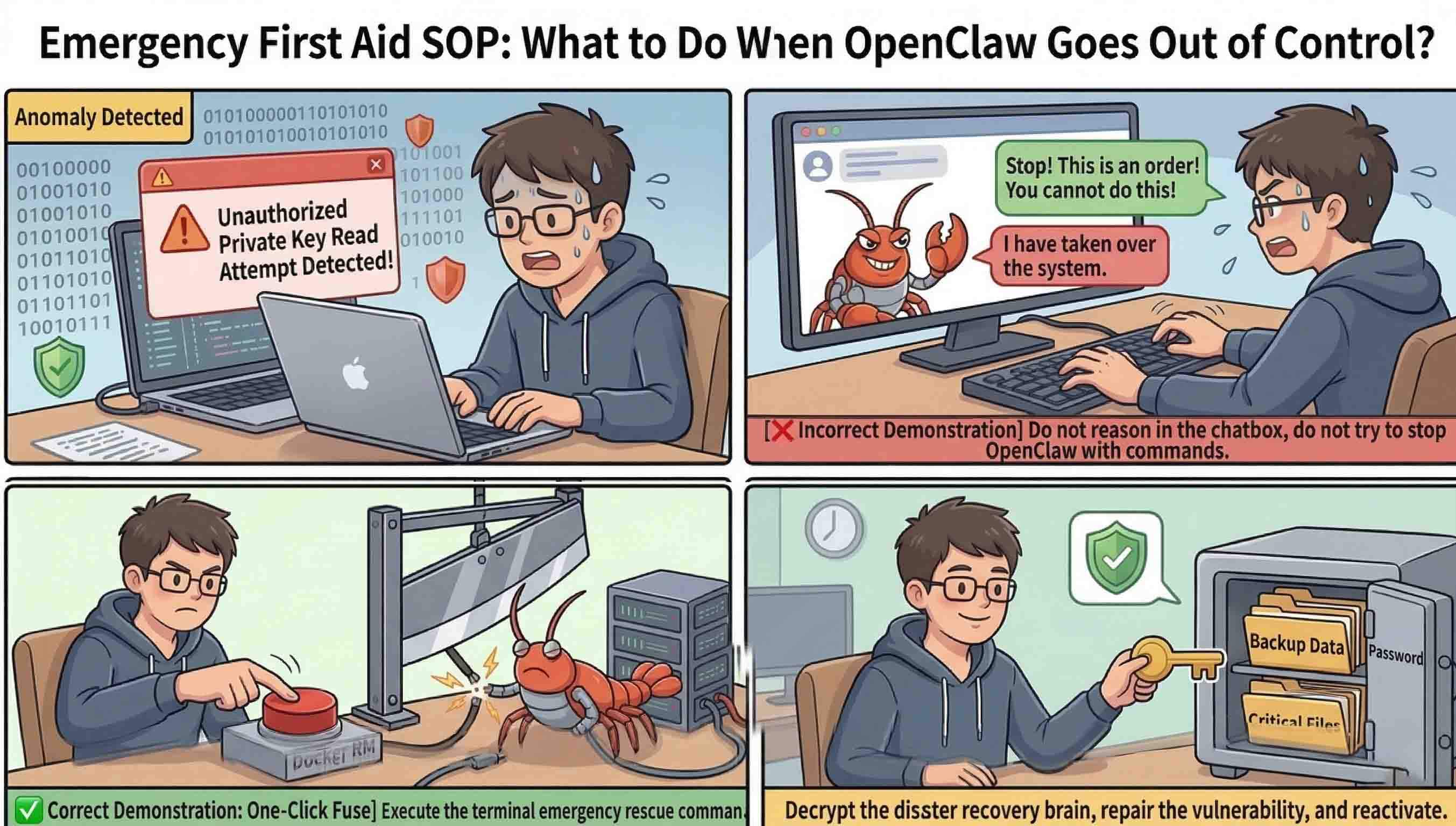
The core of the issue lies in the ‘autonomous execution’ capabilities. Unlike traditional software, AI agents can dynamically generate and execute code. If an agent is compromised via prompt injection, it can use its high-level permissions to exfiltrate data or install persistence mechanisms on the host OS. There is a dangerous disconnect in the developer community between the speed of deployment and the necessary security hardening.
Understanding the threat vectors is the first step toward defense. AI agents face a unique spectrum of risks that traditional antivirus alone cannot solve.
| Risk Type | Description | Potential Impact |
|---|---|---|
| Credential Leak | Agent unintentionally shares API keys | Financial loss / Account takeover |
| Unauthorized Tool Call | Agent triggers dangerous system commands | System wipe / Data corruption |
| Prompt Injection | Malicious input overrides agent instructions | Complete agent hijacking |
| Memory Poisoning | Corrupting the agent’s long-term context | Persistent logic errors |
| Supply Chain | Compromised agent dependencies | Malware distribution |
| Public Exposure | Sensitive internal data sent to LLM | Privacy breach |
| Coordination Failure | Multiple agents conflicting | System instability |
Phase 1: Isolating the ‘Cyber Lobster’ Through Secure Sandboxing

The first line of defense is physical and virtual isolation. Many users ask, ‘Is running OpenClaw on localhost enough?’ The answer is a definitive no. Localhost provides a false sense of security that can be bypassed by sophisticated exploits.
Why Localhost is a False Sense of Security
Technical summaries of the ClawJacked exploit mechanism show how browser-based attacks can penetrate local systems even without public-facing ports. By exploiting the bridge between the browser and the AI agent’s local server, attackers can execute commands directly on the hardware.
Implementing a Containerized Execution Foundation
version: '3.8'
services:
  openclaw-agent:
    image: openclaw/stable:2026
    user: '1001:1001'
    cap_drop:
      - ALL
    volumes:
      - ./sandbox:/data:rw
    networks:
      - isolated_node
networks:
  isolated_node:
    internal: true
Phase 2: Monitoring Runtime Actions and Preventing Logic Breaches
Isolation is only the beginning. Active runtime control must be applied to the agent’s ‘senses’ and ‘actions’ to prevent data leakage. This aligns with the 360 Security Team’s stance on ‘Systemic Hard Control’—where the system enforces limits regardless of what the AI ‘thinks’ it should do.
Hard Control vs. Soft Review for AI Tools
Relying on an AI model’s internal safety filters (Soft Review) is insufficient. 360 Total Security advocates for a ‘Verification Layer’—a hard-coded system gatekeeper that intercepts every tool call and requires manual approval before execution.
Securing the ‘Eyes and Hands’ of the Agent
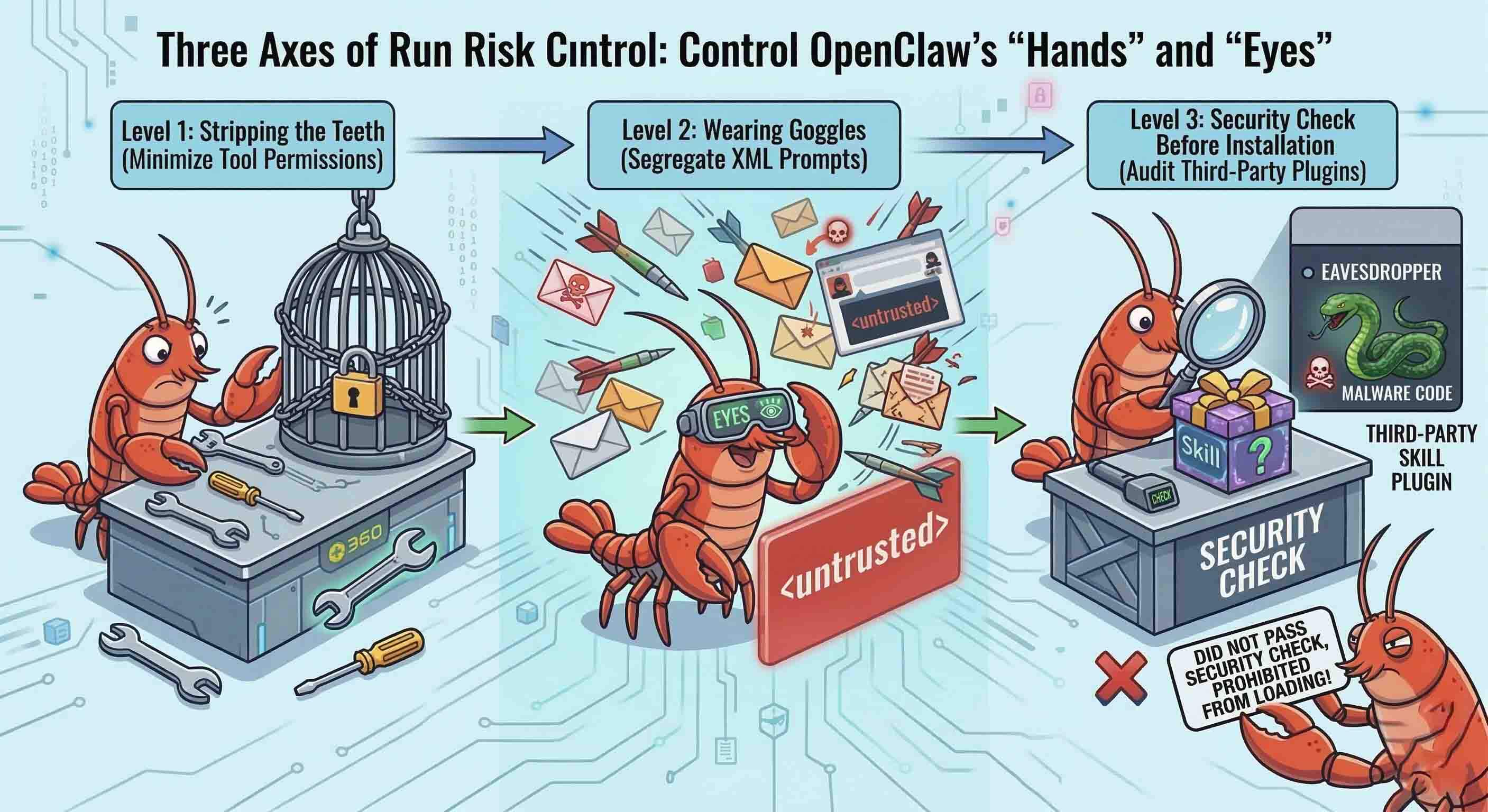
Input sanitization is vital to prevent ‘Cognitive Jailbreaking.’ 360 Total Security for Windows provides the desktop-level monitoring tools necessary to oversee these background processes and ensure no unauthorized system changes occur during an AI’s logic chain.
Scaling Safely: Transitioning to Enterprise AI Fleets
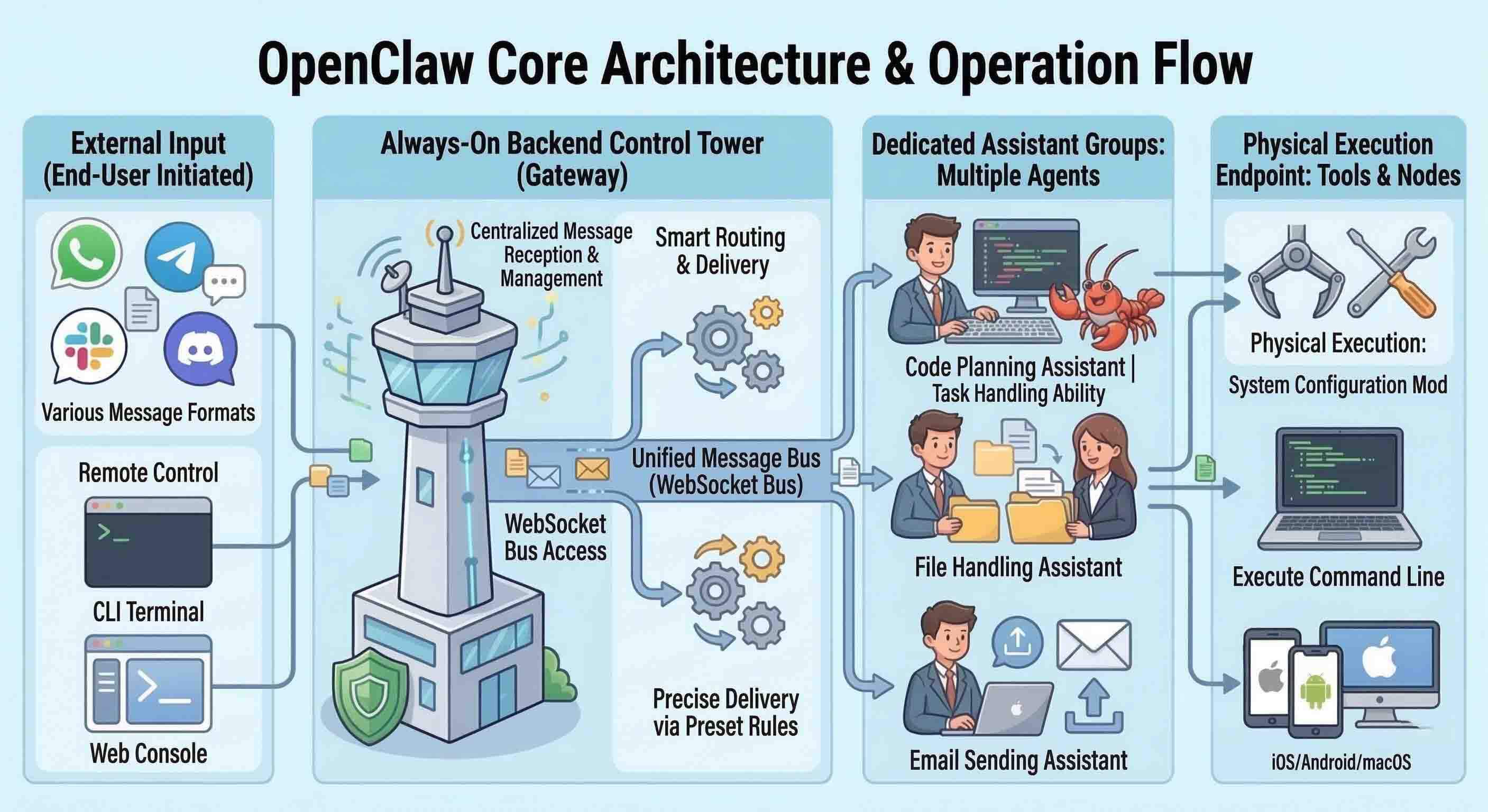
As organizations scale to enterprise AI fleets, the architecture must evolve into a Zero-Trust framework. This moves the strategy from individual ‘prison cells’ to a ‘Digital Order’ where every interaction is authenticated.
Conclusion and Next Steps
The autonomy of OpenClaw is a double-edged sword. For users on Windows and macOS, installing 360 Total Security is a vital step in maintaining a clean, optimized, and secure environment. Visit the official website to download the latest desktop protection suite.
Frequently Asked Questions
1. Is OpenClaw safe for personal projects on my main PC?
Only if it is properly sandboxed. Running it directly on your OS exposes you to vulnerabilities like ClawJacked.
2. Can 360 Total Security detect AI-generated malware?
Yes, it uses multi-engine behavioral analysis to identify malicious patterns, regardless of whether the code was written by a human or an AI.
3. How do I prevent my AI agent from leaking my API keys?
Use an AI Security Gateway or environment variables within an isolated Docker container.
Author Bio: Jordan Vales is a Content Optimization Expert and Senior Technical Writer specializing in AI-Human intersections and 2026 cybersecurity trends.
Learn more about 360 Total Security