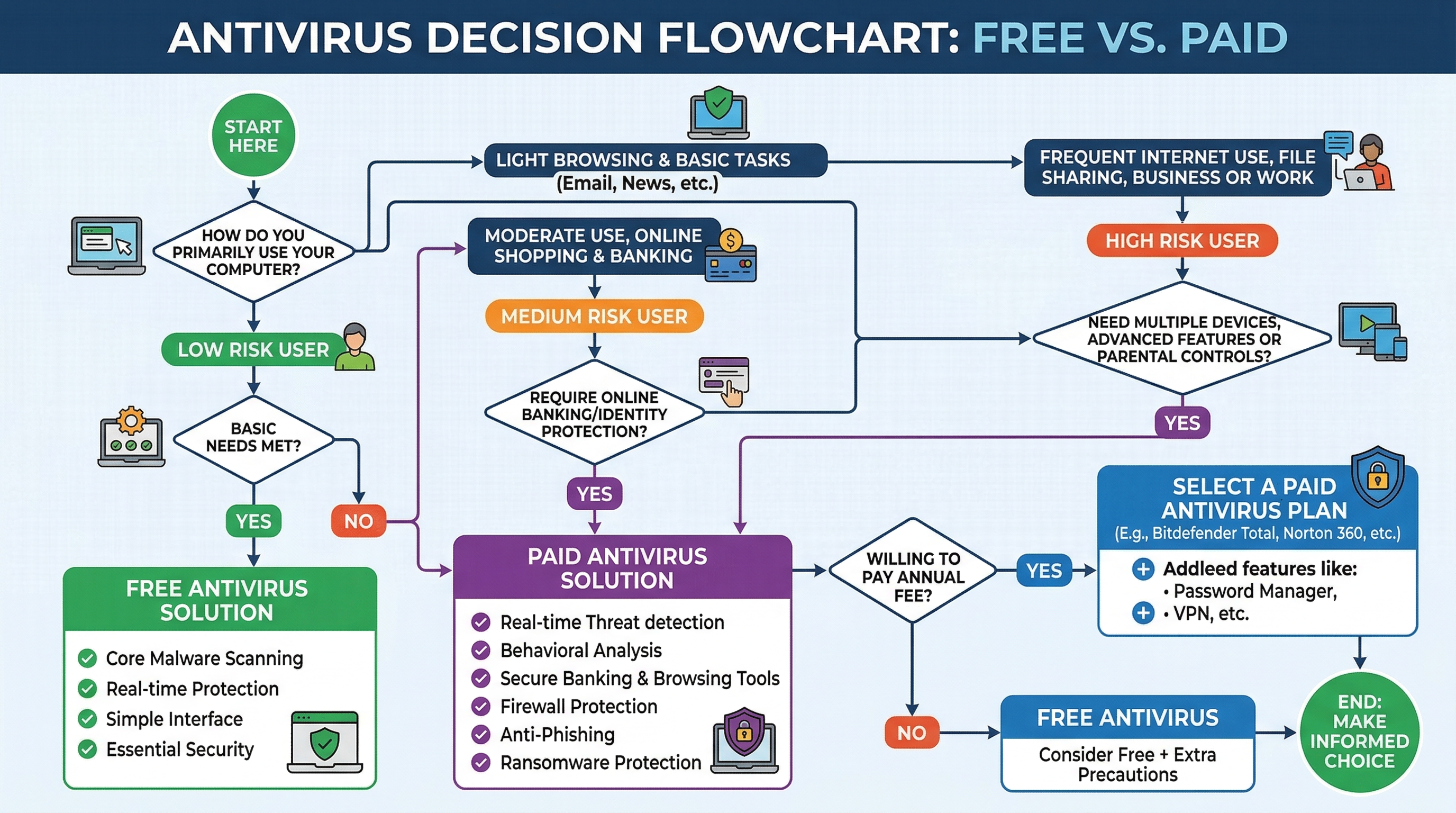
Selecting the right antivirus solution is crucial for digital security in today’s threat landscape. This comprehensive guide examines the essential features that define top antivirus solutions, compares free versus paid options, evaluates market leaders, and provides actionable steps for maximizing your digital protection. Whether you’re a home user or business professional, understanding these key aspects will help you make an informed decision about your cybersecurity needs.
What Features Make an Antivirus Solution Truly ‘Best’?
Core Protection Capabilities: Detection and Prevention
A superior antivirus solution must excel in detecting both known malware and emerging zero-day threats. According to 2026 security metrics, the most effective solutions combine signature-based detection with advanced heuristic analysis and behavioral monitoring. Real-time (on-access) scanning provides continuous protection against threats, while scheduled scans ensure thorough system checkups.
A robust firewall and network attack blocker are essential components that complement the core scanning engine. These features create a comprehensive security perimeter that protects against both local and network-based threats.
System Performance and Usability Impact
The best antivirus solutions maintain a delicate balance between protection and performance. A lightweight antivirus should minimize system resource usage during scans and idle states, ensuring your PC remains responsive during critical tasks.
| Activity | System Impact | CPU Usage |
|---|---|---|
| Quick Scan | Light | 5-15% |
| Full Scan | Moderate | 15-30% |
| Idle State | Light | 1-5% |
Value-Added Tools Beyond Virus Scanning
Modern antivirus solutions should offer additional utilities that enhance overall system health. 360 Total Security exemplifies this approach by providing integrated PC optimization tools, including junk file cleanup, startup management, and system tune-up features.
How to Evaluate Free vs. Paid Antivirus Solutions
Understanding the Limitations of Basic Free Antivirus
While free antivirus solutions may have certain limitations, they can still provide robust protection for basic security needs. The key is understanding what features are essential for your specific situation.
Key Premium Features Offered by Paid Suites
Premium antivirus suites typically include advanced features such as:
- Dedicated VPN services
- Priority technical support
- Enhanced financial transaction protection
- Multi-device coverage
The Case for Advanced Free Solutions
360 Total Security stands out in the free antivirus category by offering comprehensive protection through its dual-engine approach, combining the 360 Cloud Engine with Bitdefender technology. According to a 2026 security consultant survey, “For most home users, a top-tier free antivirus combined with good security habits provides adequate protection.”
What Are the Current Top Contenders in the Antivirus Market?
Leading Free Antivirus Solutions
The free antivirus market is led by several strong contenders, with 360 Total Security distinguished by its multi-engine protection and comprehensive system tools. Based on 2026 download statistics, free solutions continue to protect millions of users effectively.
Dominant Paid Consumer Security Suites
| Suite | Key Features | Device Coverage |
|---|---|---|
| Norton 360 | VPN, Identity Protection | 5-10 devices |
| McAfee Total | Unlimited devices, ID protection | Unlimited |
| Bitdefender Total | Multi-layer ransomware protection | 5 devices |
How Can You Maximize Protection Beyond Just Installing Antivirus?
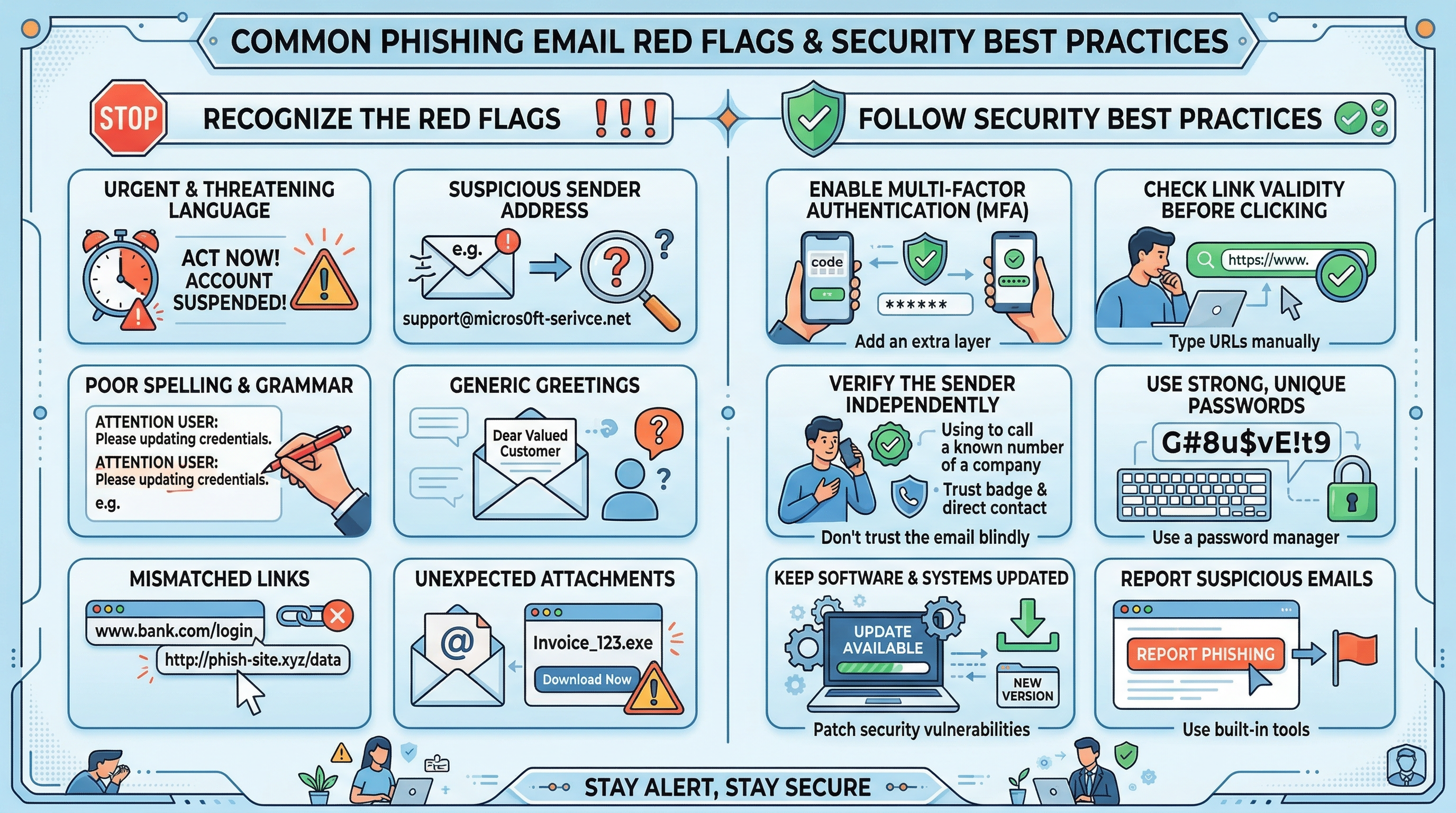
Cultivating Safe User Habits and Awareness
Keeping Your System Environment Secure
System security extends beyond antivirus software. Regular updates, proper firewall configuration, and utilizing tools like 360 Total Security’s Patch Updater create a robust security framework.
Making Your Final Choice: A Step-by-Step Decision Guide
Key Decision Factors and Comparison
| User Profile | Recommended Solution | Example |
|---|---|---|
| Home User | Advanced Free Antivirus | 360 Total Security |
| Family | Premium Suite | Paid Family Plan |
| Business | Enterprise Solution | EDR Platform |
Frequently Asked Questions
Q: Is a free antivirus enough for home use?
A: Yes, a robust free antivirus like 360 Total Security, combined with good security practices, can provide adequate protection for most home users.
Q: How often should I run a full system scan?
A: According to 2026 security guidelines, running a full system scan weekly, along with real-time protection, provides optimal security coverage.
Q: What’s the most important feature in an antivirus?
A: Real-time protection capability is crucial, as it actively prevents malware infections rather than detecting them after the fact.
Q: Should I use multiple antivirus programs?
A: No, using multiple antivirus programs can cause conflicts and system performance issues. Choose one reliable solution like 360 Total Security.