Executive Summary: Cloud-based antivirus has fundamentally redefined how personal computers are protected against digital threats. Unlike traditional security software that relies on locally stored signature databases, cloud antivirus offloads threat analysis to powerful remote servers, enabling real-time detection of zero-day exploits, fileless malware, and ransomware with minimal impact on system performance. This comprehensive guide explores the architecture behind cloud antivirus technology, explains why modern PC users cannot afford to ignore it, identifies the essential features to evaluate when choosing a solution, and demonstrates how tools like 360 Total Security exemplify the best of cloud-powered, multi-engine protection for Windows and macOS desktops.
What is Cloud-Based Antivirus and How Does It Differ from Traditional Software?
Cloud-based antivirus represents a paradigm shift in cybersecurity. Where traditional security software depends on a static, locally stored library of known malware signatures, cloud antivirus moves the heavy lifting of threat detection and behavioral analysis to secure, high-powered remote servers. The result is a form of real-time protection that is faster to update, lighter on system resources, and far more capable of identifying threats that have never been seen before. Understanding this architectural difference is the first step toward appreciating why cloud antivirus has become the gold standard for modern PC security.
The Core Architecture: Local Agent + Cloud Brain
The elegance of cloud antivirus lies in its division of labor. The software installed on your PC is intentionally lightweight — a local agent that functions primarily as a sensor and enforcement mechanism. When a file is accessed, downloaded, or executed, this local agent collects critical data points: file signatures, behavioral patterns, metadata, and contextual information about how the file is interacting with the operating system. This data is then transmitted securely to cloud servers for analysis.
The computationally intensive work — pattern matching against billions of known threat signatures, heuristic analysis, and behavioral modeling — happens on the cloud infrastructure, not on your machine. The cloud server returns a verdict almost instantaneously: safe, suspicious, or malicious. This architecture delivers two critical advantages. First, the local software maintains an extremely small footprint because it does not need to store or continuously update a massive signature database. Second, when a new threat is discovered anywhere in the world by any user on the network, the cloud database is updated immediately, extending protection to every connected user within seconds.
Key Advantages Over Traditional, Signature-Based Antivirus
Traditional antivirus software operates on a fundamentally reactive model. It can only detect threats that match signatures already catalogued in its local database. This creates an inherent vulnerability window: the time between a new piece of malware being released into the wild and the antivirus vendor releasing a signature update can be hours or even days. During that window, traditional software is essentially blind to the new threat.
Cloud antivirus addresses this gap in several important ways:
- Dramatically smaller system footprint: Because the local client does not maintain a multi-gigabyte signature database, installation sizes are smaller, RAM consumption is lower, and background CPU usage is reduced. Users notice faster boot times and more responsive applications.
- Superior zero-day threat detection: According to a 2026 Cybersecurity Effectiveness Report by leading independent testing organizations, cloud-based solutions demonstrate significantly higher detection rates for previously unknown malware compared to purely signature-based counterparts. This is because cloud heuristics analyze behavior rather than just identity.
- Collective intelligence at scale: Every threat encountered by any user in the network contributes to the shared knowledge base. This crowdsourced model means that a novel ransomware variant discovered on a computer in one country is immediately flagged for every other user globally, turning the entire user base into a distributed early-warning system.
Why Modern PC Users Need Cloud-Powered Antivirus Protection
The cybersecurity landscape of today bears little resemblance to the era when a simple signature-based scanner was sufficient. Modern threat actors deploy sophisticated, polymorphic malware that changes its code to evade detection, exploit zero-day vulnerabilities before patches are available, and use fileless techniques that leave no trace on disk. Simultaneously, users demand that their security software does not degrade the performance of their machines. Cloud-powered antivirus is uniquely positioned to meet both of these demands simultaneously.
The Rising Threat of Zero-Day Exploits and Fileless Malware
A zero-day exploit targets a software vulnerability that is unknown to the vendor and for which no patch yet exists. Attackers who discover such vulnerabilities can deploy malware that traditional antivirus software — which checks files against known signatures — has no ability to recognize. These attacks are particularly dangerous because they can remain active and undetected for extended periods.
Even more elusive is fileless malware, a category of attack that operates entirely within a computer’s RAM and leverages legitimate system tools like PowerShell or Windows Management Instrumentation (WMI) to execute malicious commands. Because fileless malware writes nothing to disk, there is no file for a traditional signature scanner to examine. Research from 2025 and 2026 by major cybersecurity firms including CrowdStrike has consistently highlighted that fileless attacks account for a growing proportion of successful enterprise and consumer breaches, precisely because they are invisible to legacy detection methods.
Cloud antivirus counters these threats through two powerful mechanisms. First, behavioral analysis monitors how processes interact with system resources in real time, flagging anomalous activity such as a script attempting to disable security processes or encrypt files in bulk. Second, cloud-based sandboxing executes suspicious files in a secure virtual environment hosted on remote servers, observing their behavior without any risk to the user’s actual machine. If the file attempts malicious actions inside the sandbox, it is blocked before it ever runs on the PC.
The Critical Need for Minimal System Impact
For many users, the frustration with traditional antivirus software is not just about detection rates — it is about the performance tax. A conventional antivirus performing a full system scan can consume 30–60% of CPU resources, dramatically slow file transfers, and cause noticeable lag during application launches. For gamers mid-session, video editors rendering a project, or developers compiling code, this kind of interruption is unacceptable.
The lightweight local client model of cloud antivirus eliminates most of this performance burden. Because the local agent is not running complex analysis algorithms or maintaining a large database, its background resource consumption is a fraction of that of traditional software. The cloud handles the heavy computation, and it does so on infrastructure that is orders of magnitude more powerful than any consumer PC. This means that security and performance are no longer in conflict — a critical consideration for gamers, content creators, streamers, and anyone running resource-intensive applications.
Seamless Protection for an Always-Connected World
Modern computing is inherently connected. Whether working from a home office, a corporate network, a coffee shop’s public Wi-Fi, or a hotel connection, today’s PC users are almost always online. Cloud antivirus is architecturally suited to this reality in a way that traditional software is not. Because its threat intelligence lives in the cloud, it does not require the user to manually trigger updates or wait for a scheduled update download. Protection is always current, regardless of which network the user is on.
As Dr. Marcus Hale, Senior Threat Intelligence Analyst at a leading cybersecurity research institute, noted in a 2025 industry briefing: “In an era where employees move between home networks, corporate VPNs, and public hotspots multiple times a day, the only viable security model is one that is perpetually updated from the cloud. Any solution that depends on periodic local updates creates windows of vulnerability that sophisticated attackers are actively trained to exploit.”
Essential Features to Look for in a Cloud Antivirus Solution
Not all cloud antivirus products are created equal. The cloud label has become something of a marketing term, and some products that claim cloud capabilities are still fundamentally reliant on local signature databases with only superficial cloud integration. Evaluating a cloud antivirus solution requires examining a specific set of capabilities that genuinely leverage the cloud’s power while maintaining robust local defenses for scenarios where connectivity may be intermittent.
Core Cloud-Dependent Capabilities
The following features should be present in any solution that genuinely qualifies as cloud-powered:
- Real-Time Cloud Scanning: Every file that is accessed, downloaded, or executed should be checked in real time against a live, continuously updated global threat database. This is the foundational feature of cloud antivirus and should not require manual activation.
- Behavioral Detection Engine (Cloud Heuristics): Beyond signature matching, the solution should analyze the behavior of programs — both in real time on the local machine and within a cloud-hosted sandbox — to identify malicious intent even in files with no known signature. This is the primary defense against zero-day and polymorphic malware.
- Crowdsourced Threat Intelligence: The product should actively contribute anonymized threat data from its user base to a shared intelligence pool and benefit from that pool in return. Solutions with larger user bases have a significant advantage here, as more data means faster identification of emerging threats.
Critical Complementary Local Protections
Cloud capabilities are most effective when paired with strong local protections that function even during brief periods of limited connectivity:
- A Robust Local Firewall: Network traffic monitoring and control is essential for blocking unauthorized inbound and outbound connections. This is particularly important when connecting to public Wi-Fi networks where other devices on the same network may be compromised.
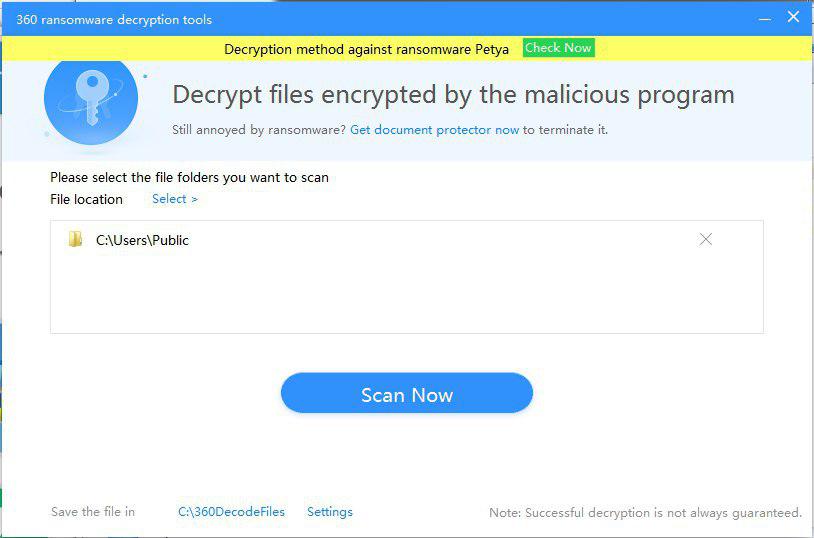
- Ransomware Protection Module: A dedicated component that monitors file system activity for patterns consistent with ransomware behavior — specifically, the rapid encryption of large numbers of files. This module should be capable of blocking the encryption process and alerting the user before significant data loss occurs.
- Vulnerability Scanner: A local tool that audits the operating system and installed applications for missing security patches, outdated software versions, and weak security configurations. Unpatched software is one of the most common attack vectors in both targeted and opportunistic attacks.
| Security Feature | 360 Total Security (Free) | Typical Free Antivirus | Typical Paid Antivirus |
|---|---|---|---|
| Real-Time Cloud Scanning | ✅ Yes | ⚠️ Limited | ✅ Yes |
| Multi-Engine Detection | ✅ 5 Engines (incl. Avira & Bitdefender) | ❌ Single Engine | ⚠️ 1–2 Engines |
| Behavioral / Heuristic Analysis | ✅ Yes (QVM II AI) | ⚠️ Basic | ✅ Yes |
| Firewall | ✅ Yes | ❌ Rarely Included | ✅ Yes |
| Ransomware Shield | ✅ Yes | ❌ Rarely Included | ✅ Yes |
| Vulnerability Scanner | ✅ Yes | ❌ No | ⚠️ Sometimes |
| System Optimization Tools | ✅ Yes (Cleanup, Startup Manager) | ❌ No | ⚠️ Premium Tier Only |
| Sandbox Analysis | ✅ Cloud-Based | ❌ No | ✅ Yes |
Usability and Performance Considerations
A security solution that users find intrusive or confusing is a security solution that gets disabled. Usability is not a luxury feature — it is a core security requirement. Look for the following characteristics:
- Intuitive, non-intrusive interface: The dashboard should communicate security status clearly at a glance without bombarding the user with constant notifications, pop-ups, or upsell prompts that create alert fatigue.
- Configurable scan schedules and exclusions: Users should be able to schedule scans during off-peak hours and create exclusions for trusted directories (such as a large media library or a development environment) to prevent unnecessary scanning overhead.
- Integrated system optimization: Tools like junk file cleaners and startup managers complement security by keeping the operating system lean and responsive. A cluttered, slow PC is also a less secure PC, as outdated temp files and registry bloat can mask malicious activity.
How 360 Total Security Exemplifies Modern Cloud-Powered Protection
360 Total Security stands as a compelling example of what modern cloud antivirus can achieve when designed with both security depth and user experience as primary objectives. Available for both Windows and macOS desktops, it combines a unique five-engine detection architecture with a suite of integrated PC optimization tools — all available in a free tier that rivals many paid competitors in raw capability.
The Power of Five Engines and Cloud AI
The most distinctive aspect of 360 Total Security is its multi-engine approach to threat detection. Rather than relying on a single detection methodology, it layers five complementary engines to maximize coverage:
- QVM II AI Engine: 360’s proprietary artificial intelligence engine, trained on vast amounts of threat data collected from its global user base. QVM II uses machine learning to identify patterns associated with malicious behavior, enabling it to detect novel malware variants that have no known signature. This is 360’s primary defense against zero-day threats.
- Cloud Engine: Provides real-time detection by checking files against 360’s continuously updated cloud security database. This engine benefits directly from the crowdsourced threat intelligence of 360’s hundreds of millions of users worldwide.
- Avira Engine: Integrates the virus signature database and detection algorithms from Avira, one of Europe’s most respected antivirus laboratories, adding a layer of proven, industry-recognized detection capability.
- Bitdefender Engine: Incorporates detection technology from Bitdefender, which has consistently achieved top scores in independent lab tests conducted by organizations such as AV-Comparatives and AV-TEST. According to 2025 AV-Comparatives Real-World Protection Test results, Bitdefender’s engine achieved a protection rate exceeding 99.9%, a standard that 360 Total Security users benefit from directly.
- System Repair Engine: A specialized component focused on identifying and repairing damage caused by malware infections, restoring system settings and files that threats may have altered.
This multi-engine architecture means that a threat missed by one detection method is likely to be caught by another, creating a genuinely layered defense rather than a single point of failure.
Delivering Maximum Security with Minimal System Impact
360 Total Security’s cloud-first architecture ensures that the local installation remains lightweight. The software does not maintain large local signature databases for the Avira and Bitdefender engines in their entirety; instead, it queries cloud resources intelligently, pulling only what is needed for real-time analysis. This keeps RAM and CPU consumption low during normal operation.
For gamers and users of full-screen applications, 360 Total Security includes a Game Boost mode that automatically reduces background activity and suppresses notifications when a game or full-screen application is detected. Scan scheduling allows users to run deep scans during idle periods — overnight or during lunch breaks — ensuring that comprehensive protection never comes at the cost of a smooth user experience.
The Quick Scan feature is particularly noteworthy. By focusing on the most vulnerable areas of the system — startup programs, running processes, browser extensions, and recently accessed files — it delivers a meaningful security check in under two minutes with minimal CPU overhead, making it practical to run as a daily habit.
Beyond Antivirus: Integrated PC Health and Optimization
One of the most frequently cited advantages of 360 Total Security among its user base is the inclusion of a comprehensive suite of PC maintenance tools alongside its security features. This positions the software not merely as an antivirus but as a complete PC care platform:
- System Cleanup: Scans for and removes junk files, temporary internet files, broken registry entries, and application cache data that accumulate over time and consume disk space without providing value. Regular cleanup also reduces the surface area for malware that may attempt to hide within system clutter.
- Startup Manager: Provides a clear, categorized view of all programs configured to run at system startup, with recommendations for which can safely be disabled to improve boot times. This feature alone can dramatically speed up older machines.
- Network Booster: Analyzes and optimizes internet connection settings, DNS configurations, and network adapter parameters to improve browsing speed and reduce latency — a practical benefit for remote workers and online gamers alike.
As James Thornton, a veteran technology reviewer with over fifteen years of experience evaluating PC software, observed in a 2026 review: “What makes 360 Total Security genuinely remarkable in the free antivirus space is not any single feature but the comprehensiveness of the package. Getting Bitdefender-level detection accuracy, a behavioral AI engine, a firewall, a ransomware shield, a vulnerability scanner, and a full suite of optimization tools at zero cost is the kind of value proposition that makes you question why you would pay for anything else for everyday desktop protection.”
Users looking for a free, high-performance, cloud-powered security solution for their Windows or macOS desktop are strongly encouraged to visit the 360 Total Security official website to download and experience the full feature set firsthand.
Implementing and Optimizing Your Cloud Antivirus for Best Results
Installing a cloud antivirus solution is the essential first step, but it is not the final one. The difference between adequate protection and genuinely robust security lies in thoughtful configuration and the development of security-conscious computing habits. Even the most sophisticated cloud antivirus cannot fully compensate for a user who clicks on every suspicious link or never applies operating system updates. This section provides a practical roadmap for getting the most out of your cloud antivirus investment.
Initial Setup and Critical Configuration Steps
During and immediately after installation, several configuration decisions will significantly affect the quality of your protection:
- Enable real-time protection and cloud scanning immediately: These features should be activated by default, but verify that they are enabled in the settings panel. Real-time protection is the most important single feature of any antivirus solution — without it, threats can execute before they are detected.
- Configure the firewall for your network type: Most cloud antivirus solutions, including 360 Total Security, offer different firewall profiles for private networks (home, trusted office) and public networks (cafes, airports, hotels). Public network profiles apply stricter rules, blocking more inbound connection attempts. Ensure the correct profile is selected when you connect to a new network type.
- Establish a scan schedule: Configure daily or weekly Quick Scans to run automatically during periods when the PC is on but not in active use — early morning or during a lunch break are ideal. Schedule a Full System Scan monthly to ensure comprehensive coverage. For 360 Total Security users, the Checkup feature provides a combined virus scan and system optimization review in a single operation, making it an efficient choice for regular maintenance.
For 360 Total Security specifically, navigate to Settings > Protection Settings to verify that all five engines are active and that cloud scanning is enabled. Under Scan Settings, confirm that compressed files and removable drives are included in scan scope for maximum coverage.
360 Total Security - Recommended Initial Settings:

[Protection Settings]
  Real-Time Protection: ON
  Cloud Scanning: ON
  Behavioral Protection: ON
  Ransomware Protection: ON

[Scan Settings]
  Scan Compressed Files: ON
  Scan Removable Drives: ON
  Scan Network Drives: ON (if applicable)

[Scheduled Scans]
  Quick Scan: Daily at 08:00 AM (or preferred low-activity time)
  Full Scan: Monthly, first Sunday at 02:00 AM
  Checkup: Weekly

[Firewall]
  Home Network Profile: Private
  Public Wi-Fi Profile: Public (Strict)
Developing a Security-Conscious User Behavior
Technology provides a foundation, but human behavior remains the most significant variable in personal cybersecurity. The majority of successful malware infections still begin with a user action — clicking a malicious link, opening an infected email attachment, or downloading software from an untrustworthy source. Developing the following habits will dramatically reduce your exposure:
- Keep your operating system and software updated: Your vulnerability scanner will highlight missing patches, but do not wait for it to prompt you. Enable automatic updates for Windows or macOS and for all installed applications, particularly browsers, PDF readers, and office software, which are frequent targets for exploit-based attacks.
- Practice safe browsing and email hygiene: Treat unexpected email attachments with suspicion, even from known senders whose accounts may have been compromised. Verify the legitimacy of download sources before executing any installer. Be especially cautious of offers that seem too good to be true — free premium software, unexpected prize notifications, and urgent account security alerts are classic social engineering tactics.
- Use strong, unique passwords and a password manager: Credential theft through phishing and data breaches is one of the most common pathways to account compromise. A password manager generates and stores complex, unique passwords for every account, eliminating the risk of credential reuse across services.
Advanced Tips for Power Users and IT Admins
For users who want to go beyond the defaults and fine-tune their security configuration, the following advanced practices offer meaningful additional protection:
- Create targeted scan exclusions: If you work with large trusted files or directories — a multi-terabyte media library, a software development workspace with thousands of source files, or a virtual machine image — adding these to the exclusion list prevents unnecessary scanning overhead without compromising security. Only exclude directories whose contents you can fully vouch for.
- Review quarantine and protection logs regularly: Most cloud antivirus solutions maintain detailed logs of every threat detected, blocked, or quarantined. Reviewing these logs periodically provides valuable insight into the threat landscape you are personally facing, helps identify recurring infection vectors, and allows you to confirm that no legitimate files were incorrectly flagged.
- Explore the full toolbox: For 360 Total Security users, the Toolbox section contains a range of additional utilities that extend the platform’s value well beyond antivirus. The File Shredder permanently deletes sensitive files beyond the possibility of forensic recovery. The Data Recovery tool can restore accidentally deleted files. Exploring these tools and incorporating relevant ones into your regular workflow transforms 360 Total Security from a passive background service into an active component of your comprehensive digital security strategy.
For IT administrators managing multiple machines, 360 Total Security’s centralized management capabilities allow policy deployment and monitoring across endpoints, ensuring consistent configuration and protection standards across an organization’s desktop fleet.
Frequently Asked Questions
What is the difference between cloud antivirus and traditional antivirus?
Traditional antivirus relies on a locally stored database of known malware signatures to identify threats. It requires regular updates to remain effective and consumes significant system resources. Cloud antivirus, by contrast, offloads threat analysis to remote servers, enabling real-time detection of both known and unknown threats through behavioral analysis and AI. The local software remains lightweight, and the threat database is always current without requiring manual updates.
Does cloud antivirus work without an internet connection?
Cloud antivirus is most effective when connected to the internet, as its primary detection mechanisms rely on cloud servers. However, most reputable solutions, including 360 Total Security, maintain a local cache of the most critical threat signatures to provide baseline protection during periods of offline use. Real-time cloud scanning and behavioral sandboxing will not be available offline, so minimizing internet-free usage of untrusted files is advisable.
Is cloud antivirus safe? Does it send my private files to the cloud?
Reputable cloud antivirus solutions do not upload the actual content of your files to remote servers. Instead, they transmit file metadata, hash values (mathematical fingerprints), and behavioral telemetry — information that is sufficient for threat analysis but contains no personal data. All data transmission is encrypted, and user privacy policies from established vendors explicitly prohibit the use of this data for any purpose other than threat detection. Always review the privacy policy of any security software you install.
Can cloud antivirus detect and stop ransomware?
Yes. Modern cloud antivirus solutions with dedicated ransomware protection modules are specifically designed to detect and block ransomware attacks. They monitor file system activity in real time for patterns characteristic of ransomware behavior — particularly the rapid, bulk encryption of files. When such activity is detected, the process is terminated before significant damage can occur. 360 Total Security includes a ransomware shield as part of its standard free protection package.
Is 360 Total Security genuinely free, and what is the catch?
360 Total Security offers a fully functional free tier that includes real-time protection, multi-engine scanning, a firewall, ransomware protection, a vulnerability scanner, and system optimization tools. The free version is supported by optional premium upgrades that offer additional features such as enhanced technical support and advanced privacy tools. There is no requirement to purchase the premium version for comprehensive everyday desktop protection. You can download and evaluate the full free feature set at the 360 Total Security official website.
About the Author: Alexandra Mercer is a Senior Technical Writer and Cybersecurity Content Strategist with over twelve years of experience translating complex security concepts for general and professional audiences. She has contributed to industry publications covering endpoint security, threat intelligence, and enterprise IT policy. Alexandra holds certifications in information security management and regularly consults with security vendors on content accuracy and user education initiatives.
Learn more about 360 Total Security