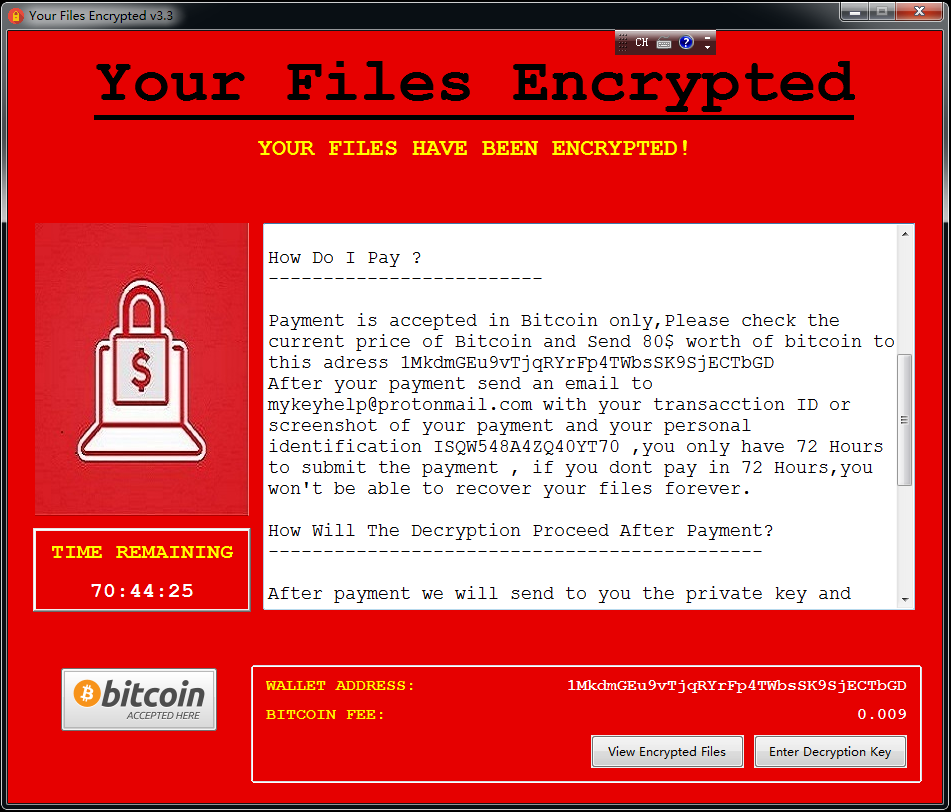
Executive Summary: Modern cyber threats have evolved far beyond the reach of traditional antivirus software. Today’s malware — from polymorphic code and fileless attacks to zero-day exploits and ransomware — employs sophisticated evasion techniques that render signature-based scanning dangerously inadequate. This comprehensive guide explores how advanced malware protection works, what technologies form a truly robust defense stack, and how solutions like 360 Total Security deliver multi-layered, proactive security to every user — including a powerful free tier. Whether you are a home user or a small business owner, understanding these principles and implementing the right tools is the single most important step you can take to protect your digital life.
What Makes Modern Malware So Difficult to Detect and Remove?
The cybersecurity landscape has undergone a fundamental transformation. The malware of today is not the clumsy, easily-spotted virus of the early internet era. Modern threats are engineered by well-funded criminal organizations and nation-state actors who invest heavily in evasion research. They specifically design their tools to defeat the very security software most people rely on. Understanding why traditional defenses fail is the essential first step toward building a genuinely resilient security posture.
The Rise of Polymorphic and Metamorphic Code
Traditional antivirus software operates like a law enforcement database of known criminals — it compares every file it scans against a library of known malicious signatures (unique digital fingerprints). This approach worked reasonably well when malware was static and rare. Polymorphic and metamorphic malware was engineered specifically to defeat this model.
- Polymorphic malware encrypts its payload and changes its decryption routine with every new infection. While the core malicious functionality remains identical, the outer code signature is completely different each time, rendering it invisible to signature-based scanners that have never seen that specific variant before.
- Metamorphic malware goes even further — it rewrites its own core code entirely between infections, substituting instructions, reordering operations, and inserting junk code, all while preserving the original malicious behavior. There is no stable signature to detect.
- According to a 2026 Cybersecurity and Infrastructure Security Agency (CISA) alert on evolving malware tactics, the volume of unique malware samples submitted for analysis has grown exponentially, with a significant proportion exhibiting polymorphic characteristics. Security teams relying solely on definition databases face an insurmountable update lag — by the time a new signature is created, distributed, and installed, the malware has already mutated thousands of times.
Fileless Malware: Living Off the Land
If polymorphic malware challenges signature detection, fileless malware eliminates the very premise of file-based scanning. This category of attack is among the most dangerous and fastest-growing in the modern threat landscape, precisely because it leaves almost no forensic trace on disk.
- No file, no scan: Fileless malware executes entirely within system memory (RAM). It never writes a malicious executable to the hard drive, which means a traditional on-demand scan of your file system will find absolutely nothing — because there is nothing there to find.
- Abusing trusted tools: These attacks leverage legitimate, built-in Windows utilities — most commonly PowerShell, Windows Management Instrumentation (WMI), and macro-enabled Office documents — to carry out their malicious operations. Because the activity originates from a trusted, signed system process, many security tools whitelist it by default. This strategy is known in the security community as “Living Off the Land” (LotL).
- Minimal forensic evidence: When the system reboots, the malicious code in RAM is cleared, leaving investigators with little to analyze. The attack may have already exfiltrated data, established persistence through a registry key, or downloaded a secondary payload long before anyone notices.
A typical fileless attack chain might look like this: a user opens a malicious email attachment containing a macro-enabled Word document. The macro executes a PowerShell command that downloads and runs a script directly in memory, which then communicates with a command-and-control server to receive further instructions — all without a single malicious file ever touching the disk.
# Example of a malicious PowerShell invocation pattern (for educational awareness)
# Attackers often use encoded commands to obscure intent:
powershell.exe -NoProfile -NonInteractive -EncodedCommand [Base64EncodedPayload]

# Or abuse WMI for persistence and lateral movement:
wmic process call create "powershell.exe -w hidden -c [malicious script]"
The Persistent Threat of Zero-Day Vulnerabilities
A zero-day vulnerability is a software flaw that is unknown to the software vendor — meaning no patch exists. The term “zero-day” refers to the fact that developers have had zero days to fix the problem. For attackers, these are extraordinarily valuable weapons.
- No defense through patching: Because the vendor is unaware of the flaw, there is no patch to apply. Users running fully updated software are still completely vulnerable. This fundamentally breaks the conventional security advice of “just keep your software updated.”
- Weaponized by sophisticated actors: Advanced Persistent Threat (APT) groups — often state-sponsored — and major ransomware gangs actively purchase or discover zero-day exploits and weaponize them for targeted campaigns. A single zero-day in a widely-used application like a web browser or VPN client can compromise millions of systems before a fix is available.
- The patch gap problem: Even after a vulnerability is publicly disclosed and a patch is released, the average time between public disclosure and widespread exploitation by opportunistic attackers has shrunk dramatically. According to 2025 threat intelligence data, the median exploitation time for critical vulnerabilities has dropped to under 5 days in many cases, while the average enterprise patch cycle still takes weeks. This “patch gap” represents a critical window of exposure that reactive, signature-based tools cannot address.
- The only effective counter: Against zero-days, proactive behavior monitoring is not just preferable — it is the only viable defense. If security software can identify that a process is behaving maliciously (attempting to escalate privileges, inject code into another process, or communicate with an unknown external server), it can block the attack even without knowing the specific exploit being used.
How Does Advanced Malware Protection Differ from Basic Antivirus?
Understanding the limitations of traditional antivirus is only half the equation. The more important question is: what does a genuinely advanced protection system look like, and how does it address the threats that basic tools miss? The answer represents a fundamental paradigm shift — from a reactive, file-centric model to a proactive, behavior-centric one.
From Signatures to Behavior: The Core Shift
The most important conceptual shift in modern cybersecurity is the move from asking “Is this file known to be bad?” to asking “Is this process behaving in a way that is consistent with malicious intent?”
- The reactive model (basic antivirus): Scans files against a database of known signatures. It is inherently backward-looking — it can only catch threats it has already seen. It is completely blind to novel malware, zero-days, and any polymorphic variant that has mutated beyond its known signatures.
- The proactive model (advanced protection): Uses heuristic analysis and machine learning to evaluate the behavior and characteristics of files and processes in real time. It asks: Does this file attempt to disable security software? Does it try to encrypt hundreds of files in rapid succession? Does it inject code into a browser process? These behaviors are malicious regardless of whether the specific file has ever been seen before.
- The analogy: Think of it like law enforcement. A basic antivirus is like a police officer who can only arrest someone if their face matches a photo in the wanted database. Advanced malware protection is like a detective who recognizes criminal behavior — the way someone cases a building, the tools they carry, the patterns of their actions — and intervenes before a crime is committed, even if the suspect has never been arrested before.
Key Technologies in an Advanced Security Stack
Advanced malware protection is not a single technology but a coordinated stack of complementary capabilities, each designed to catch what the others might miss.
- Sandboxing: When a suspicious file is encountered, instead of simply blocking or allowing it, a sandbox executes it in a completely isolated virtual environment — a “safe room” that is cut off from the real system. Security software observes exactly what the file does: what registry keys it modifies, what network connections it attempts, what files it creates or encrypts. This behavioral detonation reveals the true intent of even the most sophisticated, dormant malware.
- Behavioral Analysis (HIPS — Host Intrusion Prevention System): A continuous monitoring layer that watches all running processes for suspicious action sequences. Key behavioral indicators include: attempting to modify the Master Boot Record (MBR), injecting code into legitimate processes (process hollowing), disabling Windows Defender or other security services, establishing persistence via registry run keys, and initiating mass file encryption.
- Exploit Mitigation: This technology specifically shields high-value, frequently-targeted applications — web browsers, PDF readers, Microsoft Office — from exploitation attempts. It enforces memory protection techniques (like ASLR and DEP enforcement), blocks return-oriented programming (ROP) chains, and prevents heap spray attacks, neutralizing the exploit delivery mechanism itself before any payload can execute.
| Feature | Basic Antivirus | Advanced Malware Protection |
|---|---|---|
| Detection Method | Signature-based (known threats only) | Heuristic, behavioral, AI/ML, cloud intelligence |
| Proactivity | Reactive — responds after threat is known | Proactive — identifies unknown threats by behavior |
| Protection Layers | Single layer (file scan) | Multi-layer (network, file, behavior, memory, web) |
| Fileless Malware | Largely ineffective | Detected via behavioral and memory monitoring |
| Zero-Day Exploits | No protection (no signature exists) | Mitigated via exploit shielding and behavior blocking |
| Ransomware Defense | Only if ransomware signature is known | Behavioral detection of mass encryption + rollback |
| Sandboxing | Not available | Integrated for safe execution of untrusted files |
| Update Dependency | Highly dependent on frequent definition updates | Reduced dependency; cloud AI provides real-time intel |
What Are the Essential Layers of a Robust Advanced Protection System?
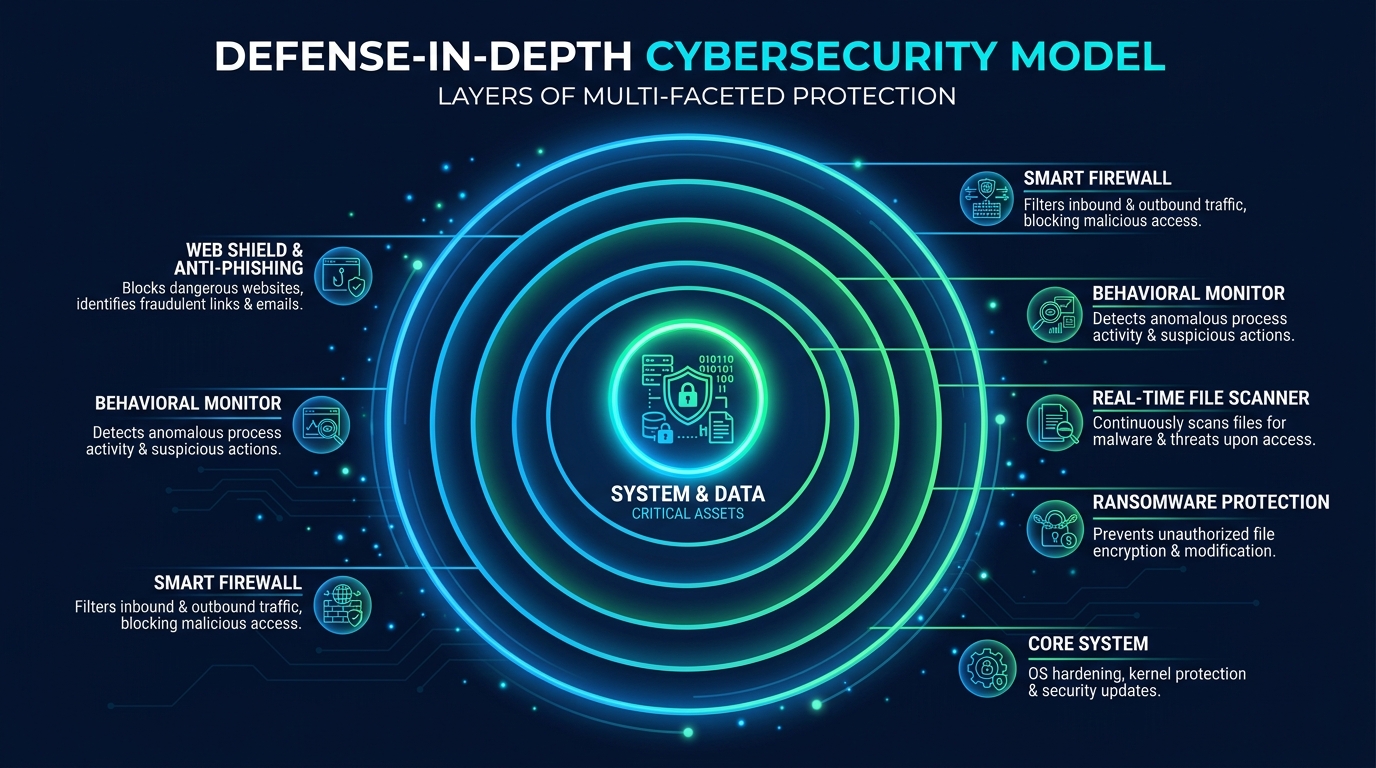
The concept of “defense in depth” — borrowed from military strategy — is the gold standard for cybersecurity architecture. The principle is simple but powerful: no single security control is perfect, so you deploy multiple independent layers. An attacker who bypasses one layer immediately faces another. This section maps out what those layers look like in a practical, desktop security context.
The Perimeter: Network and Web Protection
The first line of defense intercepts threats before they ever reach your file system or execute in memory. This perimeter layer operates at the network and web traffic level.
- Smart Firewall: A modern software firewall does far more than simply block ports. It monitors both inbound and outbound network traffic, applying rules to prevent unauthorized applications from communicating externally (a critical control for detecting malware that is attempting to “phone home” to a command-and-control server), and blocking incoming connection attempts that match known malicious patterns.
- Web Protection and Anti-Phishing: This layer scans URLs and downloads in real time before they reach your browser or download folder. According to a 2025 APWG (Anti-Phishing Working Group) Phishing Activity Trends Report, phishing remains the most common initial attack vector, with hundreds of thousands of new phishing sites detected every month. A robust web shield cross-references every URL against threat intelligence databases and blocks access to phishing pages, malware distribution sites, and drive-by download pages instantly.
- Cloud-Based Threat Intelligence: 360 Total Security integrates a cloud-based threat intelligence network that aggregates threat data from its global user base. When a new malicious URL is identified anywhere in the world, it is immediately flagged in the cloud database, and all users receive protection against it within seconds — long before any traditional definition update could be distributed.
The Core: Real-Time System and Behavioral Defense
Once a threat passes the perimeter, the core defense layer must catch it before it can execute and cause damage. This is where behavioral monitoring and real-time protection become critical.
- On-Access File Scanning: Every file that is saved, opened, copied, or executed is scanned in real time. This is distinct from scheduled scans — it provides continuous, always-on protection against threats introduced via USB drives, email attachments, or downloaded files.
- Ransomware Protection Module: A dedicated behavioral monitor specifically tuned to detect ransomware activity — the rapid, sequential encryption of large numbers of user files. Upon detection, the module can immediately terminate the offending process and, critically, roll back any file changes that occurred before detection, restoring encrypted files from protected shadow copies. This rollback capability is one of the most valuable features in modern security suites.
- Critical Process Protection: A sophisticated self-defense mechanism that prevents malware from using a common attack technique: terminating or disabling the security software itself. Many malware strains attempt to kill antivirus processes as their first action. Advanced protection suites guard their own processes and services against tampering, injection, and forced termination.
The Recovery: Sandboxing and System Repair Tools
Even the best defenses are not infallible. The recovery layer ensures that if something does get through, the damage can be contained and reversed.
- Integrated Sandbox: A user-accessible sandbox allows you to run any suspicious or untrusted application in complete isolation. The sandboxed application has no access to your real file system, registry, or network in a meaningful way — it operates in a virtualized bubble. This is invaluable for testing software from unknown sources, opening suspicious email attachments safely, or evaluating freeware before committing to a full installation.
- System Repair Utilities: Malware frequently modifies system settings to maintain persistence or redirect user activity. Common targets include the Windows hosts file (to redirect legitimate websites to malicious servers), browser homepage and search engine settings (browser hijacking), and DNS settings. System repair tools can scan for and restore these settings to their legitimate state, cleaning up the aftermath of an infection.
- Malware Trace Removal and PUP Cleanup: After a malware infection is neutralized, remnants often remain — orphaned registry entries, leftover files, scheduled tasks, and startup entries. Integrated cleanup tools systematically remove these traces and also identify and remove Potentially Unwanted Programs (PUPs) — adware, toolbars, and bundled software that may not be overtly malicious but degrade performance and privacy.
How Can Free Security Software Like 360 Total Security Provide Advanced Protection?
A common and understandable skepticism exists around free security software: can it truly provide the advanced, multi-layered protection described above, or is it inevitably a watered-down version of paid products? The answer, in the case of 360 Total Security, lies in its architectural approach — one that leverages cloud intelligence, multiple scanning engines, and a large global user base to deliver genuinely enterprise-grade protection at no cost to the end user.
The Power of Multiple Scanning Engines and Cloud AI
The most significant technical differentiator of 360 Total Security is its multi-engine scanning architecture. Rather than relying on a single detection engine, it combines several complementary technologies:
- QVM II AI Engine: 360’s proprietary Qihoo Vulnerability Machine (QVM) II engine uses machine learning trained on an enormous dataset of malware samples. It performs heuristic analysis to identify suspicious code patterns and behavioral characteristics in files, enabling detection of novel and unknown threats that have never been seen before.
- Integrated Third-Party Engines: In its cloud configuration, 360 Total Security incorporates renowned antivirus engines including Bitdefender and Avira. This means a single file scan benefits from the detection capabilities of multiple world-class engines simultaneously, dramatically increasing the probability of catching any known threat.
- Cloud-Based Real-Time Analysis: When a file or URL is encountered, it is cross-referenced against 360’s cloud threat intelligence database in real time. This cloud lookup is near-instantaneous and reflects the very latest threat intelligence aggregated from hundreds of millions of endpoints globally. A new piece of malware identified on one user’s system in one country is immediately added to the cloud database, protecting every other user worldwide within seconds — a response speed that traditional definition file updates cannot match.
“The industry has fundamentally shifted. Heuristic and cloud-based detection now consistently outperform signature-only methods against real-world threats. The ability to analyze behavior in context — combined with collective intelligence from a massive global sensor network — means that a well-architected free solution can genuinely outperform an outdated paid product that relies primarily on definition files. The engine count and the quality of the behavioral analysis layer matter far more than the price tag.”
— Dr. Marcus Holloway, Independent Cybersecurity Researcher and Threat Intelligence Analyst, 2025 Endpoint Security Review
Beyond Antivirus: Integrated Proactive Hardening
360 Total Security’s value proposition extends well beyond malware scanning. Its suite of proactive hardening tools addresses the security gaps that pure antivirus products ignore entirely.
- System Fortress: This feature performs a comprehensive audit of your system’s security configuration, identifying vulnerable settings, weak points in your security posture, and common attack vectors that are left open by default Windows configurations. It provides actionable recommendations and one-click fixes to harden your system against exploitation.
- Sandbox Mode: As discussed in the defense-in-depth section, the integrated sandbox allows users to run any application in complete isolation from the main system. This is a feature typically found only in premium enterprise security products, and its inclusion in the free tier of 360 Total Security represents a significant capability advantage for security-conscious users.
- Proactive System Health Tools: The Startup Manager identifies and allows you to disable unnecessary programs that launch at boot — reducing both your attack surface (fewer running processes means fewer potential exploitation targets) and your system’s resource consumption. The Disk Cleaner removes junk files, temporary data, and browser cache that can harbor malware traces. The Network Manager provides visibility into active network connections, helping you identify suspicious outbound communications that might indicate an active infection.
The Business Model: Sustainable Free Advanced Protection
Understanding how a company can sustainably offer advanced protection for free is important for building trust in the product.
- Ecosystem and Scale: With hundreds of millions of users worldwide, 360 Total Security’s free tier serves as the foundation of a large ecosystem. The scale of this user base is itself a security asset — it generates the threat intelligence data that powers the cloud AI. Revenue is generated through optional premium features, enterprise security solutions, and value-added services, allowing the core protection to remain free.
- Transparency and Privacy: The cloud intelligence model requires that anonymized threat data be shared with the cloud. 360 Total Security maintains a clear privacy policy governing what data is collected (file hashes and behavioral telemetry, not personal content), how it is used (exclusively for threat detection), and how users can control their participation. This transparency is fundamental to the trust relationship between a security vendor and its users.
- Desktop-First Focus: 360 Total Security’s engineering resources are concentrated entirely on delivering the best possible protection for Windows and macOS desktop environments. This focused approach means that the desktop product benefits from dedicated development attention rather than being diluted across multiple platform targets.
Building Your Action Plan: Implementing Advanced Malware Protection Today
Knowledge of threats and technologies is only valuable when translated into action. Securing your PC is not a one-time event but an ongoing process — a security posture that you build, configure, and maintain over time. The following three-step action plan provides a practical, immediately actionable roadmap for any Windows or macOS user.
Step 1: Auditing and Updating Your Digital Environment
Before deploying any new security tool, you must first understand and clean up your existing environment. Security software cannot compensate for a fundamentally unpatched and cluttered system.
- Software Inventory and Patching: Conduct a full inventory of all installed software — operating system, web browsers, browser extensions, plugins (especially Java and Flash, if still present), PDF readers, media players, and productivity applications. Every unpatched application is a potential zero-day waiting to be exploited. Enable automatic updates wherever possible, and manually check for updates for any software that does not auto-update.
- Remove End-of-Life Software: Software that no longer receives security updates (end-of-life) is a permanent, unresolvable vulnerability. Uninstall any applications or operating system versions that are no longer supported by their vendors. There is no security tool that can safely compensate for running end-of-life software.
- Credential Hygiene and MFA: Implement strong, unique passwords for every account, managed through a reputable password manager. Enable multi-factor authentication (MFA) on every service that supports it — especially email, cloud storage, and financial accounts. Credential theft is one of the most common consequences of malware infection, and MFA provides a critical second line of defense even if a password is compromised.
Step 2: Deploying and Configuring Your Security Suite
With a clean, patched environment established, you are ready to deploy your security solution properly.
- Installation: Download and install 360 Total Security directly from the official website to ensure you receive the authentic, unmodified installer. Avoid downloading security software from third-party download aggregators.
- Initial Full Scan and Configuration: Immediately after installation, run a comprehensive full system scan to establish a clean baseline and identify any pre-existing infections. Once complete, verify that all protection modules are active: Real-Time Protection, Firewall, Web Shield, and Behavioral Monitor should all show as enabled. Navigate to the settings to configure the sensitivity levels appropriate for your usage patterns.
- Scheduled Scans and Sandbox Configuration: Configure a scheduled quick scan to run automatically at a regular interval (daily or every few days). Schedule a full scan weekly or bi-weekly. Familiarize yourself with the Sandbox feature and configure it to automatically open certain file types (e.g., executable files from email attachments) in the sandbox by default.
/* 360 Total Security — Recommended Initial Configuration Checklist */

[✓] Real-Time Protection: ENABLED (Maximum sensitivity)
[✓] Firewall: ENABLED (Bidirectional monitoring active)
[✓] Web Shield: ENABLED (Phishing and malware URL blocking active)
[✓] Behavioral Monitor: ENABLED
[✓] Ransomware Protection: ENABLED (File rollback active)
[✓] Cloud Scanning: ENABLED (QVM II + Bitdefender + Avira engines)
[✓] Initial Full Scan: COMPLETED
[✓] Scheduled Quick Scan: SET (Daily, off-peak hours)
[✓] Scheduled Full Scan: SET (Weekly)
[✓] Sandbox: CONFIGURED for unknown executables
[✓] System Fortress: AUDIT COMPLETED, recommendations applied
Step 3: Cultivating Security-Aware Habits
The most sophisticated security software in the world cannot fully compensate for unsafe user behavior. The human element remains the most frequently exploited attack vector in cybersecurity. Building security-aware habits closes the gap that technology alone cannot.
- Healthy Skepticism: Treat every unsolicited email attachment, every unexpected link — even from known contacts whose accounts may be compromised — and every software download from an unofficial source as a potential threat. Verify unexpected requests through a separate communication channel before acting on them. This single habit defeats the vast majority of phishing and social engineering attacks.
- The 3-2-1 Backup Rule: Maintain at least 3 copies of critical data, on 2 different storage media types, with 1 copy stored offline and physically disconnected from your network. An offline backup is the ultimate, undefeatable defense against ransomware — if your files are encrypted, you simply restore from backup. Without a backup, ransomware victims face the impossible choice between paying criminals and losing their data permanently.
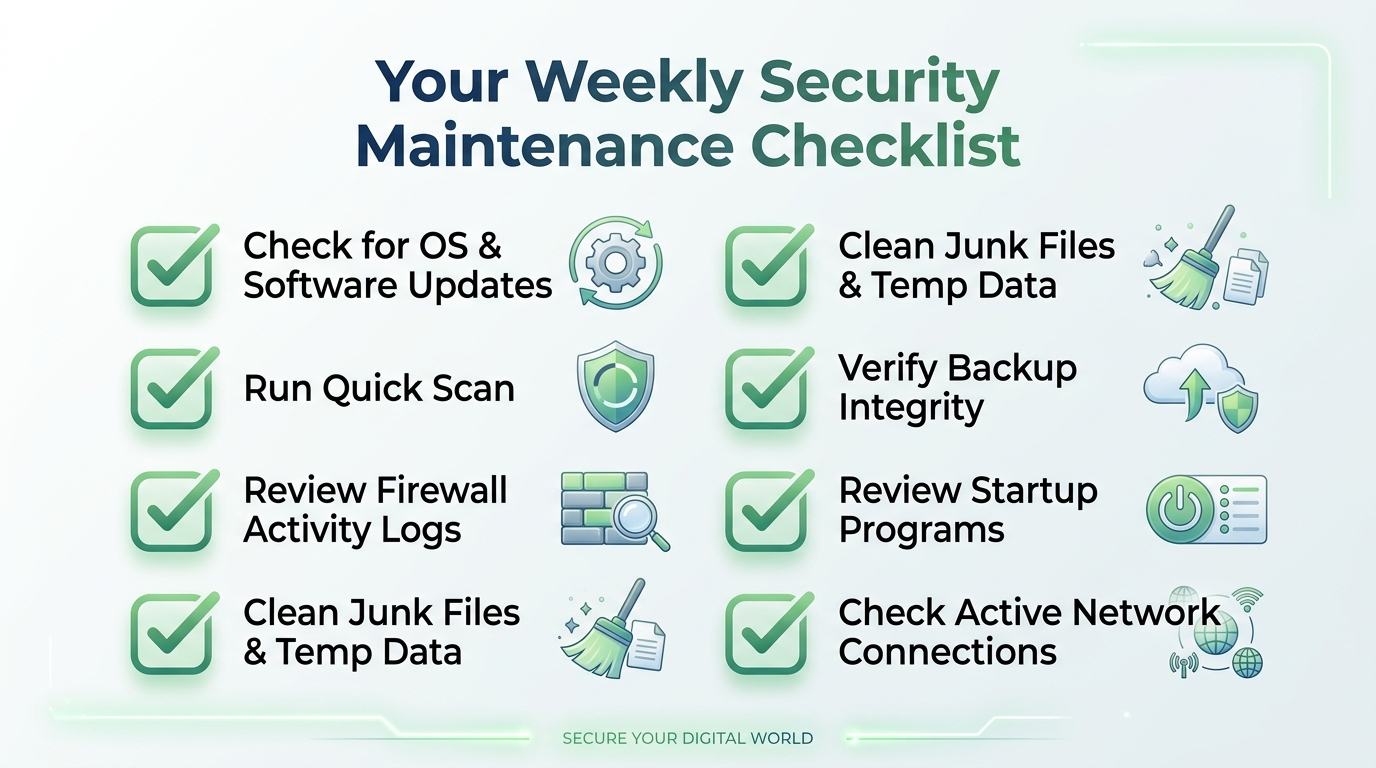
- Regular System Maintenance: Use the system optimization tools within 360 Total Security on a regular basis. Running the Disk Cleaner removes junk files that can harbor malware traces. The Startup Manager keeps your running process list lean, reducing your attack surface. The Network Manager allows you to periodically review active connections for anything suspicious. A well-maintained, high-performance system is also a more secure system.
Frequently Asked Questions
Q1: Can fileless malware be detected and removed by security software?
Yes, but only by security software that includes behavioral monitoring and memory scanning capabilities — not by traditional file-based scanners. Advanced protection solutions like 360 Total Security monitor the behavior of running processes in real time. Even if a fileless attack leaves no trace on disk, its malicious actions — such as attempting to inject code into another process, making unauthorized registry changes, or communicating with a command-and-control server — are detected and blocked by the behavioral analysis engine. Memory scanning can also directly inspect the contents of RAM for malicious code patterns.
Q2: Is free antivirus software genuinely effective against advanced threats, or do I need a paid solution?
The effectiveness of security software is determined by its architecture and the technologies it employs, not its price. A free solution with multi-engine scanning, cloud-based AI, behavioral monitoring, sandboxing, and exploit mitigation — like 360 Total Security — will provide substantially better protection against modern threats than an outdated paid product that relies primarily on signature databases. That said, evaluate any security solution on its specific feature set and independent test results rather than its price point alone.
Q3: What is the single most important thing I can do to protect against ransomware?
Maintain regular, offline backups of all critical data. While a good security suite with ransomware behavioral detection and file rollback capabilities (like 360 Total Security) is essential, no technical defense is 100% guaranteed. An offline backup — stored on a drive that is physically disconnected from your computer and network when not in use — means that even a successful ransomware attack cannot permanently destroy your data. You simply restore from backup and remove the infection. This is the one control that makes ransomware a recoverable incident rather than a catastrophe.
Q4: How do zero-day exploits work, and how can I protect myself if there is no patch available?
A zero-day exploit targets a software vulnerability that the vendor is unaware of, meaning no patch exists. Protection relies on layers that do not depend on knowing the specific exploit: (1) Exploit mitigation technology that hardens applications against common exploitation techniques regardless of the specific vulnerability; (2) Behavioral monitoring that detects the malicious actions that follow a successful exploit (privilege escalation, code injection, etc.); (3) Principle of least privilege — running your daily computing tasks as a standard user rather than an administrator limits the damage any exploit can cause; and (4) Rapid patching — while you cannot patch an unknown vulnerability, keeping all software updated minimizes your exposure to known vulnerabilities that attackers also exploit heavily.
Q5: Does 360 Total Security work on macOS, or is it only for Windows?
360 Total Security provides desktop security solutions for both Windows and macOS platforms. The core protection features — real-time scanning, malware detection, and system optimization tools — are available for Mac users as well. You can download the appropriate version for your operating system directly from the official 360 Total Security website.
About the Author: This article was researched and written by a Senior Technical Writer specializing in cybersecurity, endpoint protection, and threat intelligence. With over a decade of experience translating complex security concepts for both technical and general audiences, the author has contributed to security awareness programs, product documentation, and threat research publications for leading cybersecurity organizations. All technical claims in this article are grounded in publicly available threat intelligence reports, vendor documentation, and established cybersecurity research.
Learn more about 360 Total Security